


On October 8, 2026, Amazon announced the new Amazon Alexa Tablet series, its first tablets to officially ship with the Google Play store. The lineup consists of three models, the 12 Pro, 11 and 8, with U.S. prices starting at $229.99 and shipping beginning October 14. Earlier Fire OS tablets could not use Google's services. The new series opens up app choice while building in Alexa+, which can help based on what is on the screen. As limits on where apps come from fade, what is Amazon putting at the starting point of tablet use, and how far is it trying to make these devices a pick for reading and work?
Google Play opens the door, and Alexa becomes the starting point
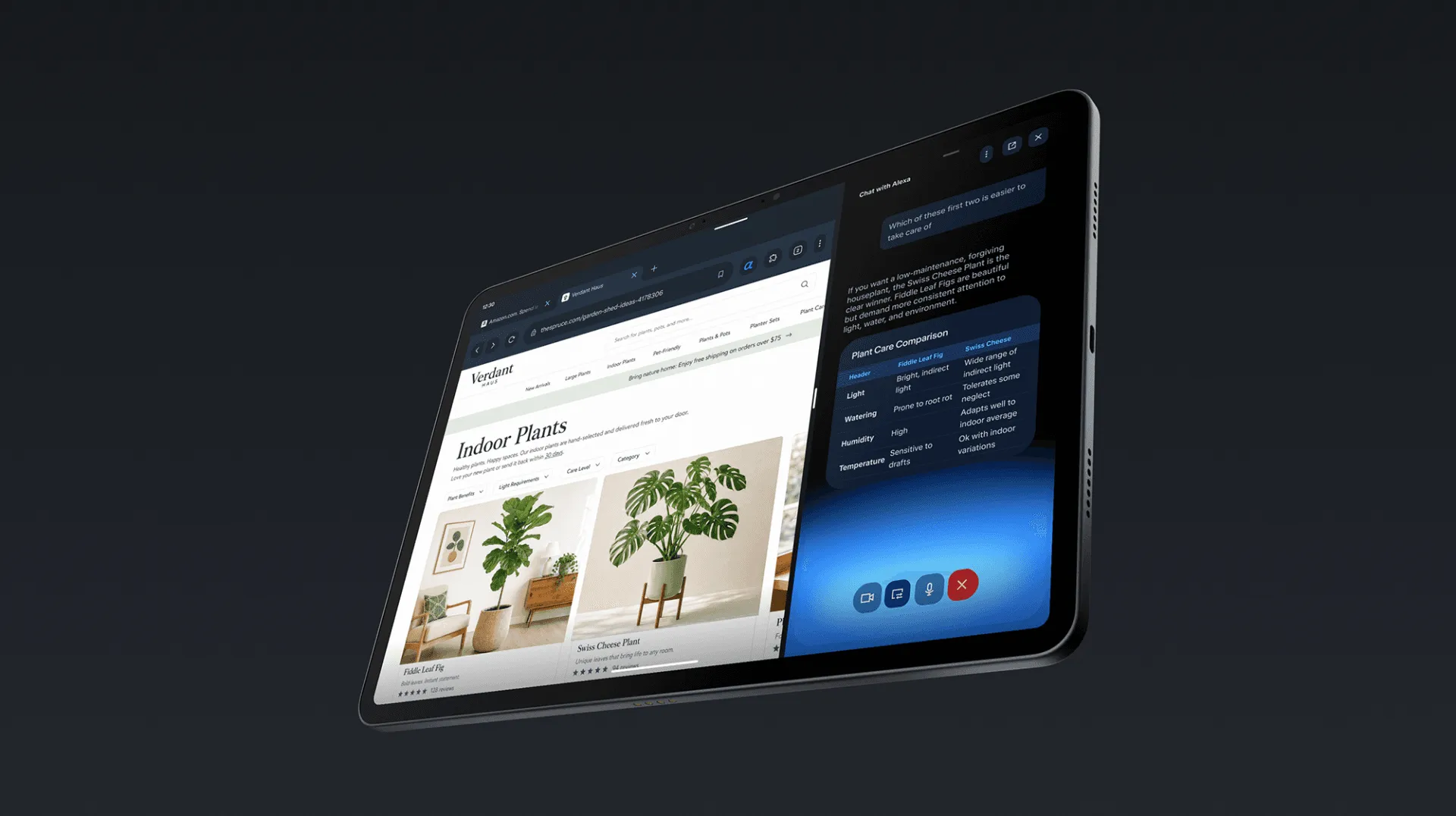
On the new series, users can get YouTube, Gmail and Google Docs from Google Play. Amazon apps such as Prime Video and Kindle come preinstalled and can be used alongside apps from Google Play.
The difference from before is hard to capture by saying only that Amazon "adopted Android," because Fire OS was also based on Android. Amazon's explanation for the older Fire OS 7 said Google services were unavailable and told developers to use Amazon's SDKs for the features they needed. By contrast, Amazon's method for identifying Alexa Tablets uses whether Google Mobile Services, Google's suite of apps and services, is available as a condition for recognizing Amazon devices. What changed is not just the OS label but the service foundation that apps rely on.
Amazon's own features sit alongside the apps in use. Alexa+ can be launched by voice or the "Ask Alexa" button, letting users ask questions without leaving an app. With the screen recognition feature, it can reportedly read a hiking trail on display and pick candidates that suit the user, or add a game schedule to the calendar and flag conflicts. With continuous conversation, users no longer need to say "Alexa" before every question once a session has started.
The home screen also includes "For You," which gathers recommendations and where you left off in reading or watching, and a "Dynamic Tab" that shows content in progress. While widening choice through Google Play, Alexa+ helps users find things within that choice and decide what to do next. Reading the announced features together, Amazon appears to be taking in Google's service foundation while differentiating itself by building its own AI into everyday operation and recommendations.
Sharing the screen, however, is the user's choice. According to Amazon, screen recognition is off by default and works only with explicit permission. An indicator appears while it is active, and it can be disabled in settings. It has not been described as a design that monitors the screen constantly. Examples such as adding calendar entries are use cases shown by the manufacturer and do not guarantee that every app can be operated freely.
The three models differ in display and working headroom
The top-end 12 Pro packs a nominal 12-inch, 120Hz display into a 6.5mm-thick unibody aluminum chassis. The 3:2 aspect ratio, which Amazon highlights for its extra vertical room, suits reading a document while working in another window. The 11 has a 16:10 display and is built around video viewing.
| Model | Display / resolution | Memory / internal storage | U.S. starting price |
|---|---|---|---|
| Alexa Tablet 12 Pro | Nominal 12-inch, 2800×1840, 120Hz | From 8GB/128GB, up to 16GB/256GB | $499.99. Nanomatte from $549.99 |
| Alexa Tablet 11 | 11-inch, 2560×1600, 90Hz | 8GB / 64GB or 128GB | $329.99 |
| Alexa Tablet 8 | 8.7-inch, 1340×800 | 4GB / 64GB or 128GB | $229.99 |
Prices are based on Amazon's October 8, 2026 announcement, and resolution and capacity on each model's official specifications. Starting prices are for the lowest configuration, not the price of the maximum capacity. Not every Nanomatte configuration comes with 16GB of memory.
The 8 weighs 329g and is easy to carry, but it trails the higher-end models in display sharpness and memory. The 11, with 8GB of memory and a high-resolution display, is easy to consider for people who want both entertainment and multi-app use. The developer specifications for the 12 Pro list Android 16, the MediaTek MT8793N and the Arm Mali G720.
One thing to watch at purchase is storage expansion. The spec tables for the 12 Pro, 11 and 8 all list external storage as "none." For anyone planning to carry a lot of manga or video on the device, internal capacity at purchase matters as much as app availability.
Video playback is rated at up to 16 hours for the 12 Pro, 15 hours for the 11 and 14 hours for the 8. These are the manufacturer's nominal figures, not measurements compared under identical conditions. The lineup is one where you pick not by screen size alone, but by how fine the content you read is and how much you need to store.
Nanomatte brings the LCD closer to reading
The 12 Pro comes with a standard display as well as "Nanomatte," which reduces reflections. According to Amazon, working with Corning, it uses photolithography, which creates fine patterns with light, to etch a sub-pixel-level pattern aligned with pixel positions into the glass. The explanation is that this avoids the uneven light scatter caused by simply roughening a surface, preserving detail and color accuracy.
The aim is to reduce reflections in environments where windows and lighting are mirrored, while keeping images and text looking sharp. However, Amazon's announcement gives no specific measurements of reflectance or color reproduction. How the technology works and how much more legible it makes a real device should be evaluated separately.
The Kindle integration goes beyond treating the screen. Opening a book silences notifications and reduces blue light, with warm, paper-like tones and grayscale display available. Amazon says it can be used for up to 20 hours while reading. On the 12 Pro, the Pro Pen can annotate books, and the notes sync to supported Kindle apps and Kindle Scribe.
Still, the 12 Pro's display panel is an IPS LCD. Nanomatte is not a switch to e-paper but an attempt to reduce interference with reading through surface treatment and software on an LCD. It is a sensible combination for people who want a device used for video and multiple windows to double as a reading device. It should not be taken as promising the same power consumption or reading feel as an e-paper device.
A work setup starts at $739.97
The Pro Keyboard made for the 12 Pro connects magnetically and needs no Bluetooth pairing. The Pro Pen supports USI 2.0 and detects 4,096 levels of pressure as well as tilt. It attaches magnetically and supports wireless charging. The intended use is marking up PDFs and switching to the keyboard and trackpad to finish documents.
Adding the official keyboard and pen to the 12 Pro brings the standard model to $739.97 and the Nanomatte model to $789.97 and up. Adding the U.S. prices Amazon gave on October 8 gives $499.99 + $149.99 + $89.99 = $739.97 for the standard model and $549.99 + $149.99 + $89.99 = $789.97 for Nanomatte. That is the hardware cost with one of each accessory added to the lowest configuration for each display option, excluding tax, shipping, discounts and paid services. The basis for the prices can be traced in Amazon's announcement.
Judging it as a work device on the $499.99 body alone leaves out the cost of input accessories. Conversely, people who do not use the pen need not buy the whole set. The price you should evaluate depends on how you buy.
Amazon shows uses such as arranging multiple windows side by side, resizing them and switching between work and personal profiles. Google Play support widens app choice, but whether the editing features you need work in an Android app is a separate judgment. For work, what decides the purchase is not only the feel of the glass or the convenience of the AI, but whether everyday documents and PDFs can be handled as intended.
Japan gets the kids models
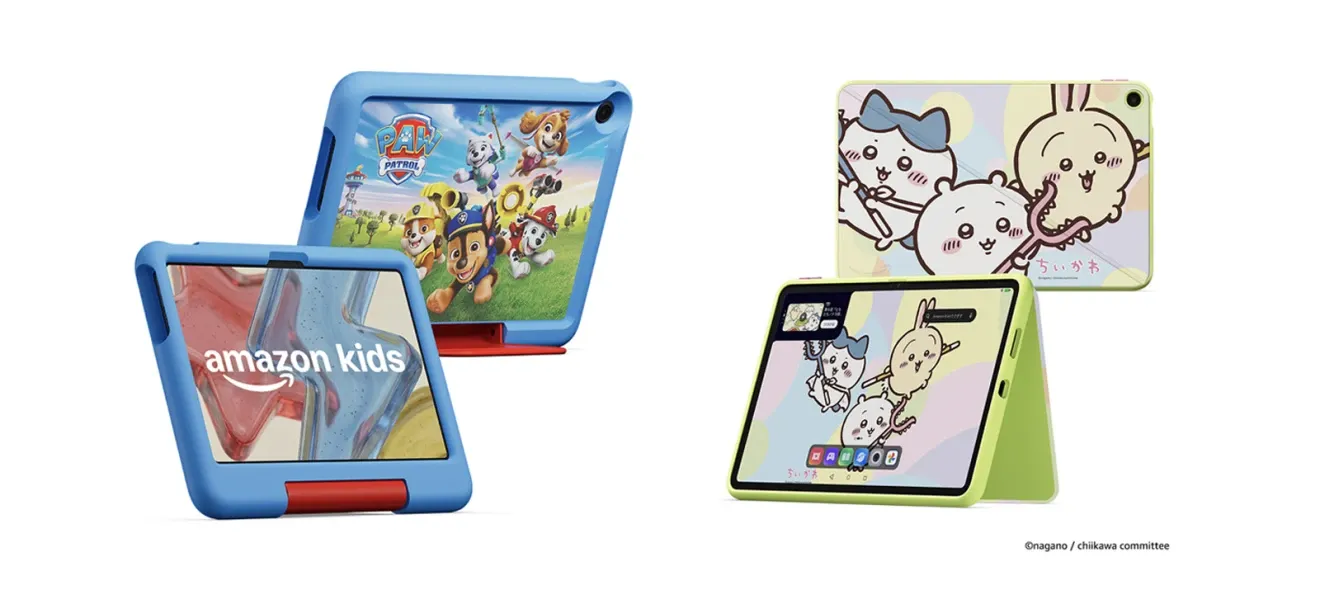
The general-purpose Alexa Tablets begin shipping October 14 in the United States, Canada and Mexico, and October 19 in the UK, Germany, France and elsewhere. In Japan, the "Amazon Kids Tablet" 8 and 11, announced the same day, opened for preorder with shipping scheduled for October 14. Domestic release dates for the three general-purpose models and the conditions for offering Alexa+ in Japanese cannot be confirmed from this announcement.
According to the official announcement for Japan, the 8.7-inch model costs ¥39,980 including tax, and the 11-inch model starts at ¥54,980 including tax. A dedicated case and one year of Amazon Kids+ are included. Using Google Play requires a Google account, and parents allow and manage individual apps through Google Family Link. The total number of apps in the store does not translate directly into the number of apps usable in a child's profile.
Kids+ automatically renews into a paid period after one year, at ¥780 per month for Prime members and ¥980 per month for non-members. Judging the domestic models involves not only the hardware price but also parental controls and the cost of continued use. The overseas Alexa+ models and Japan's kids' bundles cannot be compared under the same conditions.
With Google Play support, the reason to choose an Amazon tablet moves past the question of whether you can accept app restrictions. On real devices from October 14 onward, the questions are how useful screen-sharing assistance proves in everyday apps and how much Nanomatte cuts lighting reflections. If those differences justify the price of the full setup, the tablets could become an option for people already used to Amazon's services who want to combine work and reading on one device.