


On October 13, 2026, Apple announced Apple HomeView, a 7-inch smart display designed to be shared by a whole family. It comes in two versions, a tabletop model and a wall-mounted model, both priced at $299 in the US. It goes on sale in the supported countries on November 13, but Apple has not announced a release date or price for Japan. HomeView's defining feature is that it uses face recognition to identify who is using it and shows each person a suitable screen. It can sit in a living room where the family gathers while still giving access to individual messages and schedules. The key points are how it works with an iPhone or iPad to make that possible, and how it protects privacy.
One shared screen that adapts to each person
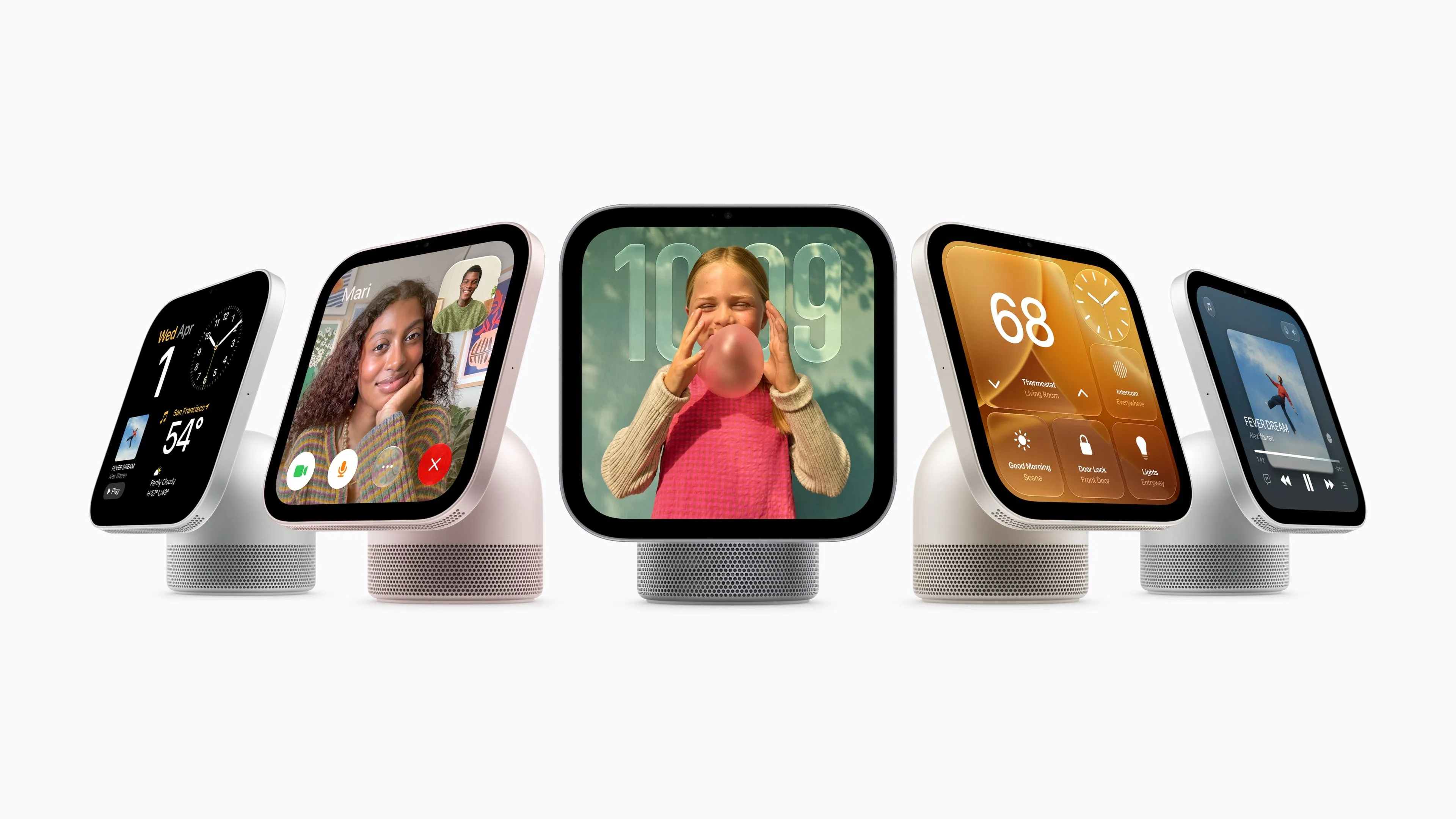
HomeView uses face recognition to identify up to six users and can show apps and widgets tailored to each. Guests can enjoy shared album photos and music, but accessing personal messages or calendars requires more than face recognition: it also requires confirmation from the iPhone or iPad that the person has paired with the device.
According to Apple's product page, the usual conditions for accessing personal content are that the person's face is recognized, their paired device is on the same Wi-Fi network as HomeView, and that device has been unlocked recently.
In other words, even on a shared display in the living room, the device decides whose information to show by coordinating with that person's own device. You can use it as a digital photo frame for family pictures and still check your own schedule and messages when needed.
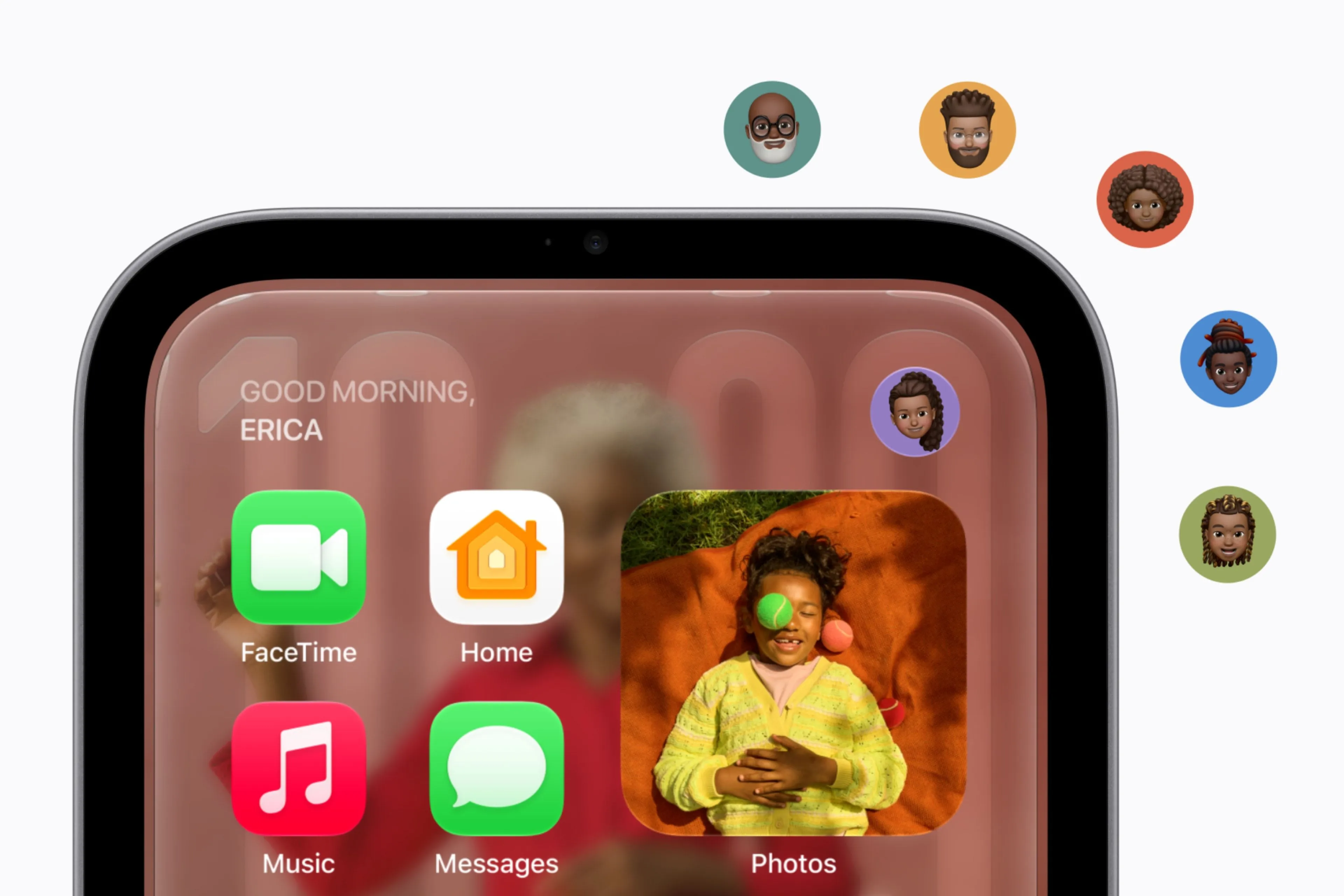
That said, losing the Wi-Fi connection does not necessarily cut off access to personal information. According to a note in Apple's announcement, access may continue if certain conditions are met, such as when the paired device was recently connected to the same Wi-Fi network, or when cellular service is active and the device is in the same location. The device also must have been unlocked recently.
User identification relies on the Secure Exclave in the A18 chip. Apple says the camera and microphone data used to recognize faces and voices is processed in an area isolated from other systems, so users can be identified without passing audio or video data to the OS.
The design therefore lets the device decide whose information to display while protecting the recognition data from other software. However, details such as the false recognition rate, and how many minutes authentication remains valid after a device is unlocked, have not been disclosed.
The way the screen displays information also differs from the handheld iPhone and iPad.
HomeView changes what it shows depending on how far away the user is: from a distance it displays essential information in large type, and as you move closer you can see more detail. The 7-inch Liquid Retina display has a resolution of 1,088 x 1,088 pixels, and its brightness can be adjusted from a maximum of 500 nits down to 0.3 nits.
The design aims to keep the display easy to use wherever it is placed, whether on a kitchen counter or a bedside table, and in varying ambient light.
How much of Siri's AI works on HomeView alone?
HomeView is powered by the A18 chip and includes "Siri AI."
Apple says features such as asking general knowledge questions and searching for music work even if Apple Intelligence is not enabled on the user's iPhone or iPad.
However, initial setup and multi-user use require a compatible iPhone or iPad. The official specifications state that iOS 27.2 or iPadOS 27.2 or later is required.
When Siri answers by referring to personal messages or schedules, the capabilities of the paired device also matter.
Here is a summary of the conditions Apple has published for each feature:
| Feature | Required device or conditions |
|---|---|
| General knowledge conversations and music search | Available even if Apple Intelligence is not enabled on the iPhone or iPad |
| Requests that reference personal messages or schedules | Apple Intelligence and Siri AI must be enabled on the paired iPhone or iPad, with the latest software and a supported language |
| Customizing Siri's voice and speaking speed | Requires a designated iPhone, or an iPad with an M4 or later chip and at least 12GB of unified memory. English only |
| AI summaries and natural-language search of security camera footage | Requires setup on an iPhone or iPad with Apple Intelligence enabled, and a subscription to an eligible iCloud+ plan |
The iPhones that can customize Siri's voice include iPhone Duo and iPhone Air, as well as the iPhone 18 Pro and iPhone 17 Pro series.
That means even a device that supports Apple Intelligence may not be able to use every HomeView voice feature. You will need to check the required devices and conditions for each feature you want to use.
Requests to Siri are processed either on HomeView itself or by Apple's Private Cloud Compute. Apple says that for cloud processing, the data used for a request is not stored and that Apple itself cannot access it.
The approach combines using personal information such as schedules and messages in coordination with the user's own device with a mechanism for protecting data in the cloud.
Still, some caution is warranted about the availability of AI features.
According to Apple's official announcement, Siri AI will be offered as a beta in HomeView software 27.2.
In addition, some Apple Intelligence features that use server-side AI models will have a daily usage limit. Apple has also indicated plans to let users expand that allowance for a fee in the future.
The specific usage limits and pricing have not been announced. Buying a HomeView does not mean unlimited use of every AI feature, which is worth keeping in mind.
Same $299, but the wall-mounted model costs extra to install
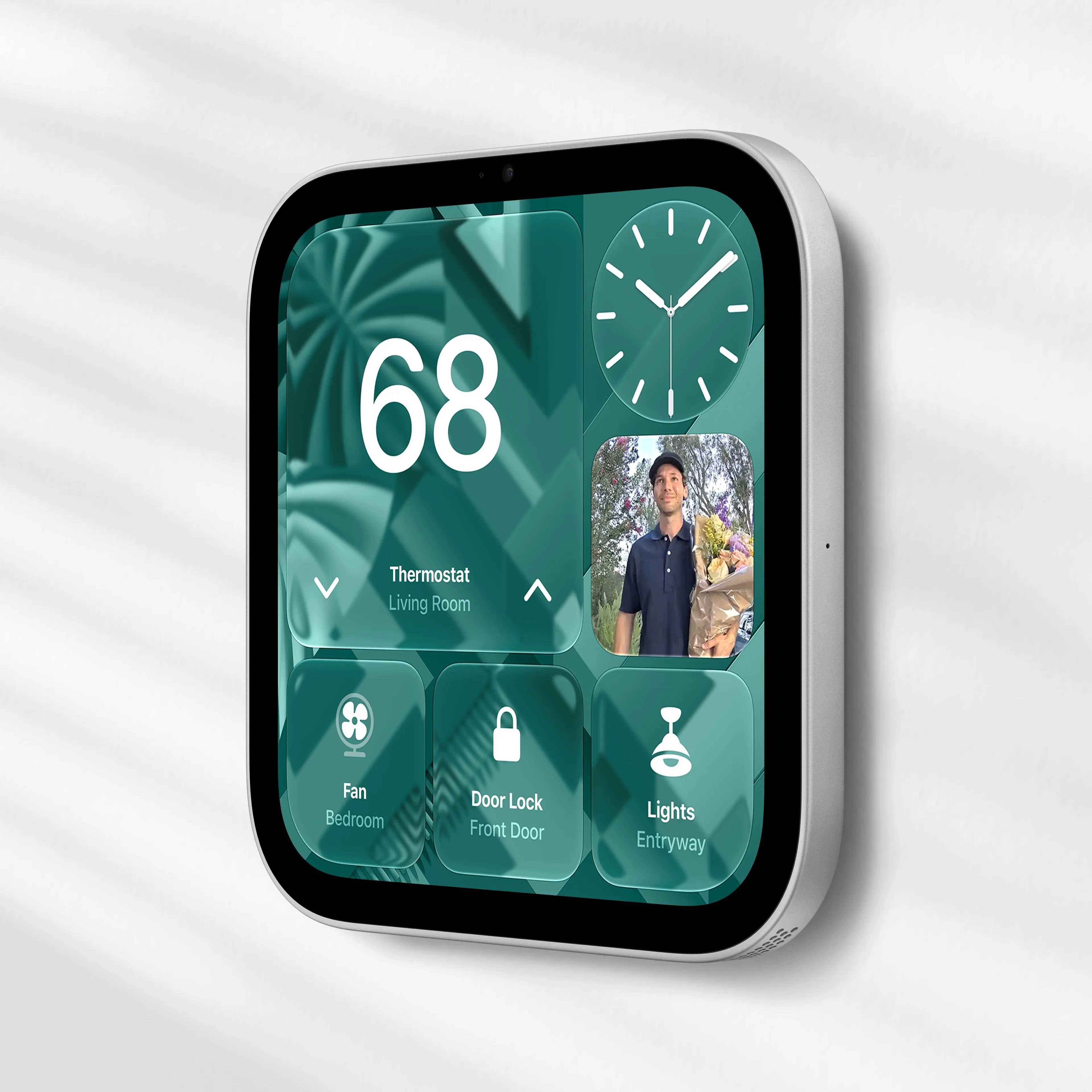
HomeView comes in a tabletop version and a wall-mounted version. Both cost $299 for the unit itself in the US, but the accessories included and the installation method differ.
The tabletop model comes with a 1.5m USB-C cable and a 30W power adapter. The wall-mounted model, by contrast, requires you to buy a compatible mount, plus a USB-C cable and a power adapter of at least 20W, separately.
| Item | Tabletop model | Wall-mounted model |
|---|---|---|
| Unit price in the US | $299 | $299 |
| Power and installation accessories | USB-C cable and 30W power adapter included | Compatible mount, USB-C cable, and a power adapter of at least 20W sold separately |
| Speaker configuration | 2 full-range drivers, 1 woofer, 2 passive radiators | 2 full-range drivers. Supports acoustic tuning for wall placement |
According to Apple, the least expensive dedicated mount compatible with the wall-mounted model costs $59.95.
So in the US, installing the wall-mounted model costs at least $358.95, combining the $299 unit and the $59.95 dedicated mount.
That total covers only the unit and the USB-C wall connector mount. It does not include the separately sold USB-C cable and power adapter, taxes, or installation labor.
Pricing is available in Apple's announcement, and accessory and power requirements are in the technical specifications.
The dedicated mounts are made by Schneider Home. The AC wired type, which connects directly to household power wiring, starts at $79.95. The PoE wired type, which is powered through a LAN cable, costs $129.95 and is scheduled for release in early 2027.
That means the PoE mount will not yet be available when the HomeView unit goes on sale.
The tabletop model has a hinge for adjusting the screen angle, and its speaker base houses components for bass reproduction. The wall-mounted model, meanwhile, needs no counter space, making it easier to leave permanently installed in an entryway or hallway.
Even with the same display size and unit price, the better model will depend on where you place it, how you secure power, and how much you care about music playback.
The speaker configurations clearly differ, but actual sound quality will have to wait for post-launch testing.
From smart home control to accessory setup
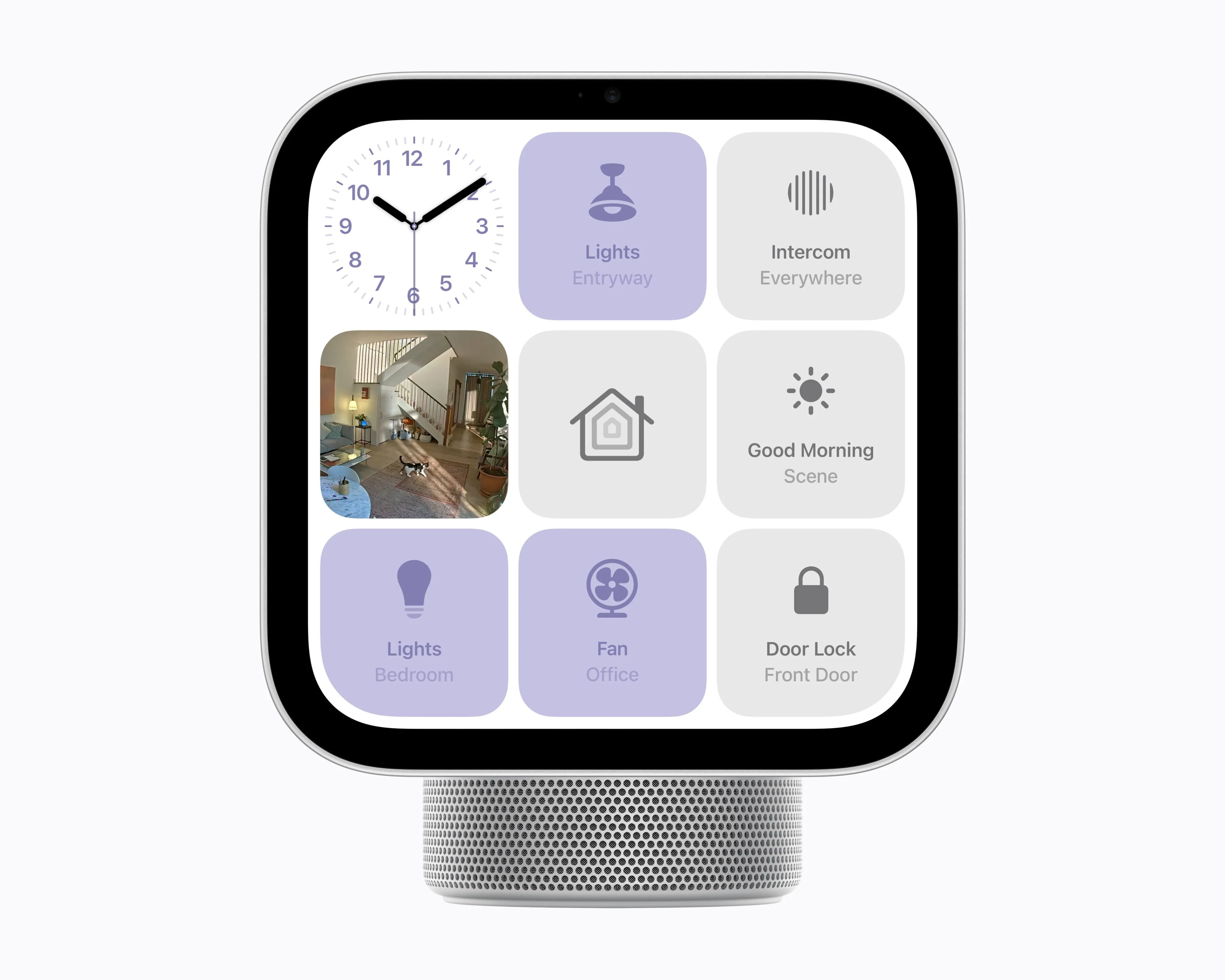
HomeView also serves as a control panel for smart home devices and as a home hub.
By touch or voice, you can adjust lights and thermostats, lock and unlock doors, and check security camera footage. Accessories that support Works with Apple Home and Matter also work, so you don't need to outfit your home entirely with new Apple products. Each accessory is sold separately, however.
Alongside HomeView, Apple also announced Apple Home Collection, a new lineup of smart home products.
The series consists of cameras, door locks, thermostats, and other products developed by LG Electronics and Schneider Electric in collaboration with Apple.
Its hallmark is that setup can begin with a single tap using an iPhone. Devices can be managed from Apple's Home app without installing additional apps or creating new accounts.
The aim is not only to expand the range of compatible devices but also to make initial setup and day-to-day management easier.
On privacy, Apple says security camera footage and personal data in the Home app are end-to-end encrypted.
With compatible Apple Home Collection cameras, subscribing to an eligible iCloud+ plan gives access to the past 10 days of event footage. There is no need to sign up for a separate camera-only subscription, but recording is not entirely free either. The required subscription is consolidated into iCloud+.
HomeView's Home Camera screen can display feeds from up to nine cameras at once.
However, AI summaries of recorded footage and natural-language search come with additional conditions. Beyond an eligible iCloud+ plan, setup on an Apple Intelligence-compatible device is required, and the number of cameras that can use AI features varies by plan.
Being able to view nine feeds at once therefore does not mean the same plan lets you use AI features on recordings from all nine cameras.
Of course, HomeView is useful even without many smart home devices.
It supports Apple Music lyrics display and Handoff for continuing music playing on an iPhone, and AirPlay lets you play music through speakers throughout the house.
It also supports FaceTime using a 12-megapixel camera. Center Stage automatically adjusts the framing during calls so the user stays in view even when moving around.
While cooking, it is meant to show web recipes step by step in an easy-to-read format and let you control timers by voice.
Some third-party apps and content, however, require a paired iPhone or iPad nearby or a separate subscription.
No Japan release date or price yet, and Japanese support is unclear

Apple HomeView will first go on sale in eight countries: the US, Canada, the UK, Australia, India, Singapore, New Zealand, and South Africa.
In six of them, excluding Singapore and South Africa, preorders opened on October 13. In Singapore, preorders begin at 9 a.m. local time on October 15, and in South Africa they can be placed through Apple product retailers. In every country, the release date is November 13.
Japan, on the other hand, is not among the countries where it will be sold this time.
The October 13 announcement did not disclose a preorder start date, release date, or yen price for Japan. Although the announcement appears in the Japanese-language Apple Newsroom, that does not mean it will be sold in Japan.
Siri AI will initially support English only in the eight launch countries.
French for Canada is planned through a free software update later, but there has been no announcement of when Japanese will be available on HomeView.
Apple explained that it will not sell HomeView in the EU because Siri AI is not available on iOS there. It has not said why Japan was left out of the initial sales countries.
There is also no word on whether Apple Home Collection will be sold in Japan.
The series will roll out gradually starting in December 2026, with some products scheduled for release in early 2027. However, the announced sales countries for each product are limited: cameras in the US, Canada, and the UK, and door locks and thermostats in the US and Canada only.
This information alone does not allow us to conclude that the products will go on sale in Japan at the same time.
HomeView is more than a control terminal for the smart home. It is a new type of household device that lets a family share one display while each member accesses their own information.
Still, anyone in Japan considering a purchase will need to check more than the release date and price of the unit: Japanese-language support for Siri, which AI features work with the iPhone or iPad they already own, and the iCloud+ subscription conditions all matter.
Can the whole family use a single screen while handling their own schedules and messages securely and comfortably? To judge HomeView's practicality, the terms of availability in Japan and its real-world usability after launch will be key.