

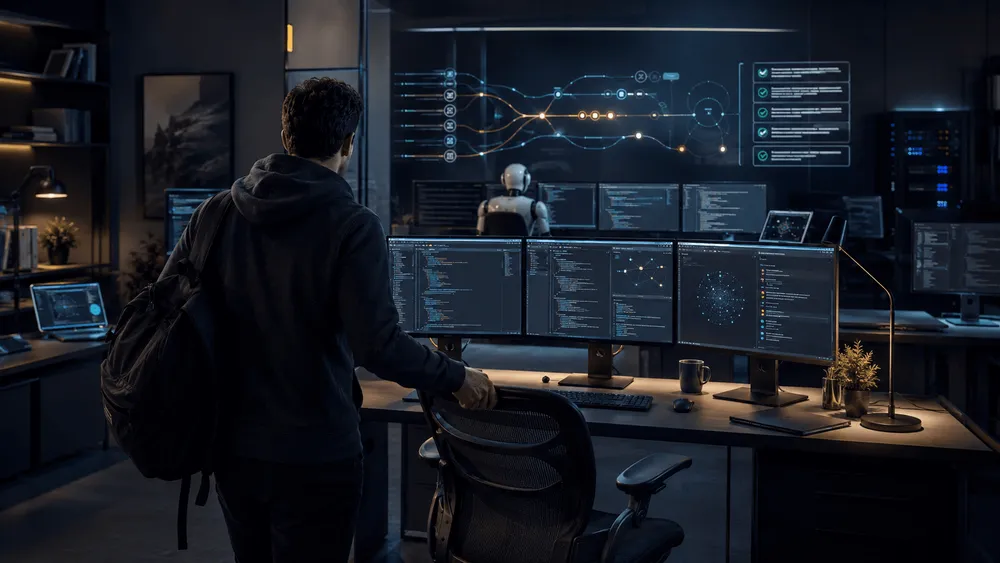
Kiro Crew, released by AWS, decouples development work using Kiro CLI from one-off conversations. Running on the user's local environment or on a remote machine managed by the user, it is a development workspace that preserves session context, schedules, and checkpoints for tasks in progress.
Kiro's IDE, CLI, and Web have been session-centric tools designed to work alongside developers. Crew adds an execution environment on top of that—one that accepts work while developers are away, reacts to state changes, and resumes tasks midway through. Before we even get to how good the generated output is, the underlying premise of who hands off development work, and when, has changed.
As work continues over longer stretches, practical usability isn't determined by model responses alone. How past corrections are retained, where failed processes can be resumed from, and how permissions to code and external tools are controlled all become factors to weigh before adoption.
From "One Chat" to a Place Where Work Gets Handed Off
Kiro Crew retains sessions and work history, and also manages schedules and task checkpoints. Because work can continue even after the Gateway restarts, this differs from the pattern of reloading a long process into a conversation from scratch every time. The design is meant to let developers, upon returning, check on progress and make their next decision.
Corrections are kept as persistent lessons, and recurring work patterns are reused as skills. Memory, lessons, and skills can all be viewed, edited, and deleted. What the official documentation calls "self-learning" or "self-evolving" doesn't mean the model autonomously learns general knowledge—it refers to the scope of reflecting these operational records into the next task.
What's retained here includes not just conversation logs but also checkpoints and verification results from long-running tasks. Since processing can proceed with retries included, developers can shift their role from the person who starts execution to the person managing interim outputs and approval conditions. That said, the official documentation does not state that Crew automatically pushes code to production.
Cron, Webhooks, and Heartbeats Fill the Waiting Time
Crew can initiate processing via timezone-aware cron, webhooks, and heartbeats. Beyond fixed-time triggers, the ability to detect state changes and set work in motion is what distinguishes this from simple periodic execution. The official documentation also cites use cases such as receiving CI/CD heartbeats to continue monitoring and verification.
Jobs that don't require model inference can be executed as ordinary scripts or commands. In other words, not all waiting time consumes inference. Regular checks and work that's only handed to the agent when conditions are met can be combined within the same execution environment.
On the other hand, unattended, ongoing processing doesn't mean approval becomes unnecessary. The scope shown in the official documentation covers executing, verifying, and monitoring work, and handing off outputs for review. Which changes get adopted, and under what permissions external services get connected to, remains an operational decision for the user.
From Kiro CLI to Apps and Parallel Agents
Crew runs on top of Kiro CLI, sharing ACP, model support, and .kiro configuration. Since it can carry over existing steering files, skills, and custom agents, developers can connect the development instructions they've already set up in Kiro to work that runs continuously in the background.
Multiple conversations can run in parallel, with independent research or implementation delegated to sub-agents whose results are returned to the parent conversation. In Apps, custom UIs are combined with agents, incorporating skills, schedules, external integrations, and backend services. The official page also describes TypeScript or Python SDKs and a React UI.
Access points are split across the desktop app, web dashboard, and CLI. Users can return to the same work from chat services like Slack, Discord, and Telegram, and the official documentation also mentions connections to Teams, Webex, and others. Whereas Kiro Web's autonomous mode is a preview feature that advances a single task from planning through sub-agent delegation to pull request creation, Crew places cross-session memory and event-driven processing within the same runtime.
Running Locally Doesn't Remove Operational Responsibility
Kiro Crew is open source, with its GitHub repository published under the Apache License 2.0. Since it can run locally or on a remote machine managed by the user, this expands the option of verifying the code and execution path yourself. But that doesn't shrink the responsibility of granting an agent permissions to code, CI, and external tools.
The official documentation describes OS-level sandboxing, command restrictions, and input validation as defensive mechanisms. This also includes protection of sensitive paths, credential masking, and signed audit logs. However, this represents the product's stated design—it doesn't constitute an independent security assessment or a demonstrated incident rate in actual operation.
Crew itself is free software, but using it requires a Kiro account and a Kiro plan, and agent inference counts against the plan's usage. While no separate Crew-specific fee is listed in the official FAQ, running it continuously requires estimating inference credit costs, the execution machine, costs and permission management for external service connections. Whether it delivers value as an always-on environment depends on deciding in advance which work to accept automatically and where to hand things back to human review and approval.