

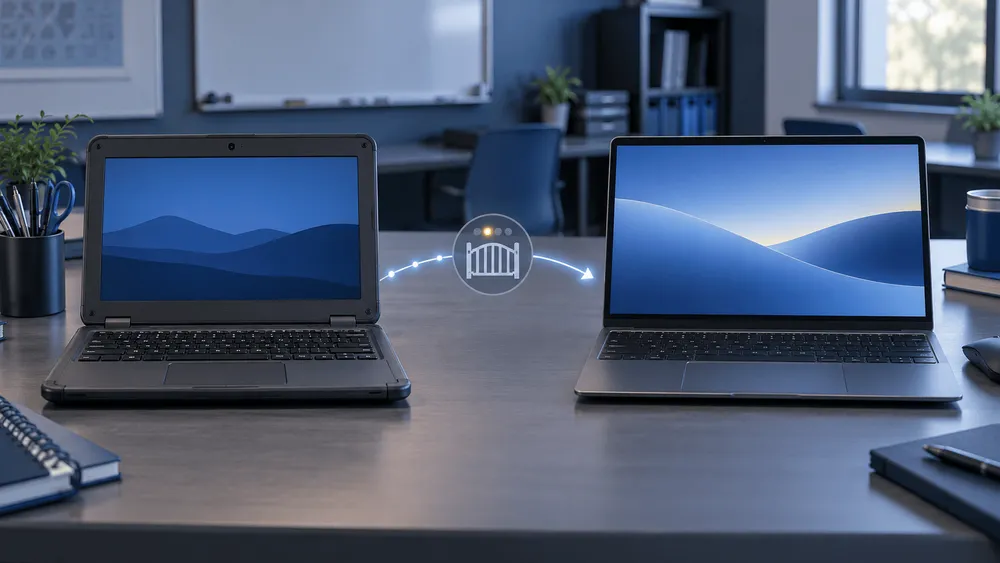
In an FAQ for school and enterprise administrators updated on September 23, 2026, Google said that many relatively new commercial Chromebooks will be able to move to "Googlebook OS."
Googlebook OS is a new operating system that combines the PC features built up in ChromeOS with Android's technology foundation. However, Google has not yet said which Chromebooks will be eligible or how the migration will work. This announcement alone doesn't tell you when the device you use today could move to Googlebook OS.
That said, the possibility of moving existing Chromebooks to a new environment isn't entirely new.
At a briefing in May, Google had already explained that it would offer a migration option for many existing Chromebooks, but that not every model would be eligible. In a Google Cloud Blog post the next day, it also said that schools and businesses would move to the new environment in stages over several years.
What the September FAQ makes more concrete is how the long-term support promised for current Chromebooks connects to a move to Googlebook OS, and to organizational management after that move.
Schools and companies that run devices at scale need to think about three separate questions: how long ChromeOS updates will continue, whether a device can move to Googlebook OS, and whether it can be managed after the move the way it is today.
The September FAQ adds detail to the direction set out in May
At the Google briefing reported by Android Central on May 12, Google said it would offer a migration option for many existing Chromebooks, but that not all Chromebooks would be eligible.
An article for businesses and educational institutions that Google published on the 13th likewise said it would keep selling and supporting Chromebooks while providing multiple ways to move to the new environment.
The September FAQ, therefore, isn't the first time Google has announced a plan to migrate from existing Chromebooks.
This time, Google named the destination as "Googlebook OS" and said that "many relatively new commercial Chromebooks" will be eligible for the upgrade.
Google also said it will support the move to Googlebook OS for currently sold devices whose 10-year support period extends beyond 2034. For many models, it plans to provide a direct migration path from the current ChromeOS environment.
However, "many models" does not mean "all models."
For schools and businesses, Google also said it plans to roll out full-fledged Googlebook management features in stages starting in the second half of 2027.
Customers who buy a new Googlebook, or who move an eligible Chromebook to Googlebook OS, are expected to use a new management license structure that differs from the current Chrome Enterprise Upgrade and Chrome Education Upgrade.
In other words, being able to migrate the OS and being able to manage devices as an organization each have their own conditions and timing.
As of September 2026, Google has not disclosed the specific models of eligible Chromebooks, the required hardware conditions, the migration procedure, or when it will begin.
Google also says that pricing and specific contract terms for the new management license will be announced before commercial availability.
What Google has revealed is a plan to build a mechanism for moving existing Chromebooks to Googlebook OS. It is not an announcement that Googlebook OS is already being delivered to regular Chromebooks.
A model updated through 2036 is not necessarily Googlebook OS-eligible
Google's published automatic update policy shows, for example, that the MediaTek-powered model of the Lenovo Chromebook 100e Gen 5 is covered by automatic updates through June 2036.
Meanwhile, the administrator FAQ contains the statement: "ChromeOS devices will receive regular updates and security fixes through mid-2034."
This single sentence can't be read as meaning that support for ChromeOS as a whole ends in mid-2034. Google's published model-by-model automatic update deadlines list several Chromebooks that are actually supported through 2035 or 2036.
Organizing Google's public materials, you need to check at least the following three items separately.
| Item to check | What Google has said | What is known as of September 2026 |
|---|---|---|
| ChromeOS automatic update deadline | Individual deadlines are set per model. The Lenovo Chromebook 100e Gen 5 (MTK) runs to June 2036 | You can check how long the model you use will receive ChromeOS updates |
| Googlebook OS eligibility | Plans to cover many relatively new commercial Chromebooks | The update deadline alone can't tell you whether your model is eligible to migrate |
| Organizational management after moving to Googlebook OS | Full-fledged management features to roll out in stages from the second half of 2027 | Even if you can migrate the OS, you may not immediately get the same management features you have now |
The June 2036 date is the ChromeOS automatic update deadline set for certain models. It is not a date guaranteeing Googlebook OS support.
This difference matters when schools and companies think about device lifespans.
A Chromebook's automatic update deadline is basically set according to when its hardware platform was released. Google has repeatedly said it will honor the support period it promised for each Chromebook already sold.
Whether a given device can run Googlebook OS, on the other hand, will have to wait for the list of eligible models that Google will publish separately.
So even if a model's automatic update deadline is 2036, it's still too early to buy it in the expectation that it can move to Googlebook OS.
Conversely, if a device isn't eligible for migration to Googlebook OS, that alone doesn't shorten the ChromeOS automatic update deadline that has already been published.
Google's consumer FAQ for Googlebook also says the 10-year automatic update commitment for existing Chromebooks will be maintained.
In other words, the Googlebook OS migration plan doesn't switch every Chromebook now in use to the new OS uniformly.
For now, you should base your thinking on the published automatic update deadline for your current model, and check Googlebook OS eligibility separately.
For schools and businesses, "can migrate" and "can manage" come at different times
The first Googlebooks arriving in 2026 are aimed at individual users.
According to Google's administrator FAQ, they currently do not support enrolling devices in a school or company domain, or managing large numbers of Googlebooks in bulk from the admin console.
Even for a personally owned Googlebook, users can sign in with a managed Google Workspace account if the organization allows it in Google Endpoint Management.
The Chrome browser can also join cloud-based Chrome management and receive the browser policies commonly used by businesses and schools.
However, that alone doesn't give access to all of the device management features that current Chromebooks have.
What Google plans to offer is a full management environment in which administrators can manage devices, users, and browsers from the Google Admin console and check usage.
Google also plans to provide zero-touch enrollment, which automatically enrolls devices in an organization, and APIs for management from external Enterprise Mobility Management (EMM) products.
However, these comprehensive management features will begin rolling out in stages only from the second half of 2027.
This isn't an explanation that at some point in the second half of 2027, all management features equivalent to those of current Chromebooks will become available at once.
For schools, managing shared devices and controlling devices during exams matter; for businesses, bulk device enrollment and distributing security policies matter.
So even once the models that can move to Googlebook OS are announced, schools and companies can't conclude from that alone that they can replace their current Chromebooks.
Management licenses will also change with Googlebook OS
The management licensing structure is also expected to differ between ChromeOS and Googlebook OS.
The Chrome Enterprise Upgrade and Chrome Education Upgrade currently assigned to Chromebooks will remain available as before for the support period of each device.
Google has stated that it will keep the management features and licenses of existing Chromebooks as they are.
On the other hand, when a customer buys a new Googlebook, or moves an eligible Chromebook to Googlebook OS, the plan is to manage the device under the new license structure.
It has not been explained that the Chrome Enterprise Upgrade or Chrome Education Upgrade licenses you hold now can carry over to Googlebook OS as they are.
Google says it will publish details of the new license and how to migrate before commercial availability begins.
As a result, schools and businesses still lack the information needed to accurately estimate the cost of moving to Googlebook OS.
One thing to be careful about here is the date "second half of 2027."
This is not when migration to Googlebook OS begins for all Chromebooks.
What Google has indicated is a plan to begin rolling out full-fledged organizational management features for Googlebook in stages from the second half of 2027.
When Googlebook OS will be offered to existing Chromebooks, which models will be eligible, and when management features for schools and businesses will be complete enough for practical use each need to be confirmed separately.
What to check when planning replacements and updates
Individuals using existing Chromebooks should first check the automatic update deadline set for their device.
Schools and businesses need to cross-reference the model-by-model automatic update deadlines published by Google against their own device inventory, and separate devices whose support will end soon from those that will continue to receive updates beyond 2034.
In either case, though, you can't judge Googlebook OS compatibility from the automatic update deadline alone.
For schools and businesses buying devices now, Google says it will continue selling Chromebooks and supporting the existing management licenses.
What can be treated as settled procurement criteria today are the features available in current ChromeOS, each model's automatic update deadline, and the management features currently offered.
If you want to include future migration to Googlebook OS as a purchasing condition, you'll need to decide model by model after confirming the list of eligible models Google will publish, the migration procedure, how data and settings carry over, the organizational management features, and the new license structure.
The outline of a path for moving existing Chromebooks to Googlebook OS is now visible.
But whether your device is eligible, when it can migrate, and whether it can be managed after migration at a school or company the way it is today are not yet things you can judge model by model.
The next thing to watch is the specific list of eligible models and the migration method that Google says it will publish.