


On October 28, 2026 (US time), Apple announced new 14-inch and 16-inch MacBook Pro models that are the first Macs to support touch input. The new "PROLED XDR" display uses tandem OLED technology with a two-layer emissive structure, and is notable for its peak brightness of up to 2,000 nits and high contrast ratio. In Japan, pre-orders begin on October 29, and the laptops go on sale on November 6. Regular prices, including tax, start at ¥499,800.
The display quality is not the only notable change in this redesign. In addition to the conventional keyboard and trackpad, users can now manipulate objects on the screen directly with a finger, adding a new way to work on photo and video editing, music production, and more. The chips are the M5 Pro or M5 Max, and according to Ars Technica, both are from the same generation as the previous model's chips. When considering a purchase, the key questions are how useful the OLED display and touch input will actually be in your work, and how much of your budget to put toward screen size and chip differences.
Tandem OLED Display With Up to 2,000 Nits
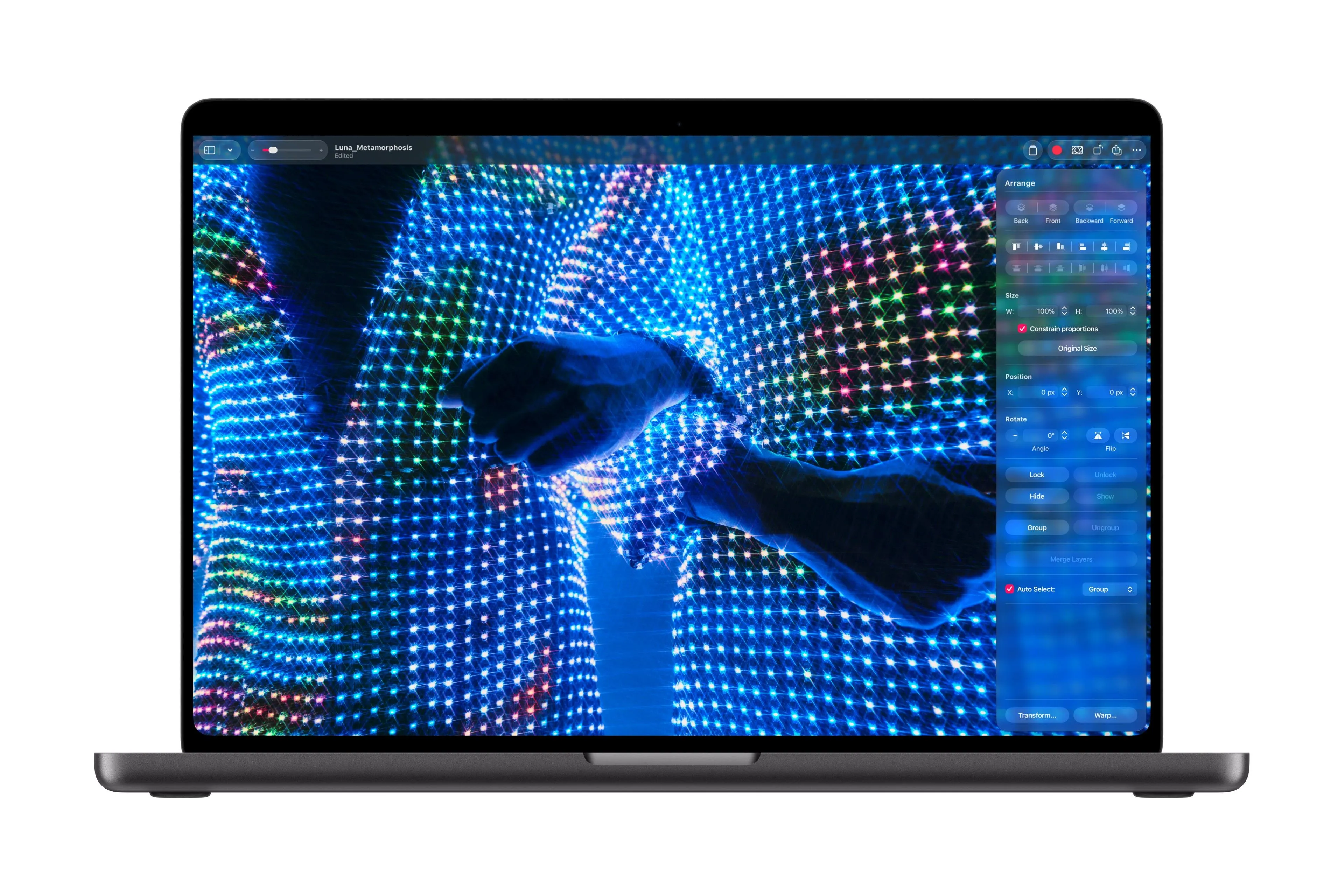
The new MacBook Pro's "PROLED XDR" display uses tandem OLED, which stacks two self-emitting pixel layers. In an OLED, each pixel produces its own light, so brightness can be controlled pixel by pixel, allowing deep blacks and high contrast. According to Apple's stated specifications, peak brightness reaches up to 2,000 nits in both HDR and SDR, and the contrast ratio reaches 10,000,000:1. However, peak brightness is the maximum value achievable under specific conditions, and does not mean the entire screen can sustain 2,000 nits continuously.
The refresh rate is variable from 10 to 120Hz, adjusting how often the screen updates depending on what is displayed. The display covers both P3 and Adobe RGB, and Apple says Rec.2020 coverage is 80% or more. For photo editing, print design, and HDR video production, what matters is not just raw brightness but how accurately the display reproduces the target color space. Apple explains that factory calibration sets brightness, white point, and color gamut to reference values, but independent measurements of real-world display accuracy will also be worth checking.
Apple also says it has adopted new control technology to maintain image quality over long-term use. The display engine controls the color and brightness of each pixel at sub-millisecond timing, compensating according to the content shown, how each pixel has been used, temperature, and the surrounding environment. Apple adds that it continuously monitors the usage of each pixel and adjusts for aging to maintain image quality.
However, such compensation features do not necessarily mean that the burn-in typical of OLED is completely prevented. The announcement materials do not include test results on burn-in after long-term use or durability assessments from third-party organizations. When evaluating display quality, it is necessary to look separately at sustained brightness, color accuracy, and long-term stability, not just the stated maximum brightness and contrast ratio.
How Will the Mac's First Touch Input Change Creative Work?

The new MacBook Pro builds touch sensors directly into the display panel and supports control by touching the screen with a finger. Users can scroll web pages, zoom photos in and out with a pinch, and drag and drop files on screen. They can also double-tap a window to expand it to fill the screen, or flick to tile windows. According to Apple, building the sensors directly into the panel reduces input latency. Rather than replacing the keyboard and trackpad, the design lets users switch between them and direct touch depending on the situation.
To reduce screen wobble during touch input, Apple also improved hinge stability. During video calls, the laptop also stabilizes the image in real time when the screen is touched. In demo footage presented by Ars Technica, users can be seen reaching toward the screen while the laptop stays in its normal form. The outlet points out that it is not a 2-in-1 design in which the screen folds back to be used like a tablet.
Creative apps show more concrete uses of touch. In Pixelmator Pro, users can draw, color, and select areas by touching the screen directly. In Logic Pro, they can play multiple notes at once on an on-screen multi-touch keyboard and operate chord and drum pads. In Final Cut Pro, touch supports specifying edit ranges, placing clips, and zooming the timeline with a pinch. Some tasks previously done through a trackpad or mouse can now be done while touching the content directly.
For existing apps, macOS converts touch input into click input, so basic touch operations are said to work in many apps. To use custom gestures optimized for touch, however, app-side support also matters. Apple has prepared a new system gesture API for developers, so how widely compatible apps spread will be worth watching.
An Apple Creator Studio update is scheduled for November, and existing subscribers can use it at no additional cost. For new subscribers, the regular price is ¥1,780 per month or ¥17,800 per year. The November 6 on-sale date for the hardware should therefore be distinguished from when the creative apps' new features become available.
The practicality of touch input will need to be tested going forward. In particular, whether reaching out to the screen in a normal laptop posture suits long working sessions, and whether it provides enough precision for fine editing, must be confirmed on actual hardware. Beyond the spec of touch support itself, the key to judging the benefit is which operations become more convenient in the apps you use every day.
Prices Start at ¥499,800 in Japan, With Gaps That Vary by Size
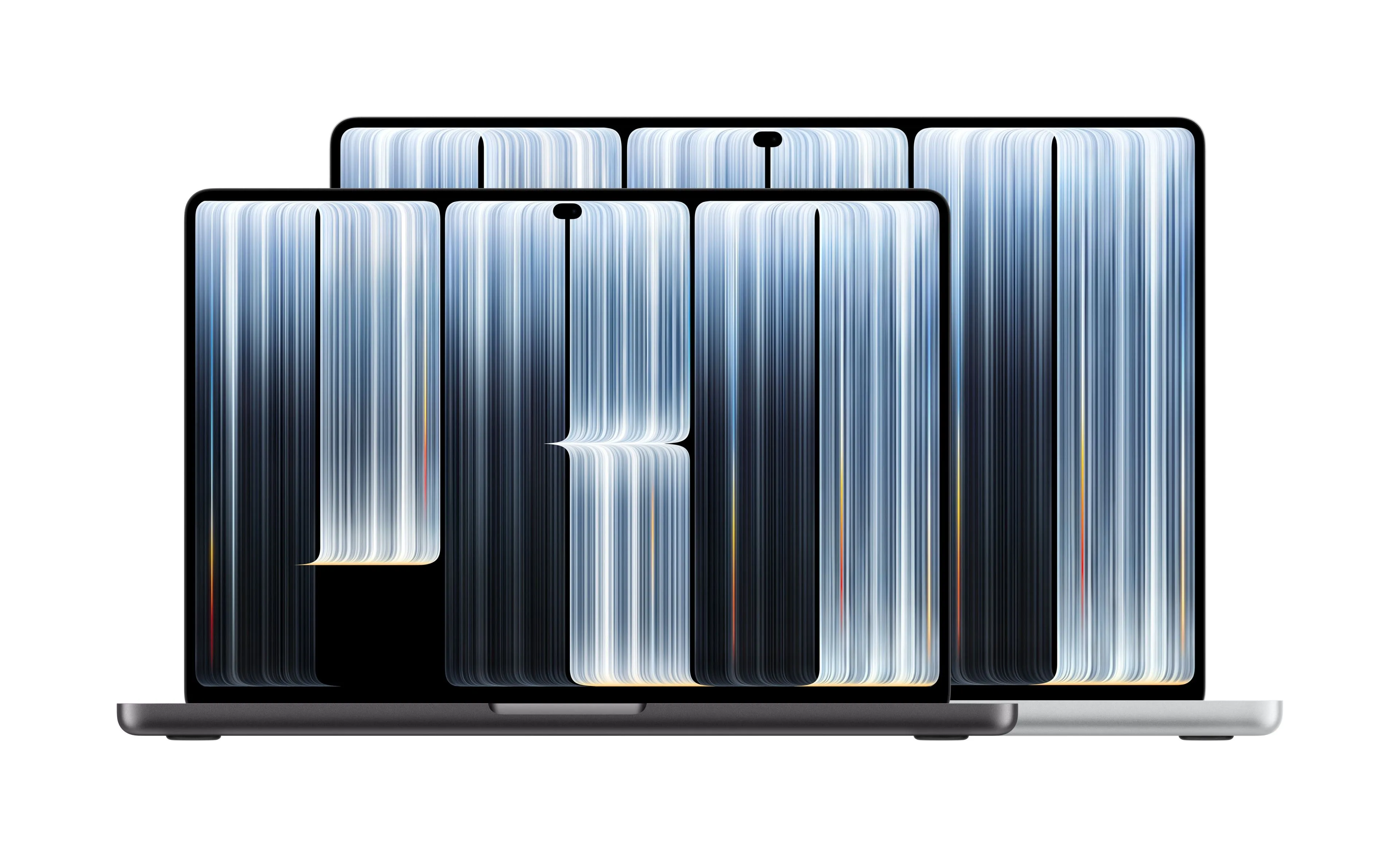
Beyond the OLED display and touch input, price is a major factor in a purchase decision. According to Apple's announcement for Japan, regular tax-inclusive prices in Japan for the new MacBook Pro start at ¥499,800 for the 14-inch model with M5 Pro and ¥599,800 for the 16-inch model. For M5 Max models, the 14-inch starts at ¥769,800 and the 16-inch at ¥829,800.
| Chip | 14-inch starting price | 16-inch starting price | Difference between sizes |
|---|---|---|---|
| M5 Pro | ¥499,800 | ¥599,800 | ¥100,000 |
| M5 Max | ¥769,800 | ¥829,800 | ¥60,000 |
Comparing starting prices within the same chip tier, moving from 14-inch to 16-inch costs ¥100,000 more for M5 Pro models and ¥60,000 more for M5 Max models. However, this compares the base configurations of each model and is not a price difference with GPU, memory, and other specifications fully matched. It also does not account for storage or memory customization, or discounted prices for students and educators, so the difference cannot be read as the cost of the larger display alone.
When buying, screen size and chip performance need to be considered separately. For example, the 14-inch M5 Max model starts at ¥769,800, higher than the 16-inch M5 Pro model at ¥599,800. The suitable configuration and budget change depending on whether you prioritize a larger workspace or higher computing performance. When comparing, it is important to match configurations, including the memory and storage you need, and check each price.
Lighter Weight and Better Connectivity, With Conditions on Siri AI Availability
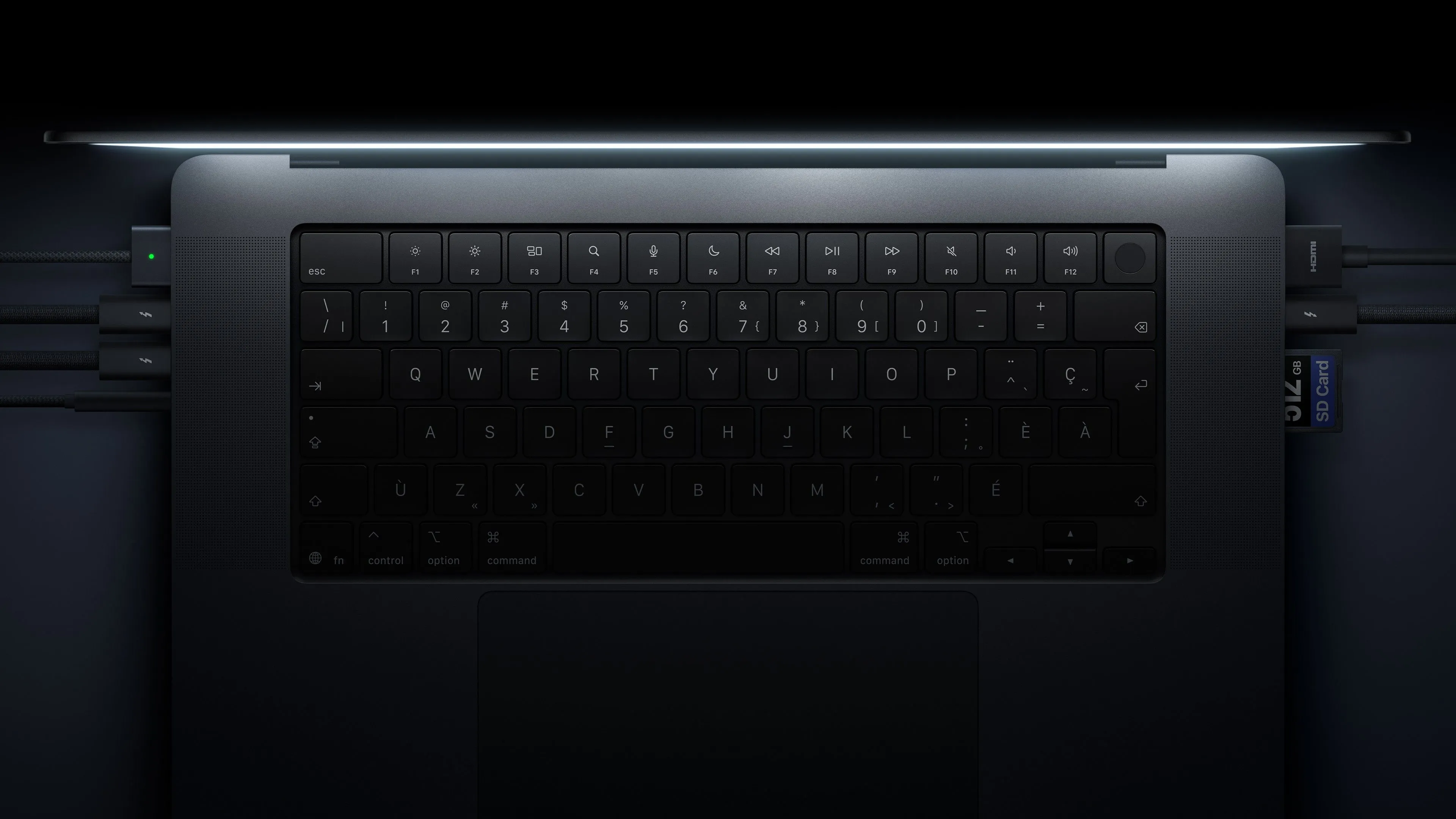
In addition to changes to the display and input method, the new MacBook Pro has also been made lighter. According to Apple, the 14-inch model weighs 1.38kg, 0.22kg lighter than before, and the 16-inch model weighs 1.82kg, 0.32kg lighter. Although weight varies with configuration and manufacturing process, the reduction is expected to ease the burden of carrying the larger model in particular. When choosing a screen size, consider not only the size of the workspace but also how often you will carry it around.
For ports, it has three Thunderbolt 5 ports, along with HDMI, an SDXC card slot, MagSafe, and a headphone jack. It supports Wi-Fi 7 and Bluetooth 6, and can be configured with up to 128GB of memory and up to 16TB of storage. These are, however, the maximum selectable capacities and are not included in the starting configuration of every model. Battery life is stated as up to 24 hours, but this is the result of tests Apple conducted under specific conditions, and actual usage time varies with the work being done and the configuration.
On the software side, the newly adopted Dynamic Island at the top of the screen is also notable. This feature, familiar from the iPhone, is now on the Mac and can be used for Spotlight search, Live Activities display, access to Siri AI, and more. It lets users quickly search, check notifications, and control music playback from the top of the screen.
Siri AI accessed through the Dynamic Island, however, comes with availability conditions. According to Apple, Siri AI will be offered as a beta in macOS 27.2 and can be used in supported languages including Japanese, but restrictions apply depending on region, age, and feature. Some features that use server-side AI models also have a daily usage limit. Buying the new MacBook Pro therefore does not mean you can use every announced AI feature without restriction.
The biggest changes in this MacBook Pro are the display quality and the way you operate it. How useful the bright, high-contrast tandem OLED display and direct on-screen input prove to be in everyday work such as photo and video editing and music production will determine how it is judged. With prices starting at a high ¥499,800, it is important to check actual display quality and the usability of touch input, not just screen size and chip performance, before choosing the configuration that suits your work.