

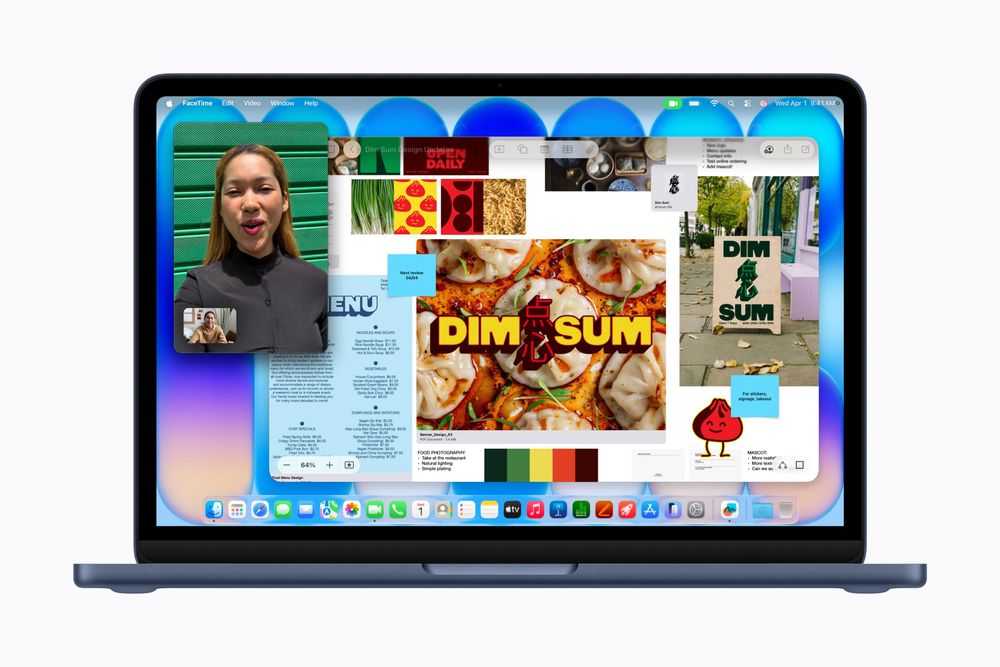
On September 14, 2026, Apple released the latest major update to its Mac operating system, macOS 27 Golden Gate, to the public. This release embeds "Siri AI," built on Apple Foundation Models (AFM 3) developed in collaboration with Google, at the core of the desktop experience. Notably, integration with the Spotlight search tool has established an interaction model that allows research and text formatting to run in the background without obstructing the user's active window. At the same time, support for Intel processor-based Macs has been completely discontinued, and this version marks the final release to support the binary translation feature "Rosetta." This article examines, through technical specifications and design choices, how the complete transition to Apple's own silicon and the implementation of desktop AI are reshaping the Mac experience.
macOS 27 Golden Gate Debuts: Apple Silicon Exclusivity and the Full Break From Legacy Architecture
macOS 27 Golden Gate, which began rolling out on September 14, 2026, marks a decisive turning point in Mac's product strategy. Apple has now formally completed the platform transition it has been gradually advancing since announcing its shift to proprietary silicon in June 2020.
The most significant change is a strict narrowing of supported hardware. With macOS 27 Golden Gate, support for all Intel processor-based Macs has been completely terminated. Compatible devices are now limited to Macs equipped with Apple silicon from M1 onward, along with the MacBook Neo featuring the A18 Pro chip. This brings a definitive end to the system updates that had long been provided for Intel processor-based machines.
This architectural specialization is directly tied to the operating requirements of the next-generation generative platform, "Apple Intelligence." Siri AI on the Mac is designed around the assumption of Neural Engine capabilities and unified memory bandwidth, making hardware selectivity unavoidable. The operating requirements for Apple Intelligence and Siri AI in macOS 27 Golden Gate include an on-device 20-billion-parameter sparse model (AFM 3 Core Advanced) with Private Cloud Compute integration, restricted to Apple silicon Macs from M1 onward and the A18 Pro-equipped MacBook Neo—while the end of Intel Mac support and the final Rosetta compatibility confirm the complete severance from legacy architecture.
Spotlight Integration and the 20-Billion-Parameter Sparse Model: Desktop AI That Doesn't Interrupt Your Work
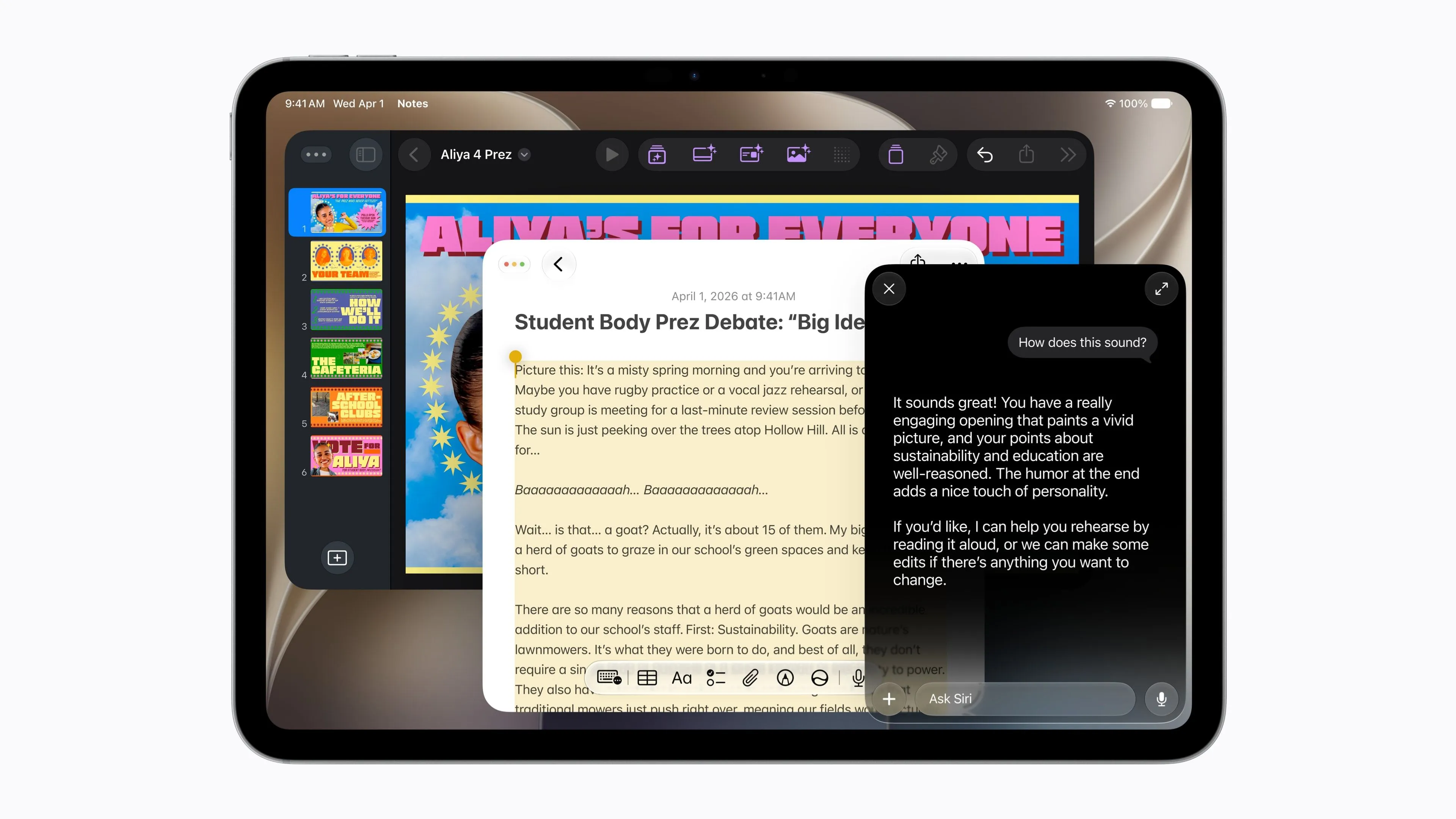
The biggest evolution of Siri AI on macOS lies in an interaction model optimized specifically for the desktop, backed by a multi-layered model architecture running behind the scenes.
At the center of this is full integration with Spotlight search. The old approach of Siri popping up in a corner of the screen and interrupting the user's workflow has been eliminated. From the Spotlight input field—summoned with the Command and spacebar keys—users can now enter prompts for Siri AI with exactly the same feel as everyday file searches. While a user is writing a document in a text editor or performing calculations in Numbers, Siri AI can asynchronously carry out requested research or data formatting in the background. This delivers an experience unique to the desktop, one that never forces users to interrupt their work. The settings interface has also been refined: the previous blunt toggle that switched Apple Intelligence entirely on or off has been replaced with granular controls for turning Siri AI on or off independently and adjusting individual features.
Supporting this responsive behavior are the base and advanced models running on-device. In addition to the 3-billion-parameter "AFM 3 Core" that handles basic tasks, Apple has introduced "AFM 3 Core Advanced" for more sophisticated reasoning and text proofreading. AFM 3 Core Advanced is a large-scale model with 20 billion total parameters, but it employs a sparse mixture-of-experts (MoE) architecture that selectively activates only 1 to 4 billion parameters depending on the difficulty of the input task. Rather than keeping all weights resident in memory at all times, the system dynamically drives only the necessary sub-networks—enabling high-accuracy inference even on fanless configurations like the MacBook Neo while minimizing heat generation and power consumption. This on-device model allows dictation—including punctuation and capitalization correction and complex formatting—to be completed entirely without external network communication.
For requests exceeding the device's computational resources, AFM 3 Cloud (running on Private Cloud Compute, or PCC), ADM 3 Cloud for image generation, and AFM 3 Cloud Pro for large-scale inference seamlessly take over. PCC executes tasks in an encrypted state on Apple's dedicated servers, establishing a third-party-verifiable security model in which not even Apple's own engineers can access user data or inference logs.
As a cross-platform addition, a standalone "Siri" app has also been newly introduced. Past conversation history and research results are synced end-to-end encrypted via iCloud, allowing users to smoothly pick up on a Mac's larger screen research they started on an iPhone.
From Natural-Language Safari Extensions to Photo Completion: Practical AI Features for Everyday Work

Alongside the overhaul of the core models, macOS's standard applications have also gained concrete AI features designed to streamline desktop work.
Safari, the web browser, has received numerous new features to organize and enhance everyday browsing. A "Tab Organization by Topic" feature has been added, which analyzes tab contents and automatically groups them by subject when too many tabs pile up, alongside a "Notify Me" feature that monitors and alerts users to updates on pages of interest or changes in product prices. Even more notable is a feature that generates custom browser extensions from natural-language instructions. Even users with no programming knowledge can simply describe a request via prompt—such as "hide a specific sidebar" or "replace a specific technical term on the page with simpler wording"—and a lightweight extension script that runs instantly within Safari is automatically generated.
In the Photos app, advanced correction features powered by image generation models are now available on the desktop. "Extend" uses AI to predict and paint in content beyond the original frame, expanding tightly cropped photos into natural-looking wide-angle images. "Spatial Reframing" analyzes the gaze direction of people in a photo and the center of gravity of the subject, automatically recomposing the image into a more balanced layout. "Clean Up," which removes unwanted subjects, has also improved the precision of boundary texture correction. In addition to natural-language search for photos and videos within albums, a tool is provided that automatically edits and generates memory video clips based on user-entered prompts.
Writing Tools, which assists with text work system-wide, can now be invoked directly not only within standard apps but also within third-party applications. Tone conversion, summarization, and proofreading of text can be performed instantly in virtually any input field. The Shortcuts app has also strengthened automatic flow generation from natural-language instructions; in hands-on testing, roughly 75% of instructions were correctly constructed into valid action sequences.
Liquid Glass Visibility Adjustments and Baseline Desktop Performance Improvements
macOS 27 Golden Gate has also undergone extensive tuning of both the user interface and the fundamental performance of the system engine.
The translucent UI design "Liquid Glass," introduced in the previous version, drew a range of feedback regarding visibility and contrast. In response, Apple has added a dedicated transparency slider to the Appearance section of System Settings. This allows users to adjust transparency on a continuous scale—from "ultraclear," which maximizes translucency, to "fully tinted," which completely blocks background transparency to prioritize text contrast—according to their work environment and preferences. App icon outlines and contrast have also been revised, with silhouettes redefined to ensure easy visual recognition against any desktop wallpaper.
Baseline desktop performance has also been substantially improved. The switching animations for virtual desktops via Spaces and Mission Control have been optimized, maintaining smooth screen transitions without dropped frames even under heavy load. The startup delay for iCloud Photos uploads has also been shortened. Furthermore, all UI components in macOS now officially support High Dynamic Range (HDR) display, and compatibility for resolution detection and color profile synchronization with externally connected monitors has been significantly improved. AirDrop, the proximity-sharing feature, now offers transfer speeds up to 80% faster, allowing large file exchanges to complete in less time.
The network traffic prioritization algorithm has also been overhauled. In environments with weak Wi-Fi signal strength or congested connections, the communication pipeline has been improved so that text messages sent afterward are no longer blocked and can reach the recipient in parallel, even while large photos or videos are being sent from the Messages app. In system search, background indexing processes for Spotlight, Photos, and Mail have been stabilized, and a new relevance scoring system has been applied to top results in Mail search.
The Final Chapter for Rosetta and Cloud Usage Limits: What Remains During the Transition Grace Period
While advanced AI features and system optimizations move forward, macOS 27 Golden Gate also sets a clear deadline for the Mac software ecosystem.
This version is the last release of macOS to support "Rosetta," the emulation layer that transparently runs Intel binaries on Apple silicon. While Apple has indicated it will maintain exceptional compatibility measures for previously purchased Intel Mac games, general business software, developer command-line tools, and various utilities will completely cease to function under the next major OS release. For developers and corporate IT departments, only one more OS generation remains as a grace period to complete a full migration to native Apple silicon builds.
There are also practical constraints on using the latest AI infrastructure. Server-side large-scale inference via Private Cloud Compute is subject to a daily usage cap, and frequent calls or continuous processing of lengthy prompts may trigger temporary limits. Apple has signaled plans to introduce a paid capacity expansion option in the future. Additionally, use of Siri AI is restricted to users aged 13 and older.
The rollout schedule for languages and regions is also staggered. As of the September 14, 2026 release, availability is limited to an English-language beta; support for Japanese, French, Korean, German, Spanish, and other languages is scheduled for October 2026. Notably, in the EU, due to regulatory adjustments related to the Digital Markets Act (DMA), the feature will not be offered on iPhone, though Siri AI will be made available ahead of schedule on Mac and Apple Vision Pro. Rollout in mainland China remains pending regulatory review.
macOS 27 Golden Gate presents a new standard for the Mac—one that unifies hardware, OS, generative models, and search interfaces around Apple's own custom silicon. Following Japanese-language support arriving in October, and once Rosetta is fully retired in the next OS release, the Mac will have truly and completely arrived at a pure, proprietary-architecture computing environment, freed from the constraints of legacy systems.