


On September 17, 2024, Apple began the general release of macOS Sequoia, its latest desktop operating system. This update marks a significant release that symbolizes Apple's transition into the AI era, strengthening the connection between iPhone and Mac while introducing new AI-powered features.
macOS Sequoia is available free of charge to all Mac users. Compatible models include the iMac (2019 and later), iMac Pro (2017 and later), Mac Studio (2022 and later), Mac mini (2018 and later), Mac Pro (2019 and later), MacBook Air (2020 and later), and MacBook Pro (2018 and later). However, some new features will only be available on Macs equipped with Apple silicon.
iPhone Mirroring: Strengthening the Connection Between Mac and iPhone
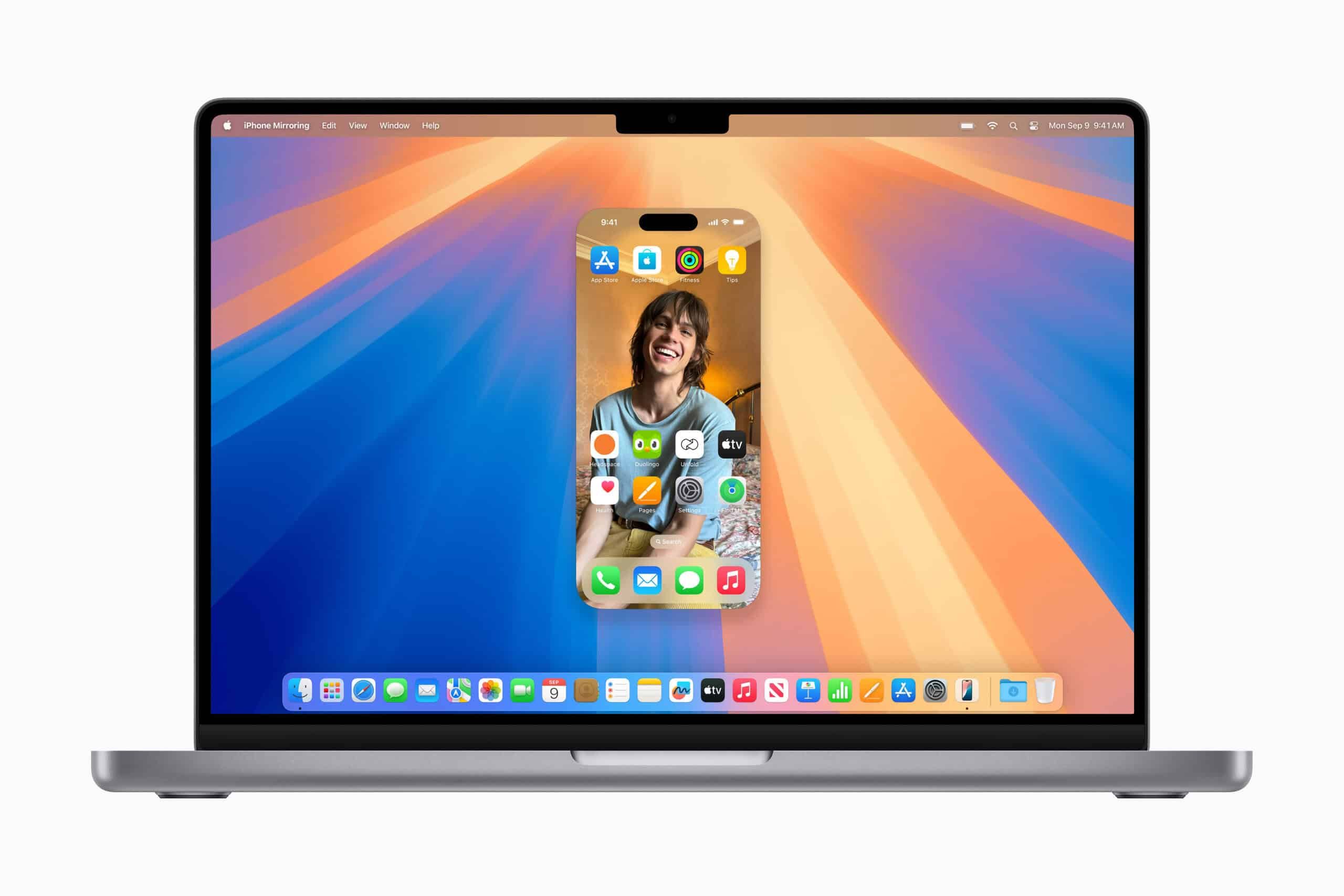
One of the standout features of macOS Sequoia is "iPhone Mirroring." This feature allows users to access and operate their iPhone directly from their Mac. The iPhone's screen is displayed on the Mac, enabling users to swipe through the home screen, launch apps, and check and respond to notifications directly from the Mac.
Importantly, the iPhone itself remains locked during this operation, ensuring security is maintained. The feature also works in conjunction with the iPhone's StandBy feature, allowing users to check iPhone information at a glance on the Mac.
This feature significantly improves user workflow and enables seamless integration between devices. Users can now reply to messages and check notifications from their Mac without having to pick up their iPhone while working, which is expected to boost productivity.
Safari's Evolution: A More Comfortable Browsing Experience
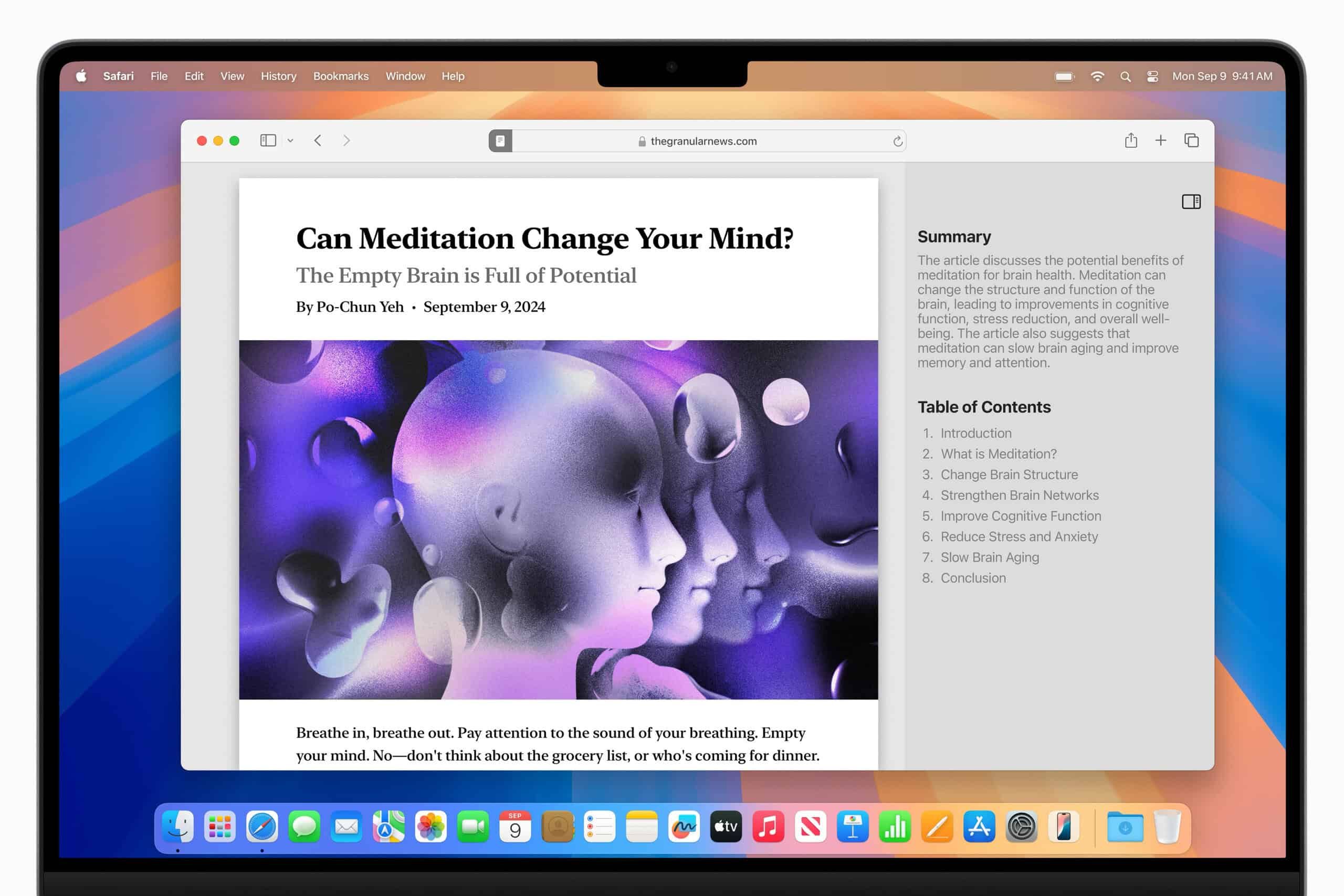
macOS Sequoia also brings major improvements to the Safari browser. The newly introduced "Highlights" feature uses machine learning to automatically emphasize important information on web pages. This allows users to quickly find directions, article summaries, information about people, and details about music or movies.
The redesigned "Reader" feature now automatically generates article summaries and tables of contents, making it easier to grasp long-form content. The new "Viewer" mode centers videos on screen while still providing access to system playback controls. Additionally, the "Distraction Control" feature allows users to hide unwanted elements and focus on browsing.
Improved Window Management: Building an Efficient Work Environment

macOS Sequoia also adds new capabilities to window management. Simply dragging a window to the edge of the screen prompts the system to automatically suggest tiling positions. This allows users to easily organize multiple apps and build an efficient work environment.
New keyboard shortcuts and menu options have also been added, making window placement and organization even quicker. This feature will be particularly useful for users who multitask or use large-screen displays.
Enhanced Security: A New Passwords App
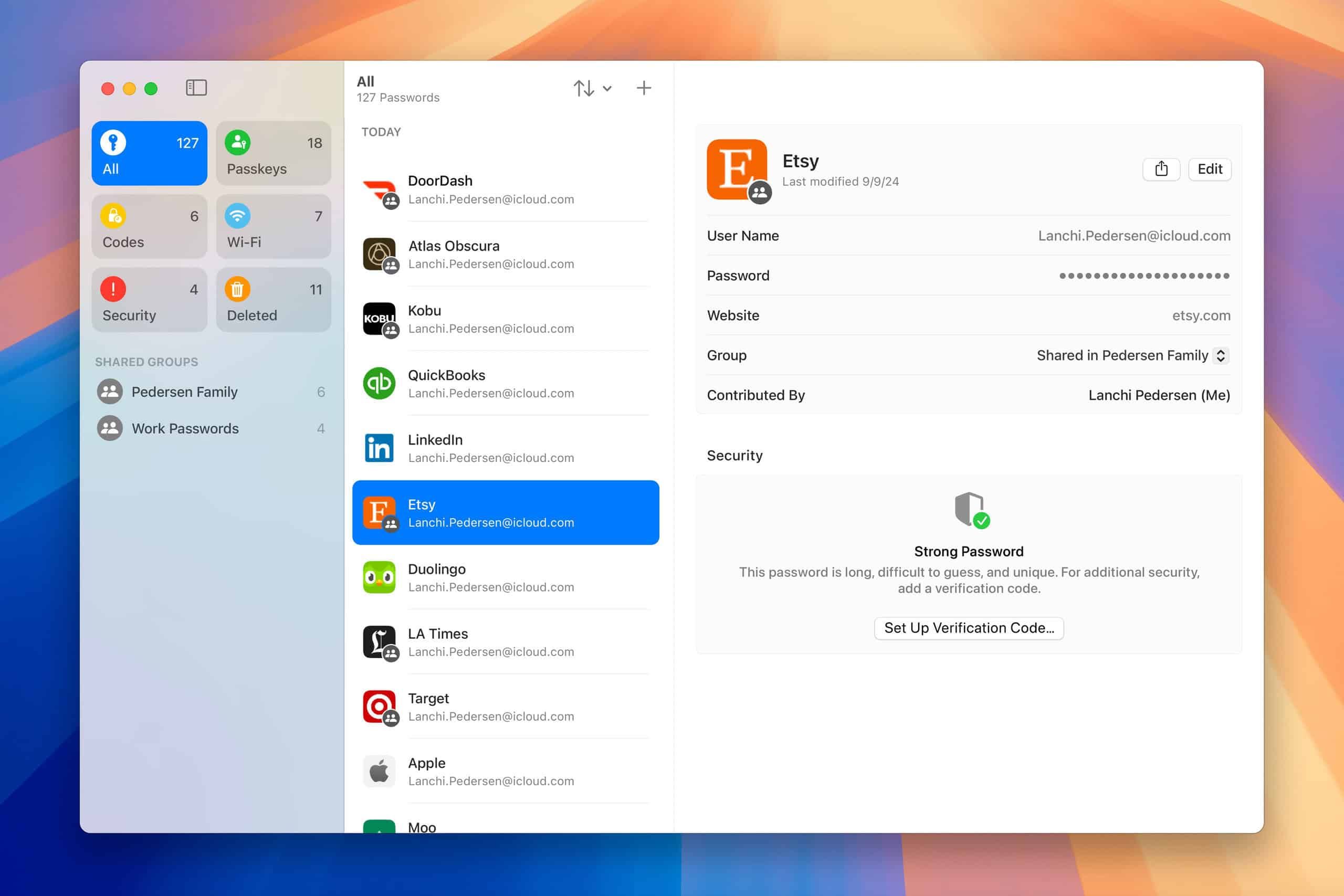
macOS Sequoia introduces a new "Passwords" app. This app centrally manages credentials such as passwords, passkeys, and Wi-Fi passwords. It ensures a high level of security through end-to-end encryption, while offering smooth integration with Safari and syncing with Windows PCs via the iCloud for Windows app.
This feature greatly simplifies password management for users and also contributes to improved security. While it doesn't offer as many features as third-party password managers, it provides sufficient functionality for most users.
Expanded Communication Tools: Enhancements to Messages and Video Conferencing
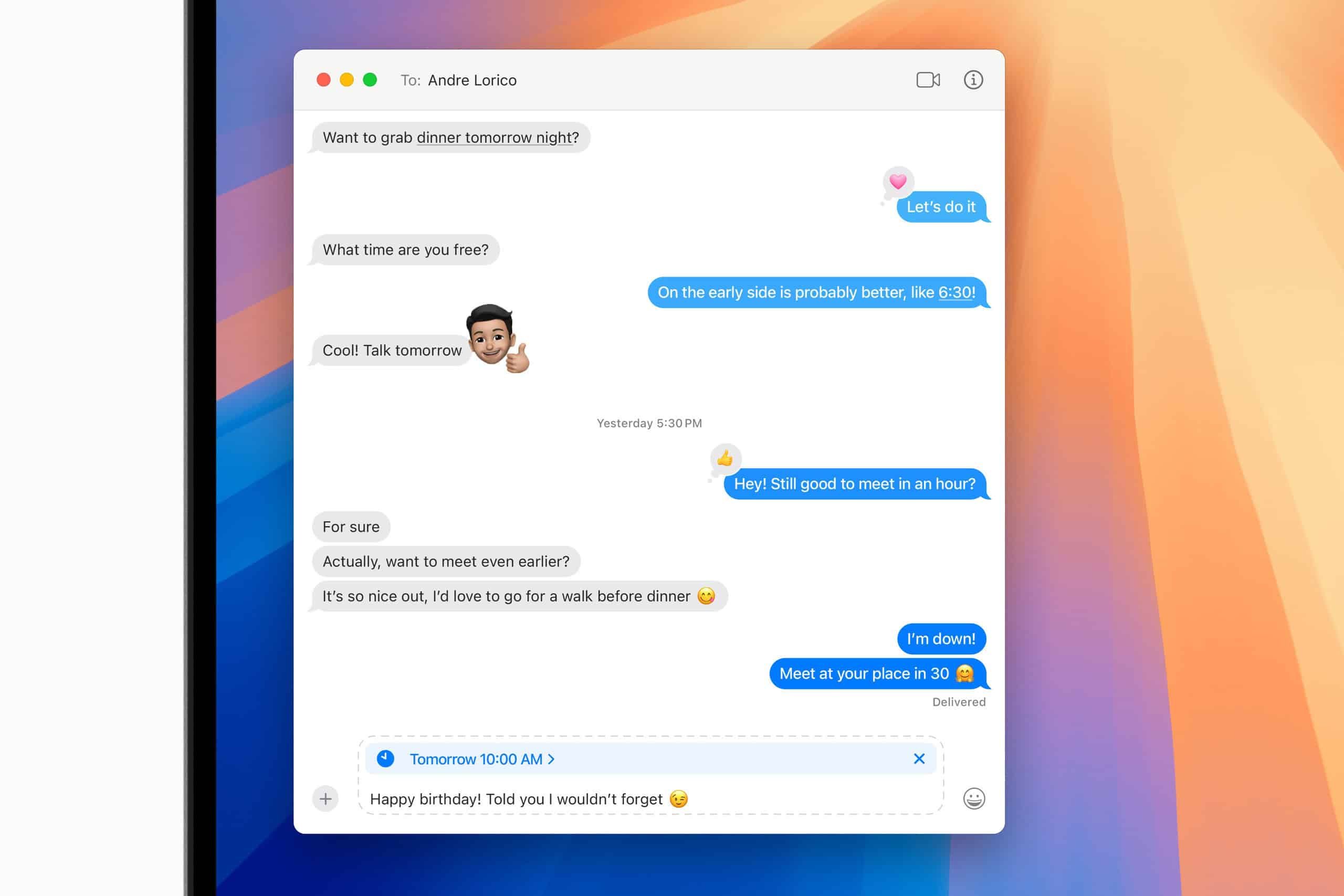
The Messages app has gained a scheduled message sending feature and animation effects that add motion to text. Additionally, Tapback reactions using custom emoji and stickers have been introduced, enabling more expressive communication.
Video conferencing has also been enhanced, with new background options available for apps such as FaceTime and Webex. In addition to built-in backgrounds like beautiful gradients and scenery of Apple Park, users can also use their own photos as backgrounds. Furthermore, a "Presenter Preview" feature now allows users to check content before sharing their screen.

New Productivity Features: Evolution of the Notes and Maps Apps
The Notes app has gained an automatic audio transcription feature. This makes it easy to record lectures or meetings and review them later. Additionally, an automatic summarization feature powered by Apple Intelligence is planned for introduction.
A "Math Notes" feature has also been added, allowing users to instantly get answers simply by entering formulas or math problems within the Notes app.
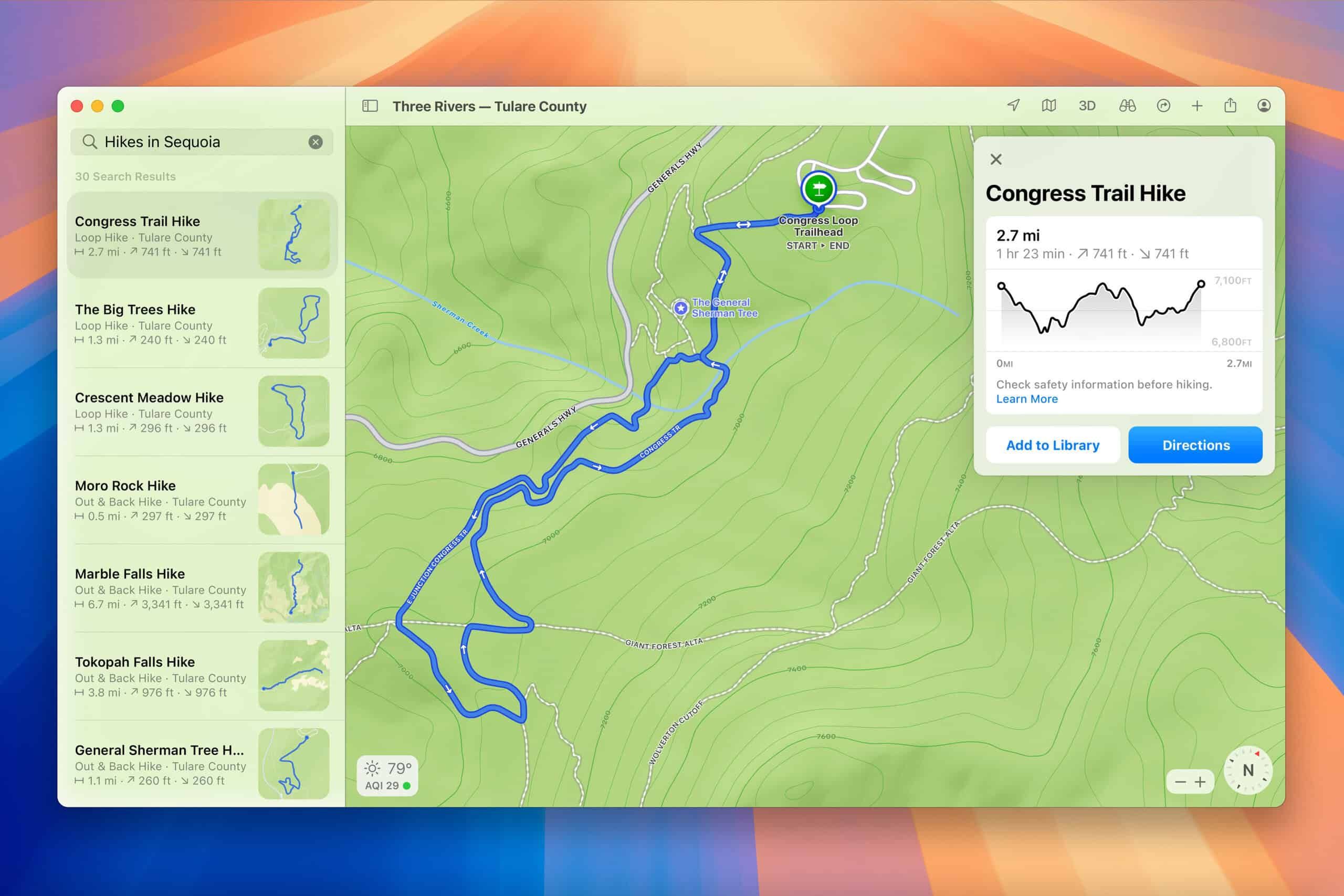
In the Maps app, topographic maps and hiking trails for U.S. national parks have been added, enhancing features for outdoor enthusiasts. Users can now create original walking or hiking routes with just a few clicks.
Looking Ahead: The Rollout of Apple Intelligence
The true innovation of macOS Sequoia lies in "Apple Intelligence," which has not yet been fully implemented. This is a suite of features leveraging Apple's AI technology to provide personalized intelligence while protecting user privacy.
Apple Intelligence is expected to include "Writing Tools" that assist with rewriting, proofreading, and summarizing text, a new version of "Siri" capable of more natural and flexible conversation, and automatic email summarization features. An image generation feature called "Image Playground" will also be introduced. However, this will focus not on photorealistic images but on creating sketches, illustrations, and animations.
These features are processed primarily on-device, leveraging the Neural Engine in Apple silicon, with an emphasis on privacy and security. Some features will also utilize a new technology called Private Cloud Compute, which ensures privacy protection even for processing done in the cloud.
Xenospectrum's Take
macOS Sequoia is a significant release that symbolizes Apple's transition into the AI era. Enhancements that are immediately available, such as iPhone Mirroring and improved window management, will directly contribute to boosting user productivity.
However, the true innovation has yet to arrive. The rollout of Apple Intelligence is at the core of Apple's AI strategy, and its implementation is proceeding carefully. Apple's approach of prioritizing privacy and security while delivering powerful AI features is important for differentiating itself from competitors. That said, there's no guarantee that this cautious pace won't work against them.
Of particular note is the fact that Apple Intelligence is processed primarily on-device. This embodies Apple's philosophy of prioritizing the protection of user data while still maximizing the benefits of AI.
Also, the decision for Image Playground to avoid photorealistic image generation and instead focus on sketches and illustrations represents a balanced approach—one that supports creative expression while avoiding ethical issues such as deepfakes.
macOS Sequoia is not yet a finished product at this stage. But this is the first step in Apple's AI strategy, and we look forward to seeing its true value gradually revealed through future updates.
Source