

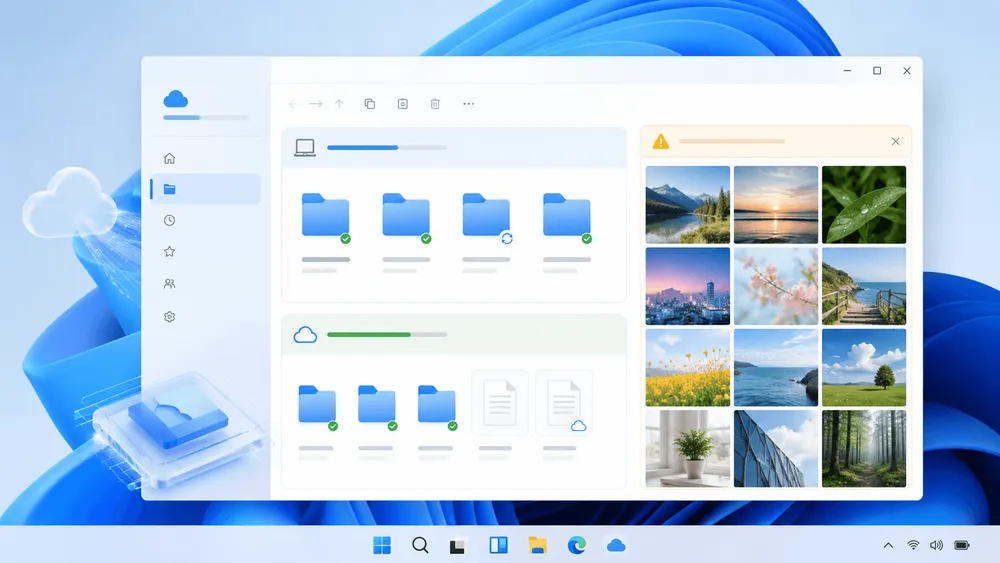
Microsoft has acknowledged that the testing photos experience "OneDrive Photos" was distributed on Windows beyond its intended scope. In an August 7 post, Jeff Teper explained that while the company was incubating a new photos experience within OneDrive, it ended up rolling out more broadly on Windows than intended. He said a future update will allow this photos experience to be removed separately from the OneDrive app.
The issue isn't the new photo-viewing feature itself, but rather that a separate photos experience appeared on PCs already running the existing sync client, without giving users a way to choose that boundary. Microsoft has indicated that Windows Photos will remain an app that handles both local and cloud photos, letting users choose whether to use OneDrive or not. Windows Latest observed that this OneDrive Photos experience appeared via the existing OneDrive sync client. However, it remains unclear whether it arrived through an OneDrive client update, a server-side flag, or a combination of both.
How This Differs From the Existing Windows Photos
The long-standing Microsoft Photos app on Windows allows users to access cloud photos after signing in and connecting OneDrive. According to Microsoft's support documentation, it also handles local media and supports iCloud integration. The OneDrive Pictures library syncs automatically after sign-in, but other OneDrive folders must be added manually by the user.
In this design, the gateway for showing cloud photos in the Photos app is the user's account connection. Teper's post likewise states that Windows Photos provides both local and cloud photos, and that users can choose whether to use OneDrive. While the existing feature already had a role spanning local and cloud photos, the issue this time is that the new OneDrive Photos was delivered broadly on Windows.
Therefore, framing this simply as "OneDrive integration was added to Windows Photos" would misrepresent what actually happened. Combining Microsoft's explanation with Windows Latest's observations, this should be understood as a separate photos experience—distinct from the sync client—being distributed and added on top of the existing app configuration. User choice regarding Windows Photos and the distribution scope of OneDrive Photos are separate issues.
A Separate App Delivered via the Sync Client
Windows Latest reported that OneDrive Photos was first spotted for Windows Insiders in early 2026 and was still in beta even when it was rolled out broadly. According to the outlet's observations, the existing OneDrive sync client downloaded or exposed the photos experience, and it even appeared on PCs where users weren't signed in. This is not an official general-availability classification from Microsoft, but rather the product state confirmed by the outlet.
According to the outlet, OneDrive Photos is placed as OneDrive.App.exe, separate from OneDrive.exe used by the existing client. The screen was reportedly designed to load the Gallery from OneDrive.com via Microsoft Edge WebView2, combining local and cloud photos. Features resembling OneDrive's web experience were also observed, including Moments, albums, favorites, and content-aware search of images. These are technical observations from Windows Latest and not behavior that Microsoft has guaranteed across all environments.
The outlet also reported that on a PC with 32GB of RAM, memory usage reached 1-2GB while browsing many photos, and stayed under 1GB most of the rest of the time. However, this is limited to that specific environment and the outlet's own browsing conditions—it doesn't serve as a benchmark for load on other PCs or photo libraries.
Extended to Enterprise and Intune-Managed Devices
The OneDrive sync app connects both personal OneDrive and OneDrive for work or school to a local PC. While Microsoft's support documentation describes these as separate use cases, the sync app itself is shared between them. When a photos experience designed with personal Microsoft accounts in mind overlaps with this distribution surface, a need arises to separate consumer-facing features from organizationally managed devices.
Windows Latest reported that OneDrive Photos also appeared on Windows Enterprise and Intune-managed PCs. If the outlet's observations are accurate, this means a beta photos experience designed for personal Microsoft accounts was delivered to organizationally managed devices as well. The problem is that, at present, there's no way to remove just the added photos experience individually while keeping OneDrive's file sync intact.
According to the outlet, OneDrive Photos is not packaged as a separate MSI or standalone installer. As a result, currently uninstalling the sync client also removes the photos experience along with it. The lack of a path to remove only the added photos app while retaining OneDrive's file sync is what made this rollout difficult to manage for both users and administrators.
Removal Control Timing Is a Separate Issue From How Photo Data Is Handled
The response Microsoft has confirmed is that a future update will add controls to remove OneDrive Photos separately from the OneDrive app. While Teper's post signaled the direction of the fix, it did not disclose a rollout date, specific Windows builds, or the exact number of affected PCs. There's no indication that this will be rolled back immediately.
Regarding photo features, it's also important not to conflate distribution issues with data processing. Microsoft's OneDrive has a People feature that groups similar-looking faces. In some regions it's offered as opt-in, and groups are visible only to the user themselves. Microsoft states that facial scans and biometric data are not used to train or improve its overall AI models.
According to Microsoft, turning off the People feature results in complete deletion of face-grouping data within 30 days. However, this documentation pertains to an existing OneDrive feature and doesn't serve as grounds for assuming the new Windows app performs facial analysis on all local photos by default. Until the new removal controls are rolled out, the confirmed constraint is that the added photos experience cannot be removed individually from the sync client.
Similarly, OneDrive's AI Restyle is described as a feature that sends a temporary processing copy of selected OneDrive photos to a Microsoft-managed cloud AI service. Microsoft states that temporary artifacts are deleted after processing, and that processed photos are not used to train or improve generative AI models. This describes a separate feature involving selected cloud photos, and doesn't directly indicate how the misdistributed OneDrive Photos handles local photos.
What remains to be confirmed going forward is the rollout date for controls to remove OneDrive Photos individually, and which Windows builds or devices were affected. As of now, Microsoft has not disclosed a rollout date, specific Windows builds, or the exact number of affected PCs.