


The open-source peripheral configuration tool OpenMouse has expanded its beta keyboard settings feature to support three more manufacturers: Logitech, Razer and SteelSeries. In addition to Wooting, which the project had already been supporting, OpenMouse now detects the communication interfaces used by keyboards from the three new brands and lets users adjust supported settings from dedicated panels. Controlling devices directly from the browser requires a Chromium-based browser such as Chrome or Edge that supports WebHID, the API that enables access to USB HID devices.
OpenMouse aims to let users configure gaming mice and keyboards from multiple brands through a single interface, without installing each manufacturer's proprietary software. However, the expanded support does not mean the settings features work correctly on every keyboard from these manufacturers. Recognizing a device, writing settings to it, and having changed values persist after disconnection each require separate verification.
Supported features and limitations for Logitech, Razer and SteelSeries
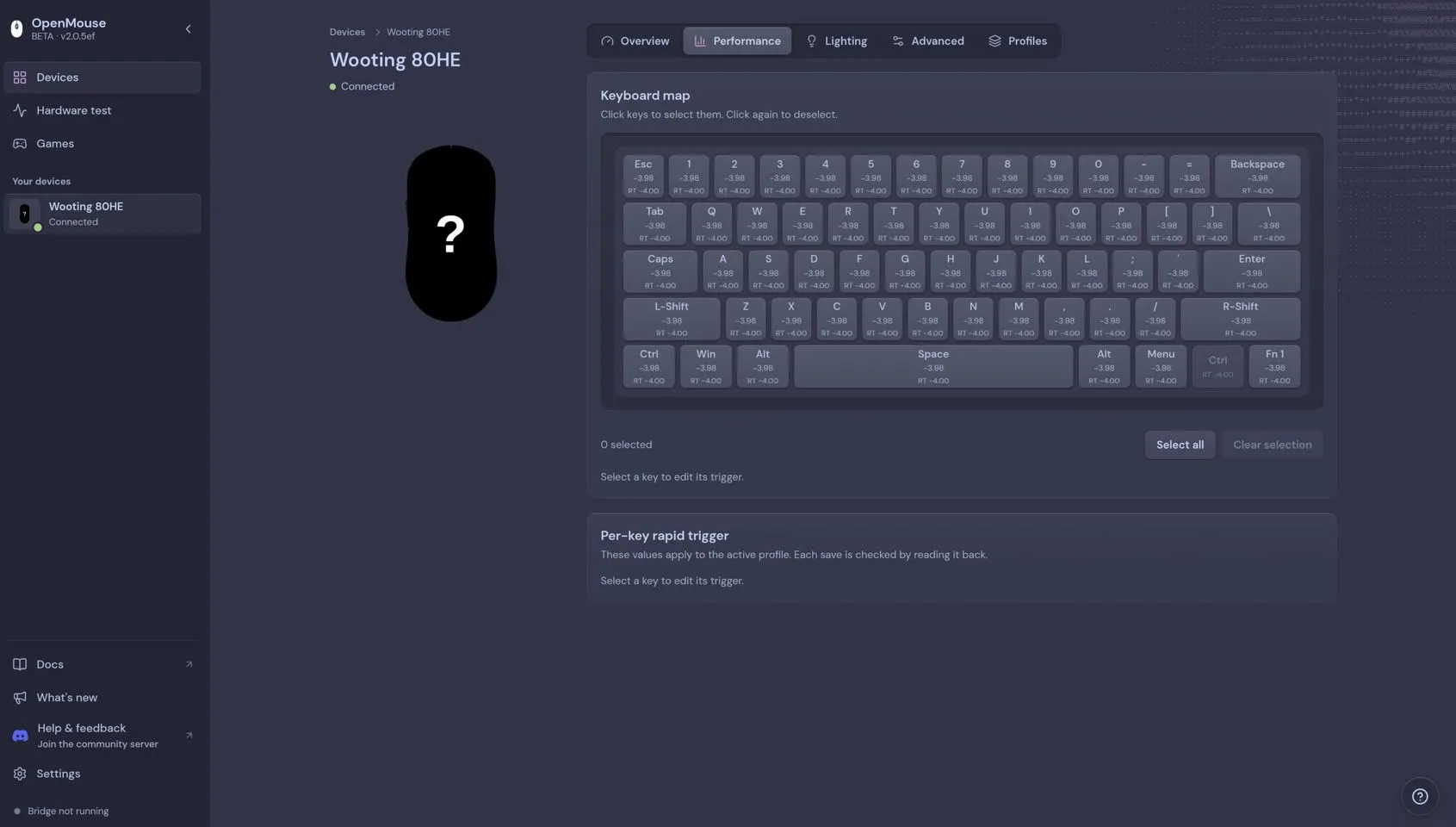
This expansion adds handling for the communication protocols used by each manufacturer's keyboards. The settings available vary by manufacturer and model, however, and not every function can be used from a common screen. On gaming keyboards in particular, model-specific settings are important, such as the actuation point, which determines how far a key must be pressed to register as input, and Rapid Trigger, which switches input on and off according to key movement.
As of October 30, 2026, OpenMouse's keyboard-protocol repository organizes, by manufacturer, the implemented features, unsupported items and the status of testing on real hardware. The following summarizes the scope of support based on that development documentation. Even where protocol handling is implemented, it does not necessarily mean every item can be operated from the publicly available settings screen.
| Manufacturer / target models | Main implemented features | Unsupported items / limitations | Hardware testing status |
|---|---|---|---|
| Wooting: Standard / ARM series | Actuation point, Rapid Trigger, reading and changing various settings | Writing key remaps, full profile saving, and import/export are not implemented | Some features confirmed on the 60HE+ with ARM firmware 2.13.0 |
| Logitech: compatible HID++ 2.0 devices | Device information, battery, polling rate, brightness, analog settings, LEDs, limited key remapping | Only features reported by the device can be operated. Per-key analog actuation points and onboard profile management are not implemented | No hardware testing through this package |
| Razer: compatible keyboards | Polling rate, brightness, RGB effects, commands for standard and analog key assignment | Converting analog thresholds to mm, saving macros to the device, profile management, and connection via wireless receiver are not supported | No hardware testing through this package |
| SteelSeries: wired Apex Pro TKL (product IDs 0x1628 / 0x1642) | Actuation point, Rapid Trigger, Key Guard, sensitivity, Rapid Tap, per-key LED control, onboard save processing | Some features depend on conditions such as product ID. Wireless models, Mini, Apex 9 and older models are excluded. RGB readback, key remapping and macros are not implemented | No hardware testing through this package |
The features for the three newly added manufacturers were developed with reference to existing communication specifications and publicly available driver implementations. However, no hardware testing through the keyboard-protocol package was conducted during this integration work. Even if device identification and communication command generation are supported, whether settings changes actually succeed on a real keyboard will have to await further confirmation.
The differences in coverage become clear in the per-manufacturer implementation documents. For example, the SteelSeries support status limits the wired Apex Pro TKL to product IDs 0x1628 and 0x1642. Some features, including the secondary actuation point, Rapid Tap key combinations and OLED display functions, apply only to 0x1628, and there are also conditions on firmware and profile formats. Logitech's implementation, meanwhile, allows writing only to features that the device reports as supported via HID++ 2.0, so the same settings are not available on every model.
Beyond these four brands, other keyboards have been verified on real hardware. On Wuque Studio's BABAO60 HE, using firmware protocol 1.2.1.0, changes to the actuation point, polling rate, Rapid Trigger press and release settings, and dead zone were confirmed from the OpenMouse interface. Key assignment, macros and lighting settings remain incomplete, however.
On the Kochi Hummingbird 68, switching between Windows mode and Mac mode on macOS and reading back the changed state were confirmed. But this implementation is limited to switching system modes and does not support settings such as RGB lighting, keymaps, press depth or profiles. These examples show that it is necessary to check which functions have actually been confirmed to work, not just whether a model is listed as "supported."
Recognizing a keyboard does not guarantee settings changes will succeed
What matters as OpenMouse adds manufacturers is the difference between implementing a communication protocol and verifying it on real hardware. The features for the three newly added manufacturers come with codecs that assemble the data exchanged with devices, along with automated tests that use responses from simulated HID devices. These make it possible to verify the format of communication data and how the software handles expected responses. They do not prove, however, that a real keyboard will accept those commands and change its settings.
The developers also state in OpenMouse's README that recognizing a model is not a guarantee that it works on real hardware. The newly added Logitech, Razer and SteelSeries drivers have communication handling and tests using simulated HID, but no verification with actual keyboards connected had been carried out at the time of integration. Even when a model name appears in the support list, whether settings changes and saving work correctly must be confirmed separately.
By contrast, hardware testing on the Wooting 60HE+ with ARM firmware 2.13.0 has been recorded. According to the development document summarizing Wooting's support status, communication with the actual keyboard and readback after changes were confirmed for actuation point and Rapid Trigger settings. These results cannot be applied to all Wooting models or firmware versions, however.
In fact, TechPowerUp reported, after a brief trial with a different keyboard, the Wooting 80HE, that OpenMouse was able to connect to the device but failed to load the correct keymap and could not successfully change settings. Because the 60HE+ and 80HE are different models tested under different conditions, this result alone cannot establish that the 80HE as a whole is unsupported. It does show, however, that a device appearing on the connection screen is not enough to conclude that its settings features work properly.
Keyboard settings can differ in communication format and available functions depending on the firmware version, even for the same model name. Analog input, multiple actuation points and key-combination behavior controls in particular often use proprietary commands that differ from ordinary key input. When checking the support scope in the development documents, it is therefore important to match not just the product name but also the product ID, firmware and verified functions.
Changing settings and saving them to the device are separate processes
For everyday use of a keyboard configuration tool, it matters not only that changes take effect immediately, but also that they persist after the USB cable is unplugged or the PC is restarted. If you can change the actuation point or Rapid Trigger settings but they revert to defaults each time you reconnect, the practical limitations are significant. For this reason, OpenMouse's development documents distinguish between writing setting values, reading them back, and verifying onboard saving.
On the Wooting 60HE+, a concrete save test was conducted using ARM firmware 2.13.0. A developer changed the default actuation point from OpenMouse to 0.25 mm, saved the settings, and then ran a command to reload the saved profile stored inside the keyboard. They then unplugged and replugged the USB cable and confirmed that the 0.25 mm setting remained, before finally restoring the original 0.20 mm. The values shown here were used for testing and do not represent default or recommended settings for all models.
The key point of this test is the difference between "readback" and "onboard saving." Readback refers to retrieving a value from the device after writing a setting to confirm that the specified content has been applied. Onboard saving, on the other hand, is the process of making settings persist even when the power is turned off or the connection is cut. Seeing the changed value on screen, reading the same value back from the device, and the value being retained after reconnection are confirmations at different stages.
The SteelSeries implementation separates changes made while the device is running from explicit saving to the device. When saving settings, it splits 12,500 bytes of profile data into 25 blocks, writes them, and updates a CRC used to check data integrity. It then reads the profile back and verifies that it matches the written data. However, because no testing has been done connecting an actual wired Apex Pro TKL to this package, it remains unconfirmed whether the implemented save process works on real hardware and keeps settings after disconnection.
Readback support also varies by manufacturer and setting. In the Razer implementation document, readback commands are provided for settings such as brightness, but for RGB effects there is currently no established way to retrieve the active setting. Reading key assignments back also remains to be verified on real hardware. Converting analog key actuation and release points into mm, saving macros to the device, and managing onboard profiles are also not yet implemented.
For Wooting too, confirmation that actuation point saving works should not be taken to mean that all settings can be saved. Key remapping is limited to reading internal data, and the write process is incomplete. The full sequence for saving an entire profile and import/export functions are not implemented either. On the Kochi Hummingbird 68, bidirectional Windows/Mac mode switching and readback have been confirmed on real hardware, but whether the state persists after the USB connection is cut has not been verified.
As these cases show, even among models said to support settings changes, the extent to which the results can be confirmed differs. When using profiles stored on the device in particular, it matters not only that changes can be made on the settings screen, but also that saving to the device and persistence after reconnection have been confirmed.
What OpenMouse needs to become an everyday settings tool
The OpenMouse development team has currently paused adding new features and extending existing ones for Logitech, Razer and SteelSeries. The development repository lays out the features still unsupported for each manufacturer and the items that need hardware verification, and publishes the information needed for future development. Implementing features and verifying that they work safely and reliably on each model are treated as separate stages of work.
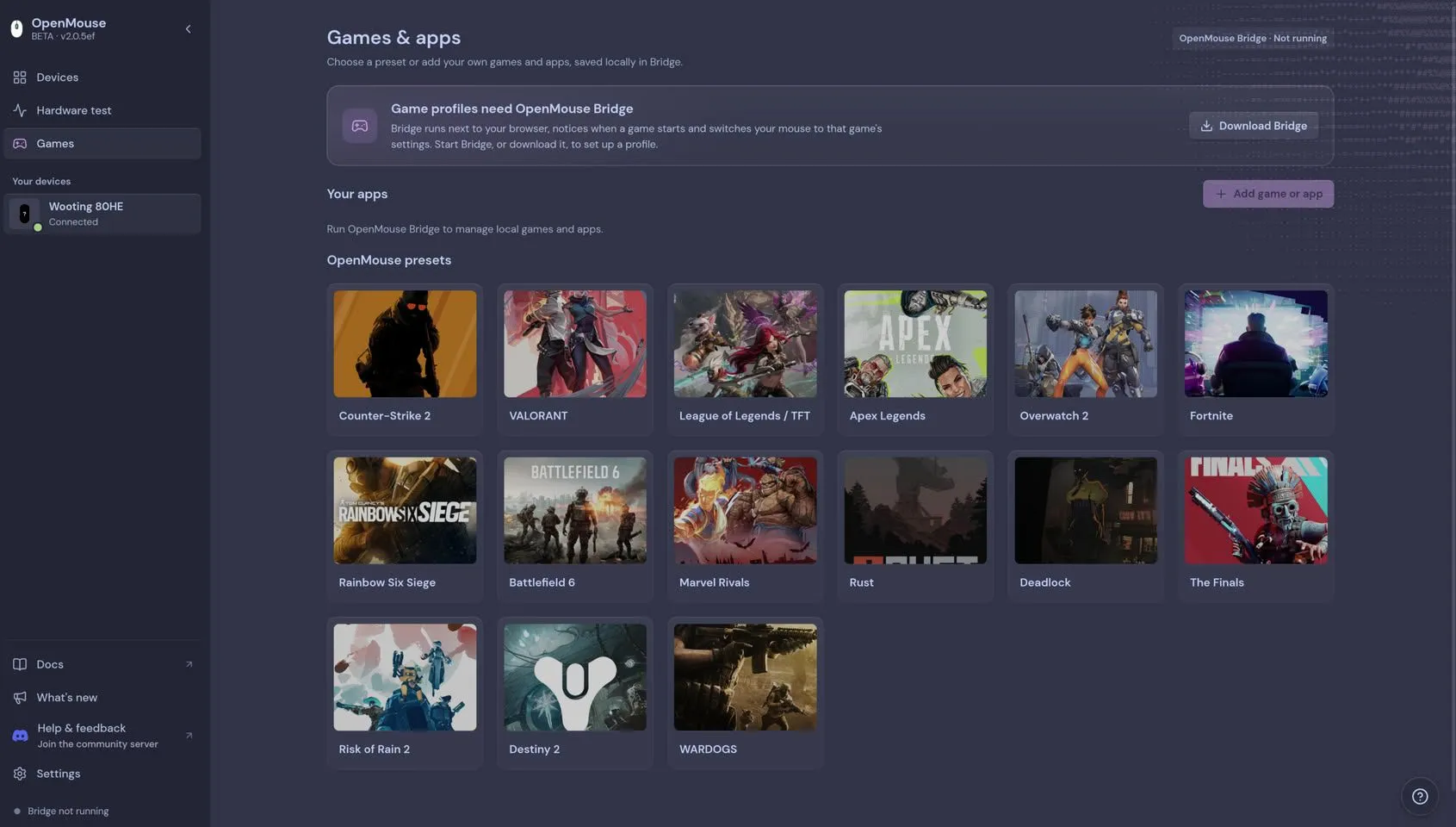
OpenMouse's main branch is reflected in the public development version of the settings screen. The screen captured on October 30, 2026 with no device connected showed "OpenMouse BETA · v2.0.f9b," which indicates the beta version, along with the messages "Bridge not running" and "Add device." These are merely what the screen shows with no device connected, however, and do not indicate which operations will work properly once a keyboard is connected.
For actual use, you first need to check whether your keyboard's product name, product ID and firmware version match the developers' support records. Next, it is important to find out whether the setting you want to change is implemented and whether that feature has been confirmed on real hardware. Even where settings can be written, you must check whether readback is supported and, if needed, whether they can be saved to the device. For models like SteelSeries, where changes made during operation and saving to the device are separate, care is needed not to carelessly overwrite existing profiles.
If users no longer had to juggle different settings software for each manufacturer, it would be more convenient for anyone who uses multiple peripherals. OpenMouse's expansion of support to Logitech, Razer and SteelSeries is a step toward that goal. At this stage, though, protocol implementation is ahead of verification, and testing on real hardware is lacking for the keyboards from the three added manufacturers. As verification results for settings changes, readback and onboard saving accumulate for each supported model, it should become clearer how far OpenMouse can serve as a replacement for manufacturers' official software.