

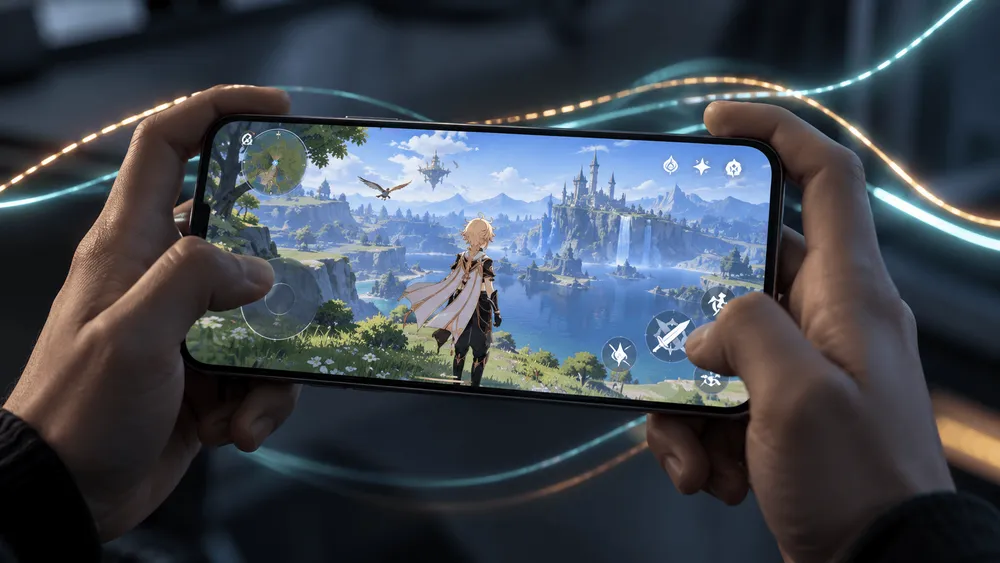
Changing the graphics setting for Genshin Impact on the Pixel 11 Pro XL cut down on large hitches during play. In hands-on testing published on September 21 by Robert Triggs of Android Authority, switching from "ANGLE," the default, to "Native" produced a clear improvement. The fact that the same device behaves differently shows that the gaming experience can't be explained by GPU performance alone. Still, the change did not make the game hold 60fps, and the cause has not been pinned down. Viewed alongside Google's ongoing migration of its graphics stack, the result highlights a software-side challenge: how to reduce momentary stalls.
Switching to Native reduced the long hitches
Triggs showed that on the Pixel 11 Pro XL, frame times that swung wildly under ANGLE became steadier after switching to Native in Genshin Impact. According to him, the longest frame time after the change was also under 100ms. However, the game did not reach a locked 60fps, and variation remained. This should be read as an independent test report.
Frame time is how long it takes to draw a single frame of the game. To display 60fps evenly, each frame takes 1,000 ÷ 60, or about 16.7ms. "Under 100ms" still allows delays far longer than that, so it does not mean the same thing as smooth 60fps.
According to Google's frame pacing explanation, if the next image isn't ready in time, Android displays the previous image again. When short and long intervals are mixed, players perceive it as stutter. Even with similar average fps, a device where only some frames are badly delayed feels different in play from one that updates the screen at nearly even intervals.
The improvement here is a reduction in those long delays. It does not necessarily mean the same effect applies to every Pixel 11 model or to other games. The original article doesn't state the OS build number, the game version, or how many times the measurements were repeated, so some reproduction conditions remain undisclosed.
What ANGLE adds, and how stalls can occur
ANGLE is a compatibility layer that runs rendering commands written for OpenGL ES through Vulkan on Android. It sits between the game and the GPU, letting apps built on older rendering methods run on a newer foundation.
In a 2025 developer announcement, Google laid out a plan to move to a unified graphics stack centered on Vulkan. For games that use OpenGL, it also urges developers to test running through ANGLE in advance. The aim is to update the graphics foundation without abandoning existing games.
But translating rendering commands isn't just a matter of adding a small, constant cost every frame. ANGLE's "Pipeline Compilation" document explains that creating Vulkan graphics pipelines is expensive, and that doing so at draw time can cause visible hitches. A pipeline is a combination of the programs and settings the GPU uses to draw the screen. Much of the required state only becomes known at the moment of drawing.
ANGLE therefore builds some of it ahead of time and caches the results for reuse. When supporting extensions are available, it also prepares rendering in parts, combines them, and gradually rebuilds them in a more efficient form in the background. The idea is to spread out heavy preparation so it doesn't concentrate in a single moment during play.
This mechanism is a plausible explanation for stalls that happen when something appears for the first time. However, it has not been confirmed that the cache failed to work properly in Genshin Impact on the Pixel 11, or that a specific extension wasn't being used. Triggs himself cautions that he couldn't identify pipeline compilation as the cause of the stalls.
The observed improvement after switching narrows down which rendering path to investigate. Identifying the cause would require measurements that separate the first time a scene is drawn from later repeats, with the cache state held constant.
Don't confuse the September update fix with Pixel 11
The game lag and heat fix in Google's September update does not include the Pixel 11 in its list of supported devices. This can be confirmed by cross-checking the fix item in the official September 2026 update notice against the per-device footnote at the end.
| Where to check in the official notice | What it says | What it tells us about Pixel 11 |
|---|---|---|
| Display & Graphics | Fixes game lag, unstable frame rates, and rising temperatures under heavy load. Footnote [1] attached | The item name alone doesn't show whether it applies |
| [1] under Device Applicability | Lists models from Pixel 6 through Pixel 10a | The Pixel 11 series is not listed |
The table follows the [1] attached to the fix in the same notice through to the [1] in the list of applicable devices. You can't pull out the phrase "fixed game stutter" and conclude it has already been applied to the Pixel 11.
This doesn't mean there are no other updates for the Pixel 11. It only means the notice alone doesn't let us confirm which fixes made it into the test device. The monthly update description, per-game improvements, and the differences from switching ANGLE each have their own conditions of application that need to be checked.
If you try it, switch only Genshin Impact to Native
The workaround is to select Genshin Impact under "ANGLE Preferences" in Developer options and change its graphics driver to "Native." The original article walks through enabling Developer options by tapping the build number in the device information in Settings, then heading to the relevant item. It is not an operation that switches the entire device at once.
The meaning of the options is also spelled out in ANGLE's Android development documentation.
| Option | Meaning |
|---|---|
| default | Leave the choice of driver to the platform |
| angle | Use ANGLE |
| native | Use the native OpenGL ES driver |
Native specifies the driver used for that app's OpenGL ES processing. It is not a setting that disables Vulkan across Android or forces games that render directly with Vulkan onto a different method. So it doesn't lead to a rule like "Native is always faster."
When trying it, comparing the same location and actions without changing image quality or the fps cap makes it easier to judge the effect. Beyond smoothness, also check for display glitches and whether the game launches. If it doesn't help or new problems appear, you can set the same item back to default.
The improvement in the original article is for Genshin Impact, and it is not grounds for switching other games to Native wholesale. It is reasonable to think of it as a workaround to try on an individual app when a game you regularly play has problems.
Will switching to Native become a lasting fix?
Google's Vulkan on Android overview outlines a path of rolling out ANGLE as the system GL driver on new devices and eventually providing OpenGL ES only through ANGLE. This is not about ending support for OpenGL ES. The direction is to consolidate the implementation that keeps existing apps running onto ANGLE.
The benefits the document cites are improved compatibility from having a common OpenGL implementation and, in some cases, performance gains. Compared with maintaining a different implementation on each device, shared code can be fixed in one place, but if individual games run into problems on the new path, users on that path are affected.
Given this direction, it is hard to expect the ability to fall back to Native on all future devices. The switch may help owners now, but in the long run games will need to run stably while still going through ANGLE.
In follow-up testing, it would be good to see frame times measured with the device and game version specified, in the same scene, with cache conditions matched. If long stalls decrease under the default setting after an update and the result reproduces on other devices, it could be judged an improvement that lets users play without hunting for developer settings.