

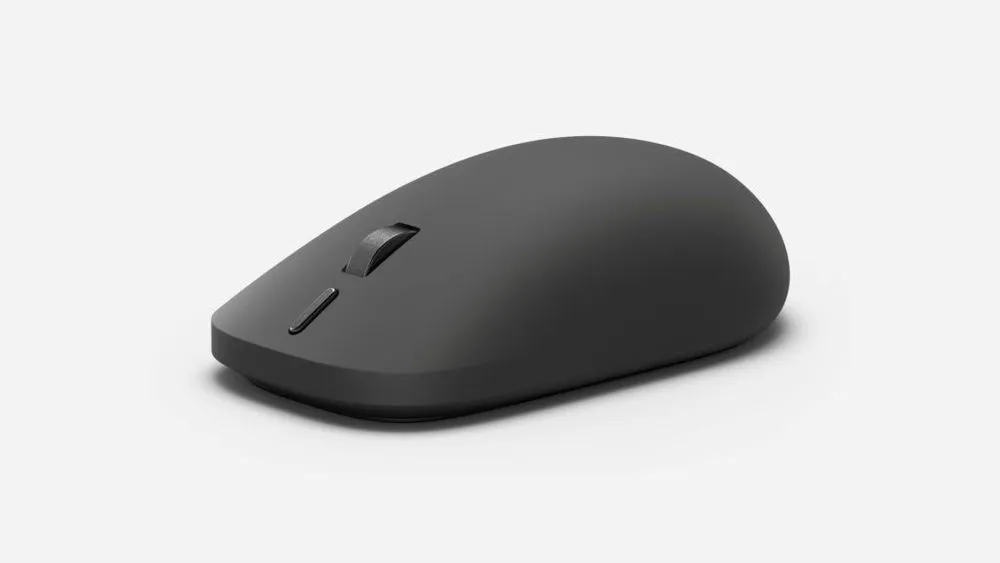
On September 23, Microsoft announced a new Surface Mouse with haptic feedback. It starts at $79.99 in the US and goes on sale in select markets on October 13.
The mouse gives your hand a small vibration when a click registers on screen or a window snaps into place.
A vibrating mouse is not new in itself, and Microsoft has sold mice with vibration features before. To understand what has changed, it helps to look beyond the mouse's shape and connection method and consider which actions in Windows and apps actually trigger haptic feedback.
Conveying on-screen "confirmation" to your hand
Microsoft cited three examples for the new Surface Mouse: click confirmation, window snapping, and object alignment.
In each case, you can confirm the result by looking at the screen. But if your hand also feels a response, it may be easier to notice the moment something lines up or an action is confirmed.
However, no measurements have been published showing that this actually improves working time or precision.
The haptic feedback described here should be considered separately from the mechanical feel produced by the buttons or wheel themselves.
Microsoft's Windows design guidance distinguishes between passive feedback, such as the feel of a physical click, and active haptic feedback, in which vibration is triggered by software instructions.
The new Surface Mouse is notable for the latter.
For example, it conveys on-screen changes, such as a window snapping to the edge of the screen or a shape aligning to a guide, as vibration in your hand.
That said, connecting the mouse does not mean every click or app will automatically vibrate.
Windows or the app must provide actions that trigger haptic feedback, and the input device must be able to receive that signal. Whether the strength and frequency of the vibration feel comfortable is something that will have to be tested on real hardware.
How it differs from earlier products
Microsoft's Surface Accessories Fact Sheet, published in 2016, lists a metal scroll wheel and Bluetooth 4.0/4.1 connectivity for the Surface Mouse of that era. The specification of up to 12 months of operation on two AAA batteries also belongs to that older product.
The new model adds Bluetooth 6.0 and a customizable action button. However, the announcement does not disclose the power source or battery life, so the old product's figures cannot simply be applied to the new one.
It would also be inaccurate to call it Microsoft's first mouse with vibration.
According to Microsoft's support documentation, the earlier Arc Touch Mouse Surface Edition had a feature that gave a light vibration in response to scrolling speed on its touch strip.
That feature conveys how fast you slide your finger through vibration, which is a different role from the new mechanism that responds to on-screen alignment and window actions.
| Product | Haptics and feel confirmed in official materials | Published specs such as connectivity |
|---|---|---|
| 2016 Surface Mouse | Metal scroll wheel. No mention of haptic feedback found | Bluetooth 4.0/4.1, two AAA batteries |
| Earlier Arc Touch Mouse Surface Edition | Vibration that corresponds to touch-strip scrolling speed | A separate product from the new model |
| Surface Mouse announced in 2026 | Haptic feedback for click confirmation, window snapping, and alignment of shapes and other objects | Bluetooth 6.0, action button, pairing with multiple devices |
The earlier Arc Touch Mouse had a vibration feature tied to scrolling.
What sets the new Surface Mouse apart is that it returns haptic feedback linked to events in Windows, such as window operations and shape alignment.
In this comparison, the 2016 Surface Mouse and the Arc Touch Mouse Surface Edition must be treated as separate products. The absence of any haptic feature in the older Surface Mouse's specification sheet is not enough to conclude that it had none.
The Windows and app support behind haptic feedback
The May 26, 2026 preview update (KB5089570) for Windows 11 version 26H1 includes haptic feedback features for compatible input devices.
The feature sends a response to compatible devices when, for example, you align shapes in PowerPoint or snap or resize a window.
In Settings, under "Bluetooth & devices," you can turn haptic feedback for mice, touchpads, and pens on or off.
However, this update is being rolled out gradually, and the timing of availability differs by device. Not every Windows 11 user will be able to use the same features right away.
The developer documentation shows that apps also need to support the feature.
Using a Windows API called "InputHapticsManager," an app sends the corresponding haptic pattern at the moment, for example, an alignment guide for a shape appears.
The published haptic patterns include ones for uses such as alignment and stepped movement.
The developer documentation asks apps to check at runtime whether the API is available and whether the connected device supports haptic feedback.
In other words, it is not enough for the mouse to be compatible; the app also has to implement haptic feedback at appropriate moments.
What you can actually use will vary depending on the combination of Windows version, input device, and app. That means the mouse's specifications alone cannot tell you the whole experience.
Another configurable element is the action button.
Microsoft says it can be used to launch Copilot or for everyday shortcuts, but changing the button assignment requires the Surface app on Windows.
Footnotes in the official announcement also state that available features differ by operating system.
The company also says the mouse uses Bluetooth 6.0 and can pair with multiple devices, but the announcement does not state the maximum number of devices that can be registered or how to switch between them.
It is too early to judge ease of use across multiple devices from the Bluetooth standard alone.
What is known before launch
The new Surface Mouse has been redesigned to be usable in either hand and comes in two colors, black and platinum.
On recycled content, Microsoft describes it as roughly 30% in the main text, and a footnote gives 30.8% as a value verified under a UL procedure. The share of post-consumer plastic varies by component, from 9% to 50%.
This does not mean 30.8% of the whole mouse is made of recycled plastic; it is a figure relating to the composition of the materials used in the product.
The October 13 launch applies to "select markets," and the US price of $79.99 cannot simply be treated as the selling price in Japan.
The announcement does not confirm a Japanese release date or yen price. Weight and sensor resolution are not given, and the power source and battery life are also unknown.
How comfortable the shape is, how much you like the haptic feedback, and how easy it is to switch between multiple devices will have to wait for hands-on testing after release.
What the Surface Mouse aims for is an input environment in which you can confirm the results of on-screen actions not only visually but also through the feel in your hand.
When considering a purchase, it is worth checking not only the mouse's shape and price but also which actions have haptic feedback in the version of Windows and the apps you use.