


On August 25, 2026, Apple announced the Mac mini with M6 and M5 Pro chips, and the Mac Studio with M5 Max and M5 Ultra chips. In Japan, pre-orders opened the same day, with sales starting September 22. The Mac mini starts at ¥149,800, and the Mac Studio starts at ¥419,800. While the chassis and entry-level memory and SSD capacities carry over from the previous generation, Japan launch prices rose 27.7% to 58.0%. For buyers, the biggest question is how much extra they're paying for improved performance and connectivity.
Prices Up 27.7% to 58.0%, Storage Unchanged
Comparing the new and old models at the same entry-level configuration, standard memory and SSD capacity did not change across any of the four pairs. Prices are based on the tax-included figures Apple announced in Japan for each generation. For the M3 Ultra Mac Studio alone, since Apple's 2025 announcement did not list per-chip pricing, we reference the ¥668,800 figure recorded at the time by ITmedia NEWS.
| 2026 Model | Previous Model Compared | Standard Memory/SSD | New Price | Old Price | Difference/Increase |
|---|---|---|---|---|---|
| Mac mini (M6) | Mac mini (M4) | 16GB/256GB | ¥149,800 | ¥94,800 | +¥55,000/+58.0% |
| Mac mini (M5 Pro) | Mac mini (M4 Pro) | 24GB/512GB | ¥299,800 | ¥218,800 | +¥81,000/+37.0% |
| Mac Studio (M5 Max) | Mac Studio (M4 Max) | 36GB/512GB | ¥419,800 | ¥328,800 | +¥91,000/+27.7% |
| Mac Studio (M5 Ultra) | Mac Studio (M3 Ultra) | 96GB/1TB | ¥949,800 | ¥668,800 | +¥281,000/+42.0% |
This comparison aligns announcement-time prices rather than post-launch price revisions or retailer discounts. Even so, the shift in entry-level pricing facing Japanese buyers is substantial. The M6 Mac mini in particular rose by ¥55,000, with the base configuration that launched at ¥94,800 in 2024 now priced at ¥149,800. Since standard capacity hasn't increased, the price rise cannot be explained by additional memory or SSD.
Educational pricing for students and faculty starts at ¥132,800 for the M6 Mac mini and ¥281,800 for the M5 Pro version. For the Mac Studio, the M5 Max version starts at ¥385,800 and the M5 Ultra version at ¥880,800. These are lower than standard prices, but they're a separate tier for those who qualify, and aren't included in the standard price comparison above.
Same Chassis, Stronger Connectivity: What Changes in Practice for the Mac Mini

The Mac mini retains the same 12.7cm by 12.7cm by 5.0cm chassis introduced with the M4 generation in October 2024. The two front USB-C ports, headphone jack, and rear HDMI port also carry over. The M6 version includes three Thunderbolt 4 ports on the back, while the M5 Pro version has three Thunderbolt 5 ports, meaning the port generation lineup matches the previous model. That said, it newly supports genlock over USB-C, enabling precise synchronization between displays and professional camera recording.
The most noticeable everyday upgrade is networking. Standard Ethernet moves from 1Gb to 2.5Gb, with a 10Gb option available. Wireless connectivity advances from Wi-Fi 6E and Bluetooth 5.3 to Wi-Fi 7 and Bluetooth 6, and it now supports Thread. However, taking advantage of 2.5Gb Ethernet or Wi-Fi 7 speeds requires compatible network equipment, NAS devices, and cabling.
The product tier structure has grown somewhat more complex. The standard model jumps two generations from M4 to M6, while the higher-end model advances only from M4 Pro to M5 Pro, creating a split in chip generation numbers within the Mac mini lineup. Base configurations are 16GB/256GB for the M6 version and 24GB/512GB for the M5 Pro version. The M6 version can be configured up to 32GB and 2TB, while the M5 Pro version goes up to 64GB and 8TB.
Apple states that the M6 version delivers up to 4x faster AI processing, up to 2x faster graphics, and up to 40% faster CPU performance compared to the M4 version. These are all maximum figures under apps, configurations, and test conditions chosen by Apple, and don't mean every task speeds up by the same margin. Detailed chip evaluation will require hands-on testing, but for those upgrading from a 2024 model, the key question is whether paying an extra ¥55,000 or more for the same chassis and similar port configuration is worthwhile.
Mac Studio's Max and Ultra Chips Now Match Generations
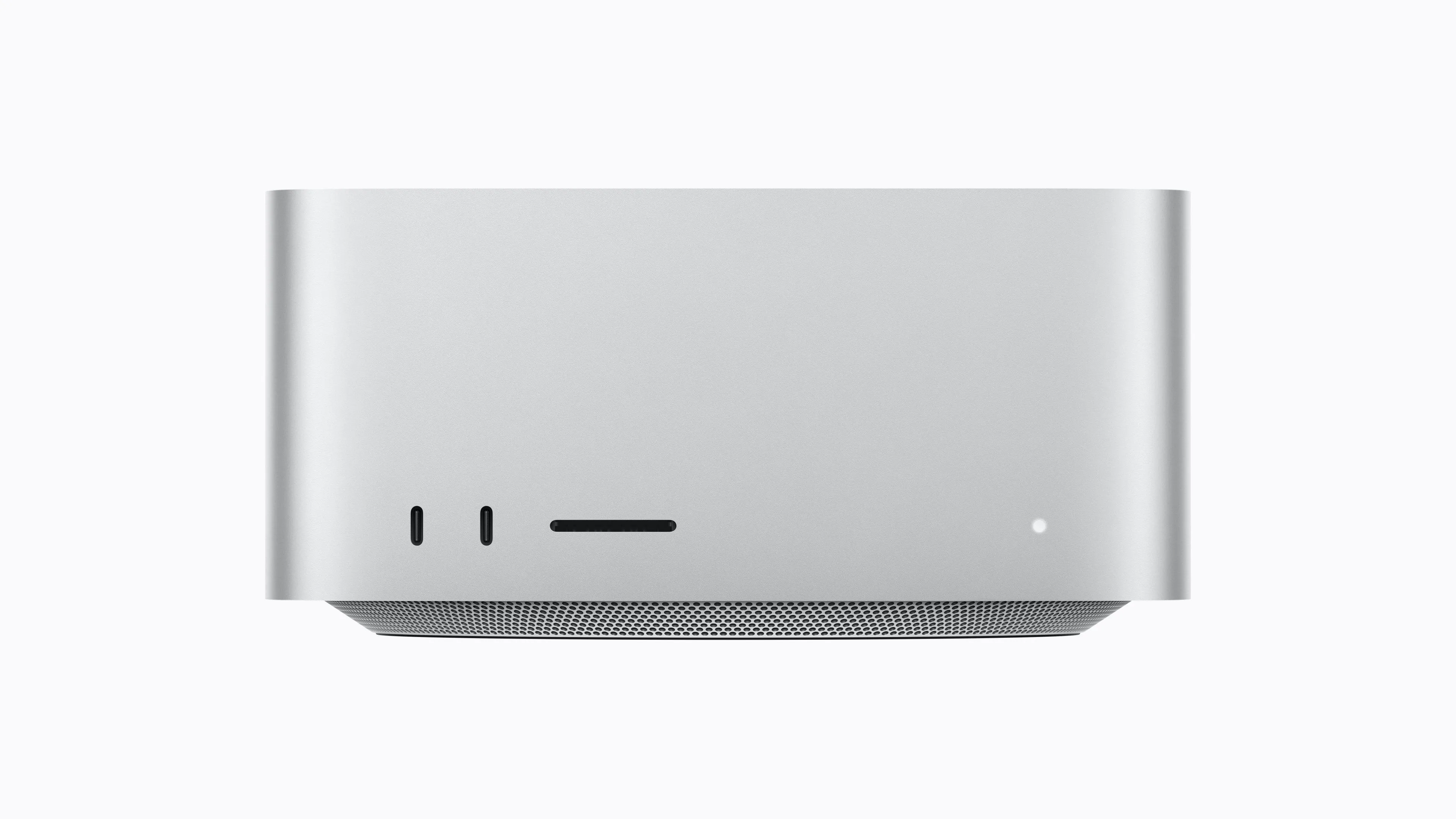
The Mac Studio retains its 19.7cm by 19.7cm by 9.5cm chassis. The 2025 model paired an M4 Max with an M3 Ultra, but this time both chips align at M5 Max and M5 Ultra. This resolves the previous situation where the higher-tier chip appeared to be an older generation, making the product hierarchy easier to understand.
Base configurations are 36GB/512GB for the M5 Max version and 96GB/1TB for the M5 Ultra version—the same capacities as the previous model. The M5 Max version can be configured up to 128GB and 8TB, while the M5 Ultra version goes up to 512GB and 16TB. However, the 512GB unified memory configuration won't be ready by September 22 and is expected to be added in late October.
The core port layout remains unchanged. The back panel includes four Thunderbolt 5 ports, two USB-A ports, HDMI 2.1, and 10Gb Ethernet. On the front, the M5 Max version has two USB-C ports while the M5 Ultra version has two Thunderbolt 5 ports, and both include an SDXC card slot. Wireless connectivity has been updated to Wi-Fi 7 and Bluetooth 6, and Thread support has been added.
For video production, genlock support over USB-C is new, designed for frame-accurate synchronization with external cameras and displays. The M5 Ultra version can drive up to 8 external displays, or up to four 5K/120Hz displays. The M5 Max version supports up to 5 displays. For workflows handling high-resolution video across multiple screens, this may be a reason to adopt the new model beyond raw computational performance.
Apple states that the new Mac Studio delivers up to 4.3x faster AI processing, 2x greater storage, 1.8x faster graphics, and 1.3x faster CPU performance, depending on the comparison. However, the comparison baselines and use cases aren't uniform. Whether the ¥419,800 or ¥949,800 starting price is justified should be measured against the actual apps and processing times you use.
When to Upgrade Now, and When to Wait
For those using an M4-generation Mac mini, there's no major change in chassis or port layout. If you need 2.5Gb Ethernet or Wi-Fi 7, or if the M6's performance gains would meaningfully cut daily wait times for your work, that's a reason to choose the new model. Video production using genlock is another consideration. If your current processing speed and 1Gb Ethernet are sufficient, there's little urgency to pay the ¥55,000-plus price difference right away.
The same logic applies to the Mac Studio. For production environments where an M4 Max or M3 Ultra already provides sufficient memory capacity and processing speed, whether upgrading to the new model—with identical base capacity—is worthwhile depends on your specific workload. On the other hand, for multi-display setups running 5K/120Hz, video production facilities using genlock, or research and development environments running local AI with large memory configurations, the M5 Ultra's added capabilities could reshape how work is structured.
Pre-orders are open for all models, but sales begin September 22. Before purchasing, it's worth checking app-specific performance on actual hardware and the total build-to-order cost once you've selected the memory and SSD capacity you need. With entry-level capacity unchanged this time around, the purchase decision should hinge less on the maximum multipliers in Apple's marketing and more on whether your actual processing time savings justify the price difference.