


On August 27, 2026, Google announced its video generation and editing model "Gemini Omni 1.1 Flash." The model creates videos up to 10 seconds long and can extend already-generated scenes through conversation. New features include start and end frame specification and 360p drafting.
However, the notion that it "generates a 40-second 4K video in one shot" is not accurate. Individual outputs run 3 to 10 seconds, and the 40 seconds is a cumulative duration achieved by adding 10-second increments to the end of already-generated video. Nor is 4K described as native generation — the API documentation explicitly labels it as upscaled output. The value of 1.1 lies not in its maximum figures but in how it unifies prototyping, editing, extension, and upscaling into a single workflow.
Control features once handled by Veo move into Omni
The first Gemini Omni Flash appeared at Google I/O in May 2026. Rather than positioning it as a dedicated text-to-video model, Google framed it as handling text, images, audio, and video as inputs, with plans to expand outputs to multiple formats as well. At launch, however, output was limited to video, with image and text support slated for the future.
According to Google's official documentation updated on June 30, Omni was described as a model that quickly generates short videos and edits them conversationally via the Interactions API. Meanwhile, scene extension and final-frame specification were listed as reasons to choose Veo 3.1 instead.
Version 1.1 shifts this division of labor. While retaining Omni's conversational editing, it now incorporates end-extension and final-frame control. By assigning two images as the start and end frames, users can interpolate a continuous video between them. Google lists gemini-omni-1.1-flash, used via the API, as the stable version, with the previous gemini-omni-flash-preview marked as preview.
40 seconds isn't generated in one pass — it's a cumulative duration built in 10-second increments
Each individual output from Gemini Omni 1.1 Flash runs 3 to 10 seconds at 24fps. When extending, the model analyzes the end of the input video and generates a continuation of 3 to 10 seconds. According to Google's announcement, extensions proceed in 10-second units, allowing already-generated video to be stretched to a cumulative 40 seconds.
One difference from the previous generation lies in how much context is read during extension. While the older model referenced only the final second, 1.1 draws on up to the preceding 10 seconds. The aim is to better preserve characters, lighting, and narrative flow, but Google has not published comparative figures measuring consistency or failure rates across the full 40 seconds. The improvement is Google's own claim — extending duration does not by itself guarantee continuity.
Extension is also limited to the end of a clip. There is no function to insert a scene midway through or extend backward from the beginning. Externally uploaded videos must be 10 seconds or shorter, and the model does not support extending videos of a speaking person with new dialogue. However, videos the model itself generated can be continued with audio using the previous_interaction_id, which tracks conversation history.
Prototype in 360p, then upscale to 4K
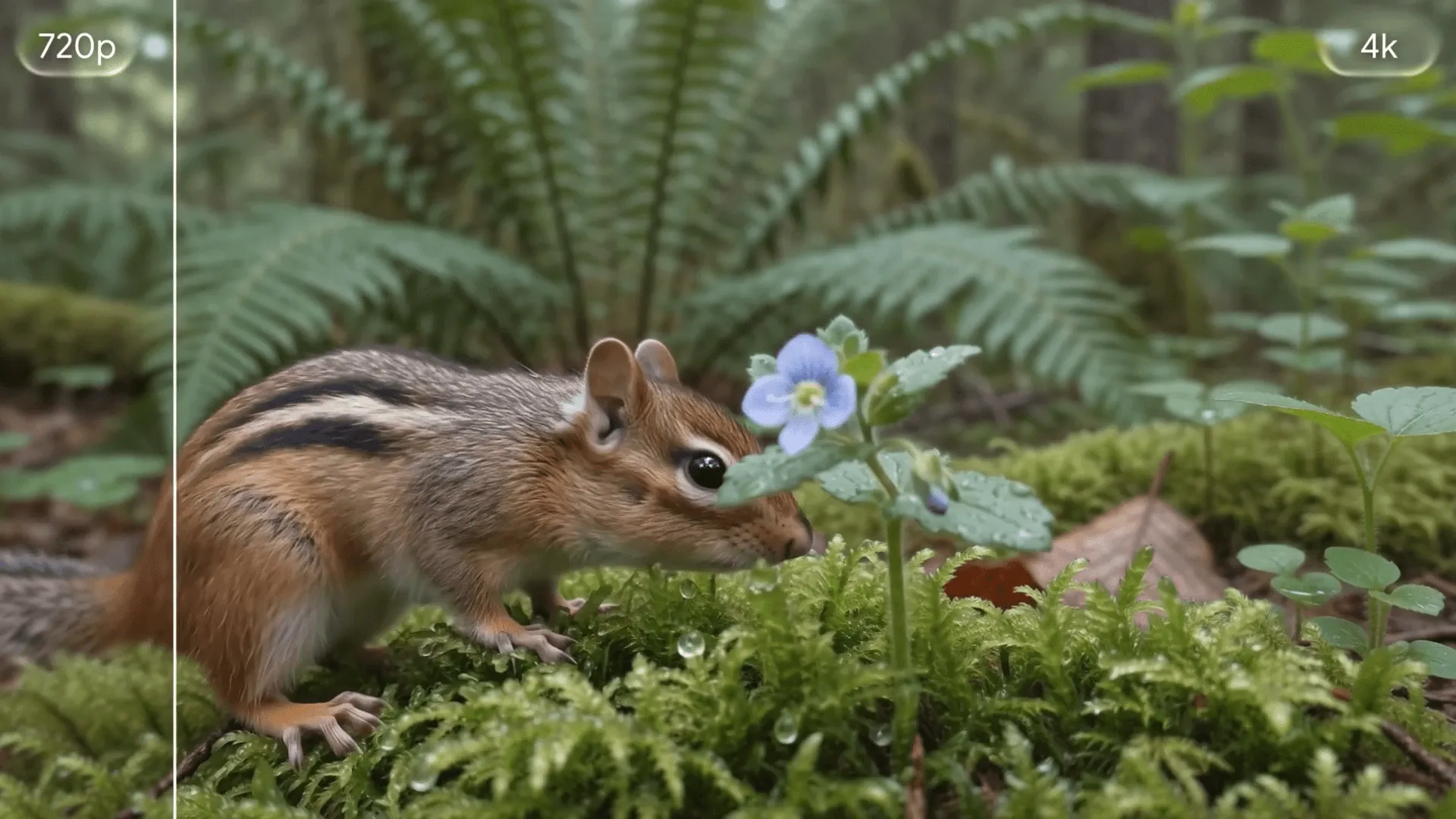
The new 360p option is better suited to prototyping than finished output. Google states it generates up to 60% faster than the standard 720p, at roughly one-third the cost. However, the speed comparison metric is system throughput — it doesn't mean any individual generation will necessarily finish 60% faster.
API pricing by resolution is as follows:
| Output Resolution | Per Second | Nominal Cost for 10-Second Output |
|---|---|---|
| 360p | $0.03 | $0.30 |
| 720p | $0.10 | $1.00 |
| 1080p | $0.15 | $1.50 |
| 4K | $0.30 | $3.00 |
The nominal 10-second cost is simply Google's per-second rate multiplied by 10. In actual production, discarded drafts and re-generated clips from each edit add up, so the cost of a single finished clip cannot be estimated from duration alone. When extending to 40 seconds, the initial generation and each additional generation must be counted separately.
In Google's comparison table, 1.1's 720p tier matches the previous Omni Flash and Veo 3.1 Fast at $0.10 per second. The 1080p tier, at $0.15, sits between Veo 3.1 Lite's $0.08 and Veo 3.1 Fast's $0.12, while 4K matches Veo 3.1 Fast at $0.30. In other words, 1.1 is not uniformly cheaper than Veo. What's new on the pricing side is the addition of a 360p tier — priced at 30% of 720p — that lets users test ideas before carrying results forward into conversational editing and extension.
In the comparison table, the previous Omni model is listed with pricing only for 720p. With 1.1, the same API now also offers 360p, 1080p, and 4K.
The API's default resolution is 720p, with 1080p and 4K offered as upscales. This means the "4K" label alone doesn't reveal the model's internal generation resolution or how faithfully fine details are reproduced. Google Flow itself recommends a production workflow of testing drafts at 360p, downloading the selected clip at 720p, and then exporting to 1080p or 4K.
Two frames and three reference videos
Beyond text-to-video generation, 1.1 supports image-to-video conversion, interpolation between start and end frames, and conversational editing after generation. For editing, users can issue successive instructions like "make the instrument disappear" or "change the background," with the model designed to preserve untouched portions while producing new video. Widescreen 16:9 is the default, with vertical 9:16 also selectable.
Up to three reference videos, each up to 3 seconds, can be input. However, the API documentation notes that cross-referencing or reasoning across multiple videos is not supported, and warns that providing several videos at once may degrade results. Accepting three videos and accurately understanding and combining the events across all three are different things.
Audio has its own boundaries. The model typically generates audio matched to the visuals, and dialogue or music can be specified via prompt. However, it does not support referencing audio files as input or editing voice itself. Audio contained in reference videos is also ignored. The name "Omni," which suggests broad input handling, is not a promise that all inputs can be edited for every purpose.
Features and pricing vary by platform
Developers can access the Gemini API through Google AI Studio, and a Gemini Enterprise Agent Platform is also available for businesses. Google Flow offers the feature globally to subscribers of Google AI Plus, Pro, and Ultra. Within the Gemini app, subscribers to the same three plans can use scene extension.
However, these services do not share the same interface or pricing structure. The per-second pricing table applies to the developer-facing API and cannot be directly translated into credit consumption on Flow or the Gemini app. In the European Economic Area, Switzerland, and the UK, editing and extending externally uploaded videos also face restrictions.
Generated videos carry a SynthID watermark — invisible to the human eye but machine-detectable. Regional safety filters also apply to both input prompts and generated results. Additionally, the only language the official documentation describes as fully supported is English; other languages, including Japanese, have not been evaluated.
Google describes 1.1 as an update moving toward business use, but has not presented quality comparisons under matched conditions against other models. The real measures of practical usefulness are how many rounds of editing a character and voice can survive when stretched to 40 seconds, and whether a composition chosen at 360p holds up after being converted to 4K. If both of these prove stable, a low-cost loop of iterating on drafts before finishing them could become Omni's real strength.