

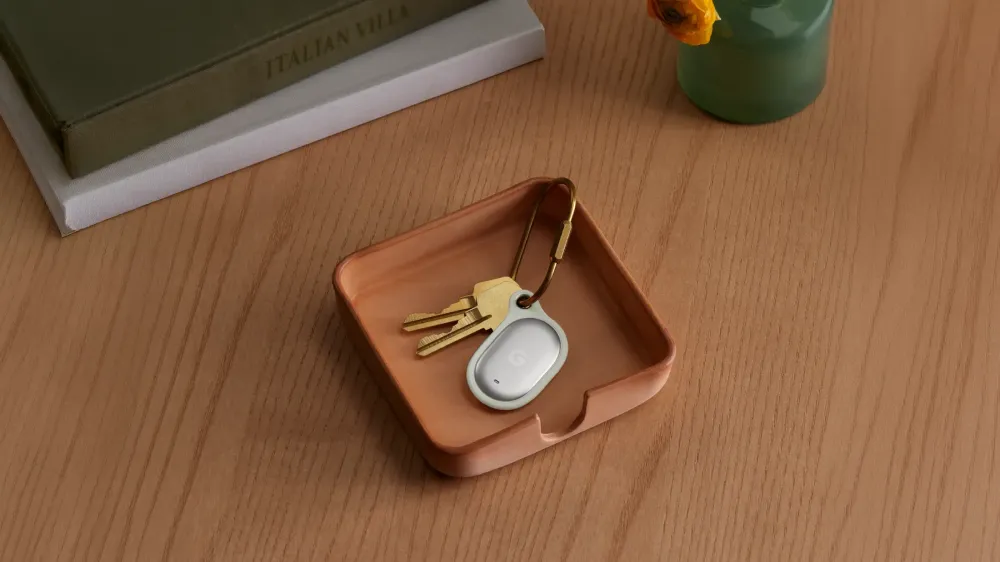
On August 12, Google announced its first loss-prevention tag, "Pixel Tag." It will launch on November 11 and was not available for purchase at the time of the announcement. While Find Hub has previously been able to locate compatible tags, this marks Google's move into supplying the tag hardware itself under the Pixel brand.
The search functionality this product provides is not a single, uniform experience. When looking for keys or a bag nearby, users get direction and distance cues via near-field communication with a compatible device. When the tag is farther away, nearby participating Android devices detect it via Bluetooth and send that location to Find Hub. This latter mechanism is not a system where the tag continuously transmits its current location via GPS—it's a network-based "sighting location."
Therefore, the product name and the network's scale of over a billion devices alone don't tell you how usable it will be. Precise nearby searching requires a compatible Android device with Ultra-Wideband (UWB), while remote discovery depends on the owner's screen lock settings and their Find Hub network participation settings. Pixel Tag isn't a product whose experience is determined by the tag's specs alone—it varies based on the owner's smartphone settings and the participating devices around them.
Launching November 11, Pricing Limited to What's Shown on the US Store
According to the Google Blog, Pixel Tag launches on November 11. Pricing is $29 for a single unit and $99 for a 4-pack. However, these dollar-denominated prices and the product page were posted on the US version of the Google Store. The announcement materials say nothing about Japanese availability, launch date, or yen pricing, so the US pricing cannot be treated as indicative of sales conditions in Japan.
The device itself, including the battery, measures 1.1 x 1.8 x 0.2 inches and weighs 0.4 ounces. It's made of polycarbonate and metal, and includes an accelerometer and a built-in speaker. The battery is a user-replaceable CR2032, and Google states a maximum battery life of one year—though this figure comes from testing with pre-production Pixel Tag hardware and test software on a Pixel 10 Pro XL. Actual battery life will vary based on usage, surrounding conditions, and the replacement battery used.
The device carries an IP67 rating, based on IEC 60529 testing conditions of 30 minutes submerged at a depth of 1 meter. While this offers a benchmark for everyday water resistance, it does not indicate permanent waterproofing. Google notes that resistance may be lost due to repair, damage, or disassembly.
Users can locate or ring the tag from a Pixel Watch, and Google also described using Gemini via Pixel Buds to request the tag ring. This ring function is useful when an item is nearby, covering situations where pulling out a device isn't convenient.
Nearby Search Communication and Remote "Sightings" Are Different Things
Pixel Tag combines near-field Precision Finding with out-of-range search via the Find Hub network. Initial connection requires a compatible Android device with Bluetooth 6.0 or later. Google states that it displays direction and distance cues, but has not published consumer-facing numerical accuracy figures. So it cannot be claimed that Pixel Tag enables centimeter-level precision searching.
Using Precision Finding additionally requires a compatible Android device equipped with UWB, and is also limited by distance from the paired device. If a smartphone supports Bluetooth 6.0 but lacks UWB, it does not meet the requirements for this search method. Before purchasing, buyers need to check not just the tag's specs but also whether their own Android device satisfies both requirements.
The Bluetooth SIG describes Channel Sounding in Bluetooth Core 6.0 as a feature that securely measures the distance between two connected devices using phase-based ranging and round-trip time measurement. This is said to be more accurate than distance estimation methods based on RSSI or signal strength, and less susceptible to interference. However, this describes a characteristic of the standard operating in a one-to-one connection—it is not documentation of Pixel Tag's actual measured accuracy.
On the other hand, when the tag isn't nearby, participating Android devices detect its location via Bluetooth and securely transmit it to Find Hub. The location that appears on the map is the point where someone's device detected the tag. Since the tag itself is not constantly broadcasting its location via GPS, there remains a possibility that the tag has moved from its last displayed location. Google touts a network of over a billion Android devices, but does not guarantee discovery time or recovery rates.
Sharing With Up to 10 People, Though Usage Conditions Remain Per-Owner
Google states that Pixel Tag can be shared with up to 10 people. Shared owners can also locate the tag, but Android 9 or later is required. After sharing, it takes a few minutes before the tag's location becomes detectable, in order to protect the privacy of the person it's shared with. This waiting period means immediate reflection isn't guaranteed even when multiple people are tracking the same item.
When an item isn't nearby, its location can be sent via a web link. The link automatically expires after 7 days. Creating the link requires an Android device connected to the tag and a Google Account, and the recipient checks it via a browser logged into a Google Account. While this can be useful for temporarily sharing location with family or companions, it is not a sharing method that anyone can view regardless of OS.
The owner's own settings also affect search range. According to Google's privacy explanation, if the Android device's screen lock isn't protected with a PIN, pattern, or password, item searching via the Find Hub network cannot be used. Additionally, network participation can be set to disabled, limited to only crowded locations where multiple reports are aggregated, or an "everywhere" setting where even a single participating device will report.
The latter setting increases the chances of obtaining detection locations, but no setting guarantees discovery. Whether you have a device capable of precise nearby searching, whether participating devices pass by in remote locations, and which participation range the owner selects—these three factors operate independently. When reading Find Hub's displayed location, these three need to be considered separately.
Encryption and Unknown Tag Alerts Are Also Conditions for Using the Search Function
Find Hub operates on a system where participating Android devices detect nearby items via Bluetooth and send location information. According to Google, item location data is protected via a unique key usable only after the owner enters their PIN, pattern, or password, keeping it hidden even from Google itself. Google states that only the owner, and anyone the owner has shared with, can view the location in Find Hub.
This encryption is also the premise that makes the surrounding-device-based search network viable. Even when a participating Android device reports a tag's location, the person who made the report cannot view the item's location themselves. Conversely, if the owner has not set up a screen lock, they cannot use network-based search. It's a design that ties search availability in case of loss, and the confidentiality of location data, to authentication on the owner's device.
When an unknown tag appears to be traveling with a user, Android issues an alert. Automatic alerts require location services to be enabled, and the alert determination uses multiple factors. Android's help documentation cites the tag traveling with the user over time as a condition, and limits alerts to once per day per tag. This is not a system that guarantees immediate notification, nor one that catches every instance of tracking.
On Android 6 and later, users can also manually scan for unknown tags. Data used for alerts is handled in encrypted form on the device and is not shared with Google or other users. The unknown tag alert function also serves to let people around you detect unintended tracking.
What matters to check on Pixel Tag's launch day is less the communication standard names listed in the spec sheet, and more the combination of compatible Android devices and the sales region. Only once near-field guidance on UWB-compatible devices, the frequency of remote sightings under each participation setting, and the sales conditions in Japan are all confirmed after November 11 will it be possible to properly compare this Google-made tag's real-world practicality.