

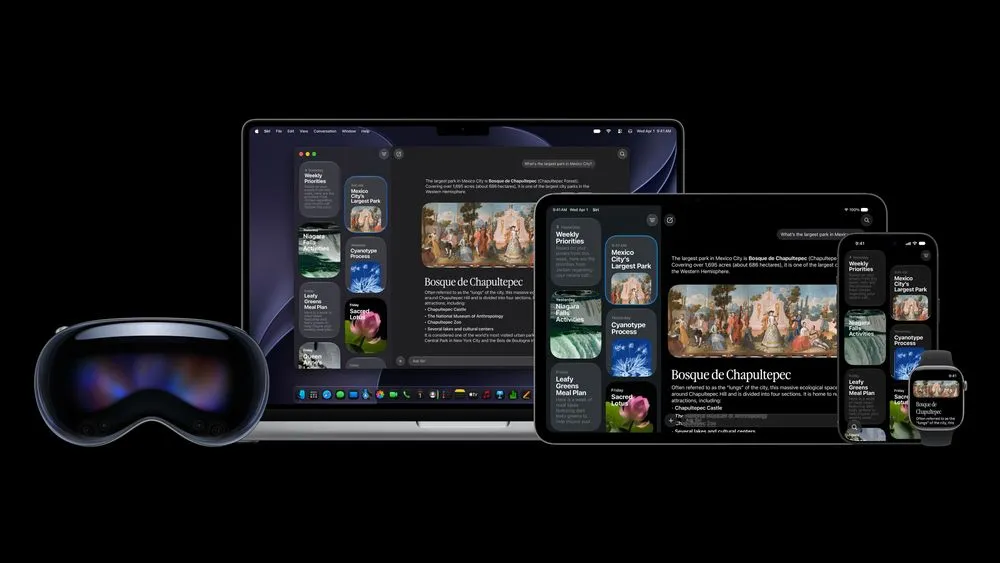
Apple began rolling out iOS 27 for iPhone on September 15, 2026 (Japan time). The update overhauls the assistant with Siri AI and adds AI editing that changes a photo's composition after the shot, page-update notifications in Safari, and pass creation in Wallet, so many everyday features change. The iPhone 11 and iPhone SE (2nd generation) remain eligible, and for older models, faster performance and better search are among the biggest changes. However, the new Siri starts as an English-language beta, with Japanese support planned for October. It pays to check OS compatibility separately from the conditions needed to actually use each new feature.
Key new features, and the conditions for using them in Japan
Even on an iPhone that supports iOS 27, the same new feature is not available unless the device supports Apple Intelligence, the feature supports your language, and any external service is offered in your region.
The table below cross-checks Apple's iOS 27 overview and the feature availability list by language as of September 15, 2026, organized by the conditions required for use. "AI-capable" means iPhone 15 Pro/Pro Max, all iPhone 16 and later models, iPhone Air, and iPhone Duo. A new product's appearance in a compatibility table does not mean it has already gone on sale.
| Area | Main new features and improvements | Conditions and timing for use in Japan |
|---|---|---|
| Siri AI | Natural conversation, personal information search, screen awareness, app actions, dedicated app | AI-capable models. Phased English beta; Japanese planned for October |
| Siri voice and dictation | Adjustable voice expression and speed, improved dictation accuracy | Only some newer models. English at launch |
| AI photo editing | Spatial Reframe, Extend, stronger Clean Up | AI-capable models. Japanese is among the supported languages for Spatial Reframe and Extend |
| Image and emoji generation | Redesigned Image Playground, better Genmoji suggestions | AI-capable models. Japanese supported. SynthID comes in a later update |
| Safari | Automatic tab grouping, page-update notifications, creating extensions from a description | AI-capable models. Japanese is among the supported languages for each feature |
| Calendar and automation | Create or edit calendar events and Shortcuts from a description | AI-capable models. Japanese supported |
| Writing and email | Drafting and revising with Siri, replies that reflect your writing style, automatic proofreading | Siri-based writing follows Siri's language conditions. Suggested actions in Mail are English only |
| Calls | Shows reservation numbers and other call-related details | AI-capable models. Apple's official descriptions differ on Japanese availability |
| Passwords and Messages | Automatic password updates, suggested actions based on Messages conversations | Both planned for a later software update |
| Wallet | Pass creation, bill splitting, enhanced hotel keys, payment management | Manual pass creation and AI scanning are distinct. Apple Cash bill splitting is U.S. only; hotel keys require participating properties |
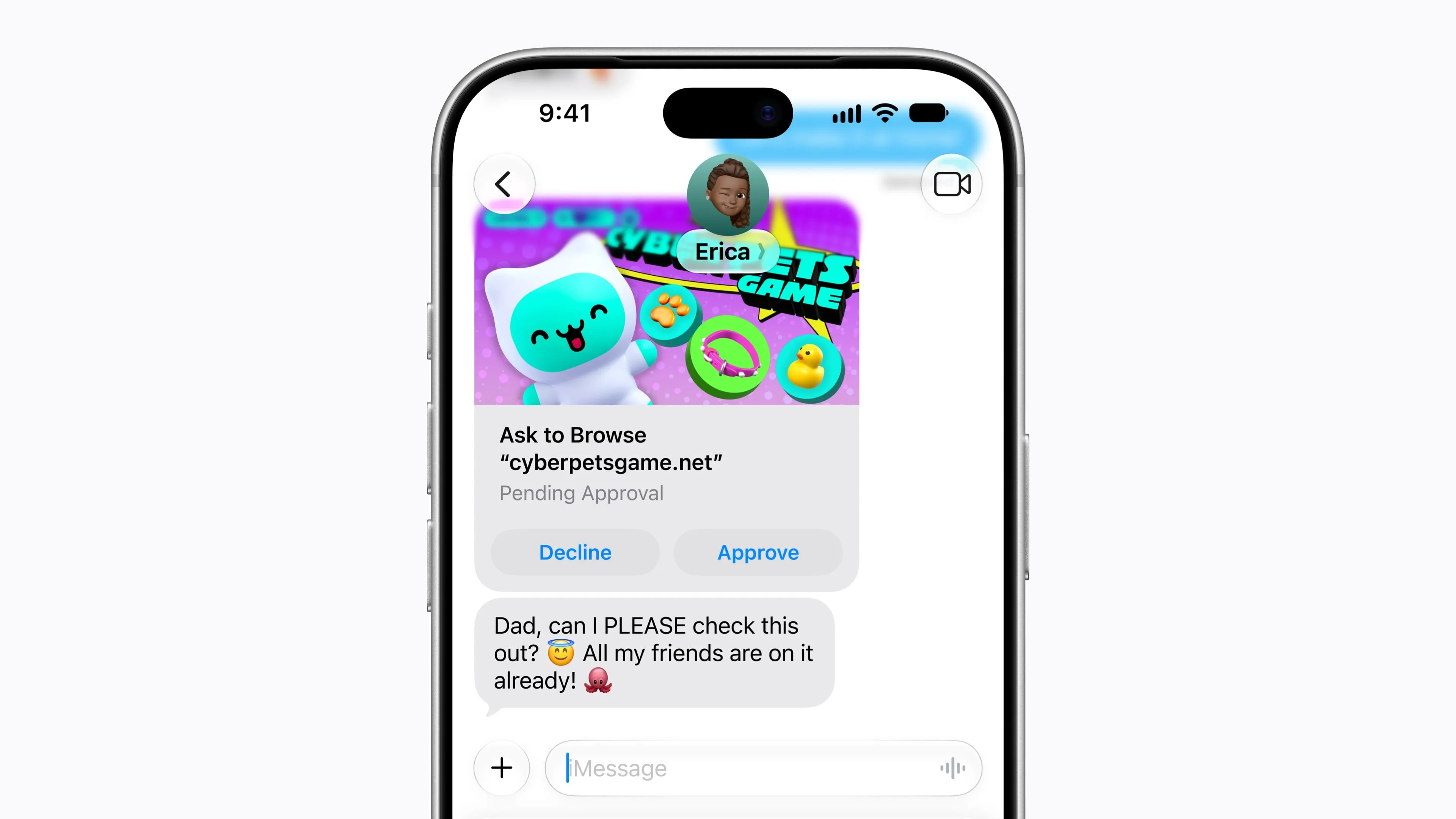
| Child safety | App selection, web browsing approval, allowed time, schedules | Requires setup by a parent. The new browsing approval requires the updated Screen Time |
| System | Liquid Glass adjustments, improvements to launch, sharing, search and connectivity | Applies to iOS 27-compatible models. Speed gains vary by model and conditions |
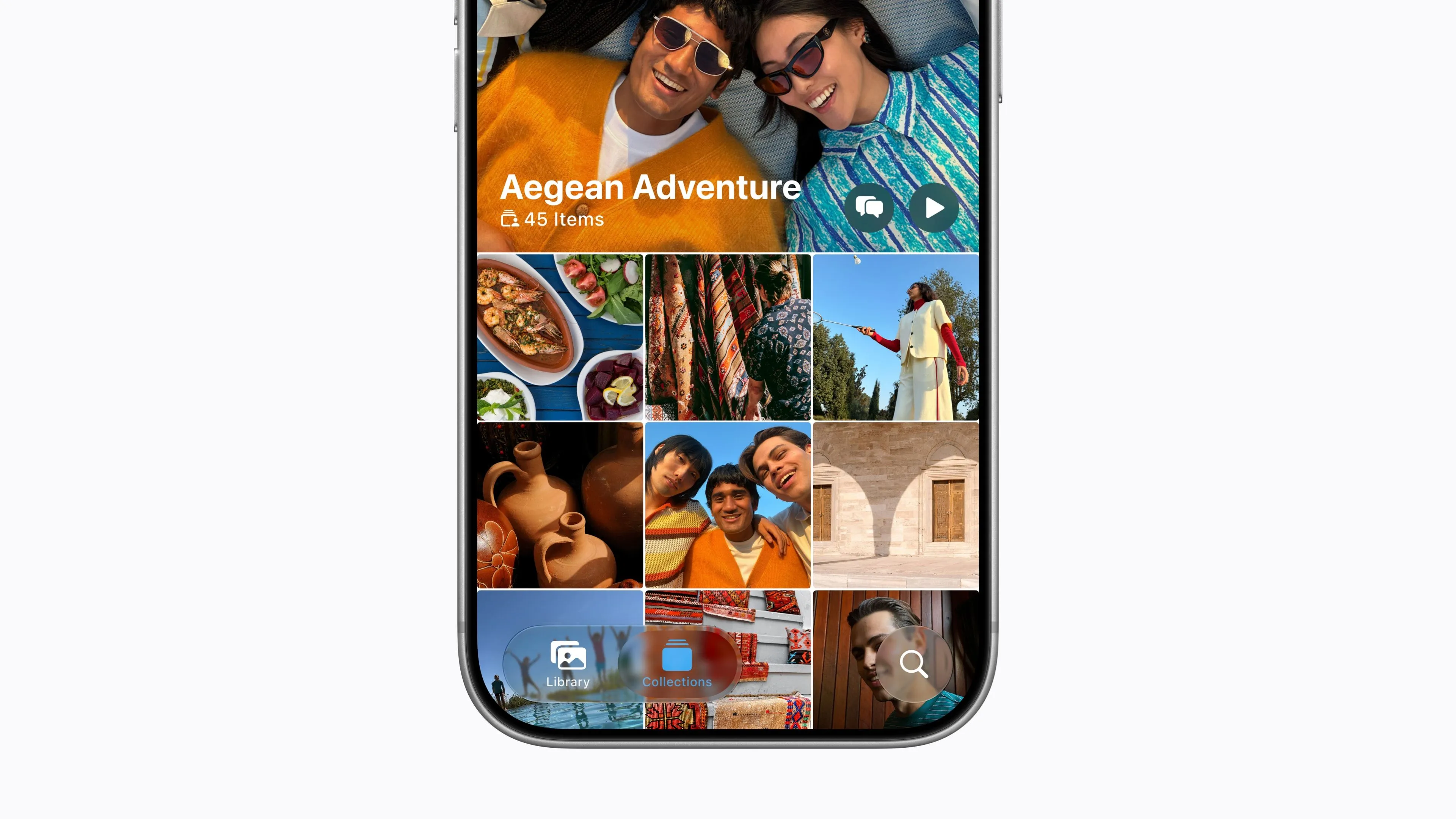
| Photos and Camera | Save stills from video, pinned shooting tools, redesigned Shared Albums | Separate from the individual AI edits. Android and Windows users can join shared albums |
| Home Screen and Clock | Extra-large widgets, independent alarm and timer volume | Requires a supported widget. Clock volume can be separated from ringer volume |
| iPhone Handoff | Switch the same phone number between two iPhones | Requires a supported eSIM and carrier. Apple's list includes no Japanese carriers |
| Find My and Maps | Time-limited location sharing, enhanced Flyover, Local Lists | Flyover covers select cities. Local Lists is U.S. only |
| Home | Grouped notifications, camera footage descriptions and search, 4K video | Requires an AI-capable device, a home hub, an eligible iCloud+ plan, a supported camera and more |
| Health | Logging and notifications for perimenopause and menopause | Notifications have conditions such as being 40 or older. The full AI overhaul comes later this year |
| Music and workouts | AirPods sound tuning, GymKit on iPhone, expanded lyrics features | Requires supported accessories and services |
| FaceTime and CarPlay | Simultaneous front and back camera view, video viewing in the car | Dual view requires iPhone 17 or later. Video works only on supported vehicles when not driving |
| Accessibility | Improved image descriptions, Magnifier, read-aloud, captions, voice control | Conditions vary by AI feature and language. Voice control with free-form names is English only |
The regions and timing in the table also draw on Apple's services announcement, the iPhone User Guide, and the iPhone Handoff requirements. Even AI features that support Japanese require you to turn on Apple Intelligence on a compatible device. Conversely, waiting for Japanese Siri AI does not put the Japanese-supported features in Safari, Photos and Calendar on hold as well.
Siri AI searches your personal information and operates apps
The new Siri AI keeps up a conversation while combining information on your device with knowledge from the web to respond. It can find reservation details buried in email, locate photos, and act on what is currently on screen. Apple gives the example of finding a dish you want to cook in a message from family, pulling the recipe from an email that arrived earlier, and adding the ingredients to a shopping list in Reminders.
This reduces the effort of remembering which app holds the information and opening each one in turn. Requests such as adding upcoming home games to Calendar while viewing a sports team's schedule on screen are also envisioned. What Siri can control, however, depends on app support. Apple cites sending messages in WhatsApp and playing audio in Audible as usage examples, while drafting email in Outlook, finding assignments in Notability and adding places in Tripsy are listed as future support.
Dedicated app, Siri mode in Camera, and writing
Siri gains a dedicated app that collects conversation history. History syncs through iCloud, so an exchange started on iPhone can continue on Mac, iPad and other devices. You can also pin frequently used conversations. In addition to the existing voice and side-button activation, iPhones with the Dynamic Island offer a way to start a conversation by swiping down from it.
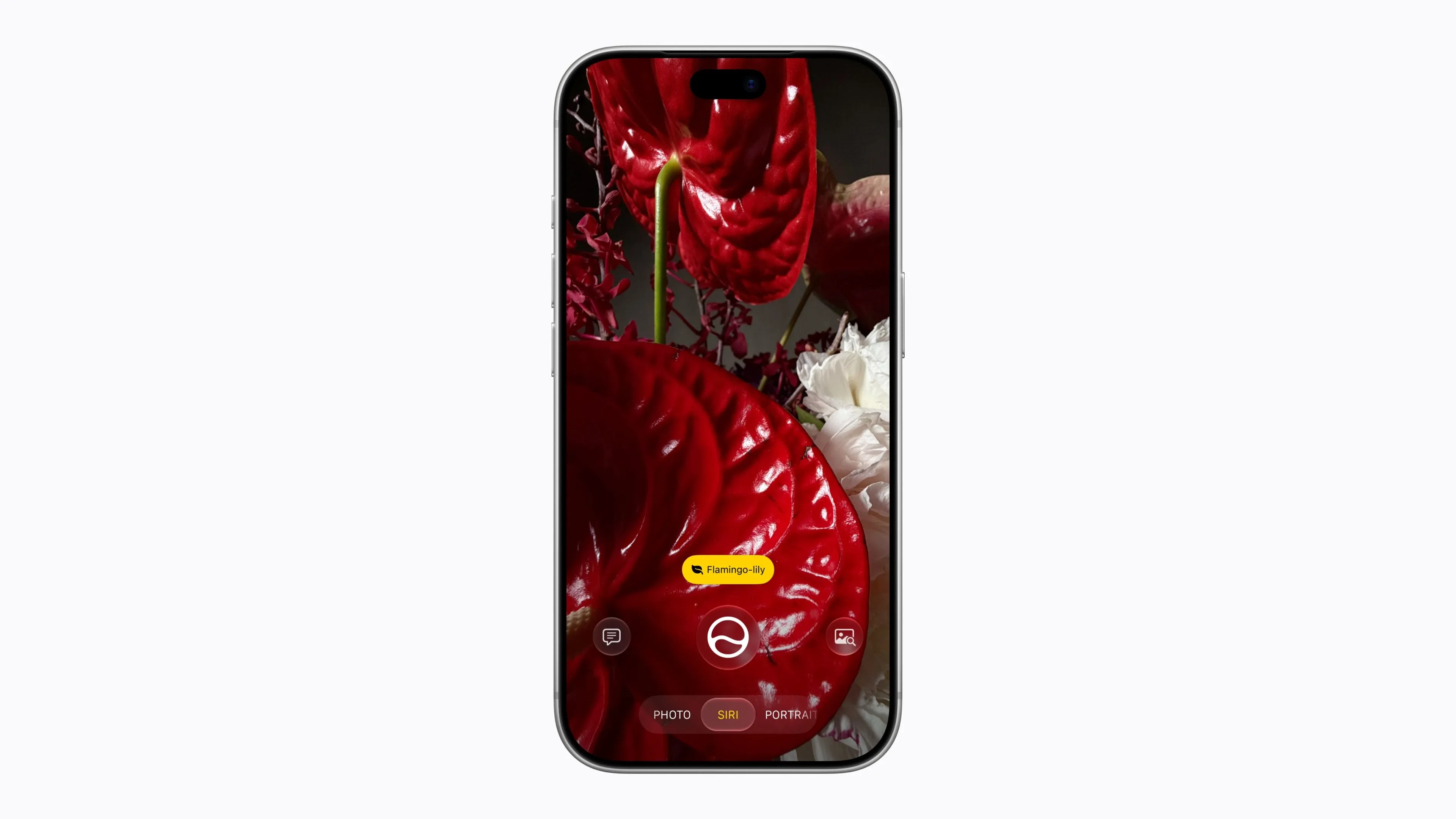
Siri mode in Camera integrates visual intelligence into the shooting screen. Besides asking about what is in front of you, it leads to actions such as turning event information on a poster into a calendar event or adding a card with a barcode to Wallet. Both looking up information on screen and investigating your surroundings with the camera can now be done through conversation with Siri.
For writing, Siri can draft from a description, revise text you have written, and tell you what to improve. In Mail and Messages, punctuation and phrasing are adjusted toward your own style based on past exchanges with the recipient. System-wide automatic proofreading, which checks grammar and spelling as you type, is also strengthened and works in many third-party apps.
Japanese planned for October; even English has a waitlist
Siri AI is being offered in phases as an English-language beta. According to the steps 9to5Mac confirmed on the official release day, you choose "Try Siri AI (Beta)" under Siri in Settings and follow the on-screen instructions to join a waitlist. You are notified when it becomes available, so access is not necessarily opened right after the OS update. This entry point in Settings is also described in Apple's user guide.
In its rollout announcement, Apple said Japanese support will come in October 2026. French and Korean, as well as Portuguese and Spanish, are planned for around the same time. This is more specific than the "within the year" wording on the Japanese-language overview page, but Apple has not said on which day in October it will open.
There are also age and regional restrictions. Siri AI is unavailable to users under 13, and Siri AI on iOS will not initially be offered in the EU. In China, work on regulatory requirements continues, and the new Siri and new Apple Intelligence features will not be offered. These are conditions separate from iOS 27's own compatibility.
Natural-sounding voice requires even newer devices
The features that adjust Siri's vocal expression and speed, along with advanced dictation, run on devices that support the on-device model "AFM Core Advanced." The iPhones Apple lists are iPhone 17 Pro/Pro Max, iPhone Air, iPhone 18 Pro/Pro Max, and iPhone Duo. Owning an iPhone 15 Pro or iPhone 16 that supports Siri AI does not mean you get the full set of voice features.
At launch, voice expression covers U.S. and U.K. English, and advanced dictation is also for English. It cannot be assumed that the standard iPhone 17 or 17e supports the same extra features as the Pro models.
Collaboration with Google, and the roles of device and cloud
Siri AI is built on next-generation Apple Foundation Models that Apple developed in collaboration with Google and its Gemini models. Apple explains that the models run both on the device and on Private Cloud Compute (PCC). PCC is a mechanism that handles requests a device cannot process alone on servers built around privacy protection.
The Spotlight index used to search personal information and the App Toolbox used for app actions run on the device. Cloud models are also used in places such as Image Playground. Apple says it does not store personal data processed in PCC and cannot access it itself. This explanation concerns request processing in PCC, and should be distinguished from the feature that stores and syncs conversation history in the dedicated Siri app.
Photos and Camera change composition and controls after the shot
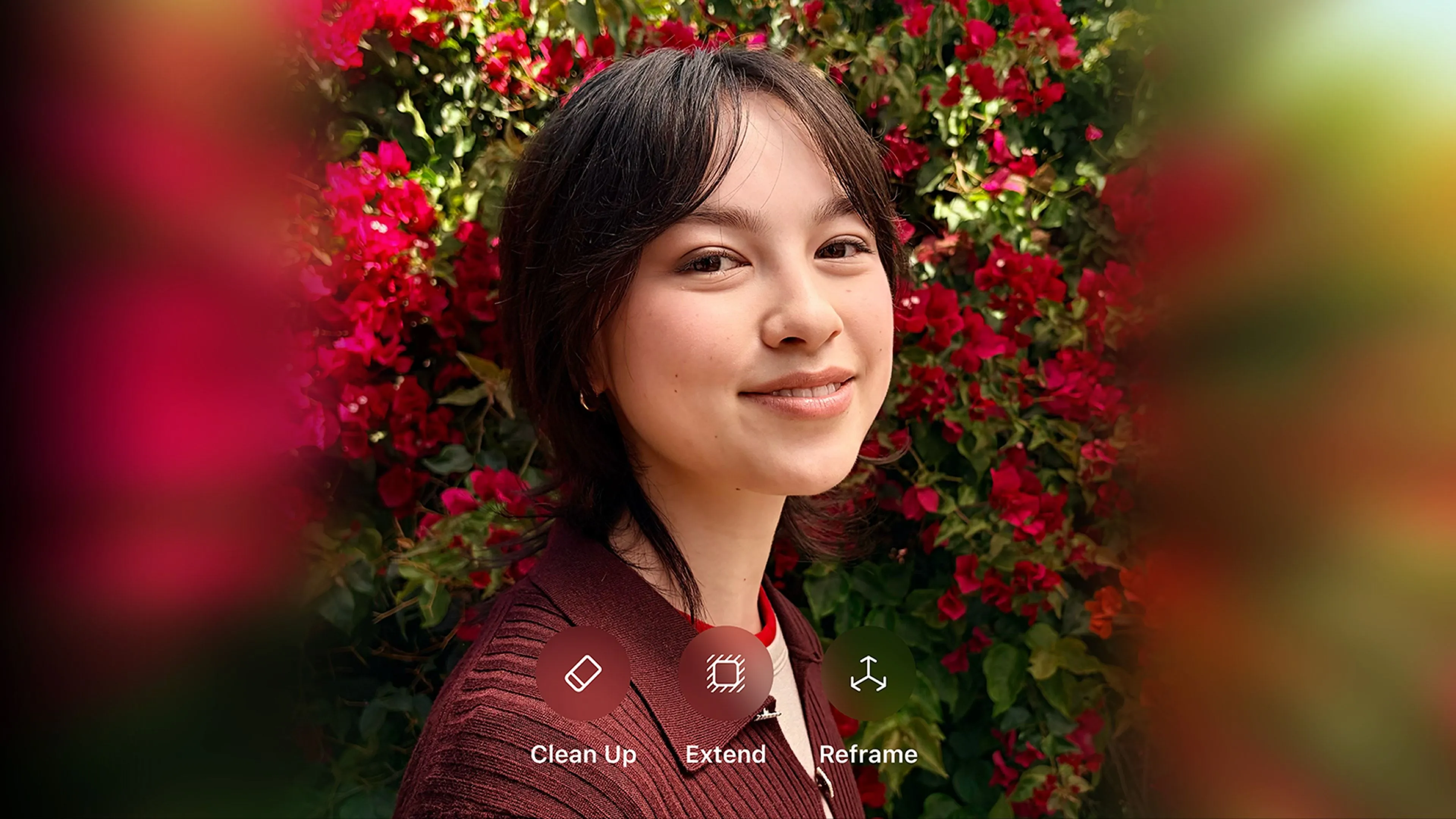
The Photos app gains editing that goes beyond the traditional cropping and color adjustments. The core is three tools: Spatial Reframe, Extend and Clean Up.
| Editing feature | What it does | When to use it |
|---|---|---|
| Spatial Reframe | Virtually changes the shooting position to adjust perspective and composition | Adjust how the subject appears and is placed after shooting |
| Extend | Generates content outside the original photo to widen it | Change the aspect ratio or create space around the subject |
| Clean Up | Removes larger unwanted objects and fills in the surroundings | Remove distracting items from the background |
Clean Up lets you choose automatic, fast or high-quality processing. You can use it for light touch-ups or complex fill-ins, and changes can be undone even after saving. Spatial Reframe and Extend also have an action to return to the original.
These are edits in which AI fills in how things look or the surrounding areas. They do not mean a place that was not in the frame was actually photographed. Treat edited images differently depending on whether you are polishing a memory or preserving the state at the time of shooting as a record.
Image Playground and Genmoji
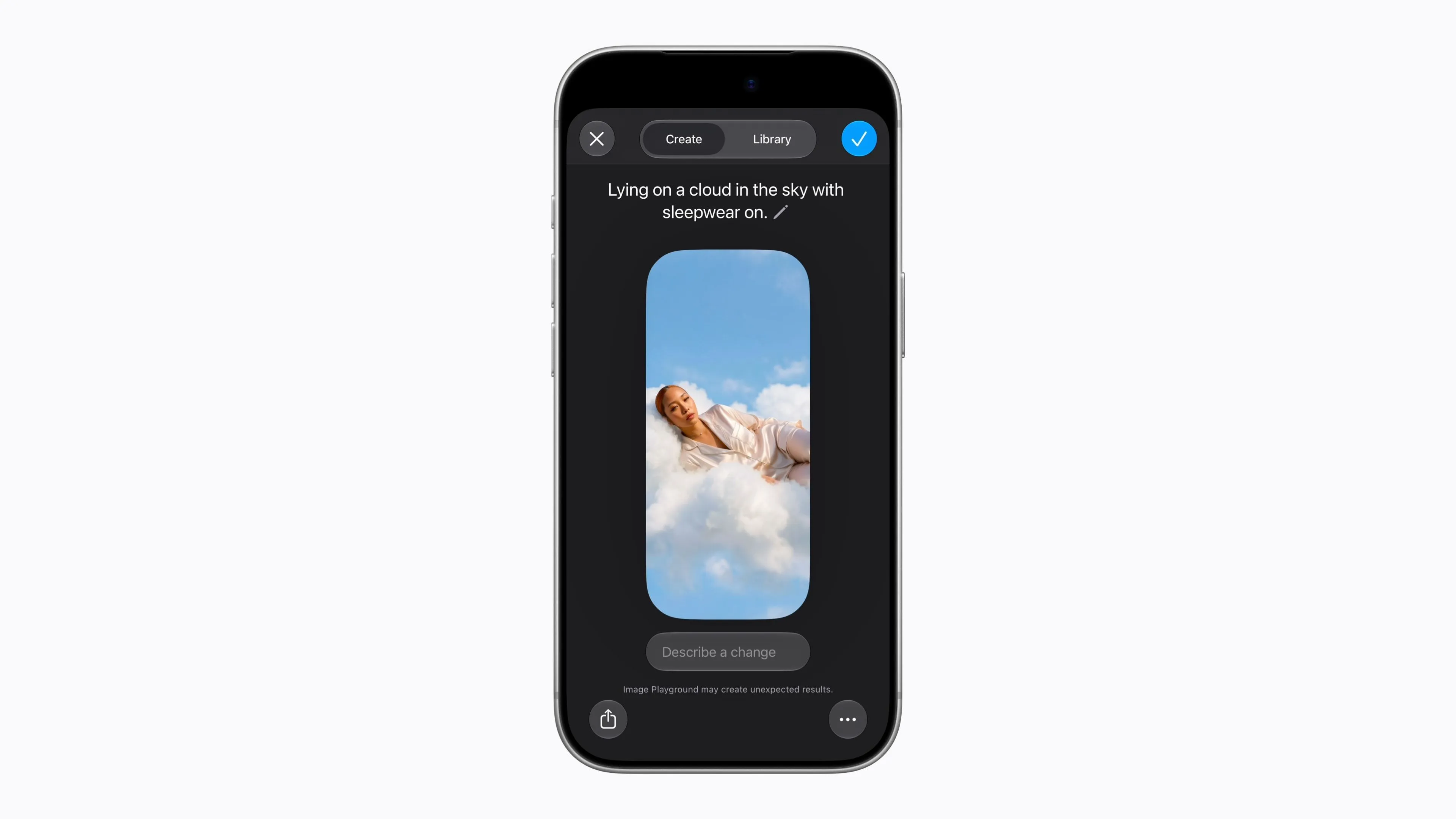
Image Playground adopts a new generative model and supports a wide range of styles, including photorealistic ones. After generating an image, you can edit it by describing what you want to change or by using touch controls. You can also ask the Siri app to generate images, in which case Siri AI's conditions of use apply.
Genmoji now offers suggestions based on photos in your library and phrases you often type. The change reduces the effort of describing from scratch the emoji that suits you each time.
To identify AI-generated or edited content, Apple describes support for SynthID in addition to image metadata. However, SynthID is due to be added in a software update later this year, and which edits are covered differs by type of edit. You should not assume that identifying information is embedded in every edited image from the first day of release.
Shooting and sharing changes that matter beyond AI-capable models
In Camera, you can pin frequently used shooting tools above the frame. The improvement lessens how often you reopen settings and puts exposure and other controls within easier reach. The Photos app also gains a feature to save any frame of a video as a still image.
iCloud Shared Albums support full-resolution sharing of photos and videos. Family members who use Android or Windows can join from iCloud.com and add photos. Photo filtering, reactions and invitation methods have also improved. This makes it easier to gather photos from participants on different devices, but it does not mean AirDrop now works directly with Android or Windows.
Safari, writing, scheduling and automation
The AI features added to Safari target tasks people repeat in the browser: organizing tabs, checking how a page changes, and adjusting how the web is displayed. According to Apple's feature descriptions and the language availability list, all of the following support Japanese.
- Automatic tab organization: Analyzes open pages and groups tabs on similar topics. When research piles up, it makes related pages easier to find again.
- "Get notified": Checks a specified page periodically and notifies you of changes such as price or stock. It does not promise instant notification every time, nor does it guarantee the lowest price.
- Create extensions from a description: Ask in natural language to build a custom extension that adjusts the content or formatting of web pages. You use it by specifying concretely what to apply to which site.
Shortcuts can also now build automations connecting multiple apps from a description of what you want to do, and it supports fixing existing shortcuts. For example, a process that tells someone your estimated arrival home when you leave work can be specified in a sentence before you line up actions one by one.
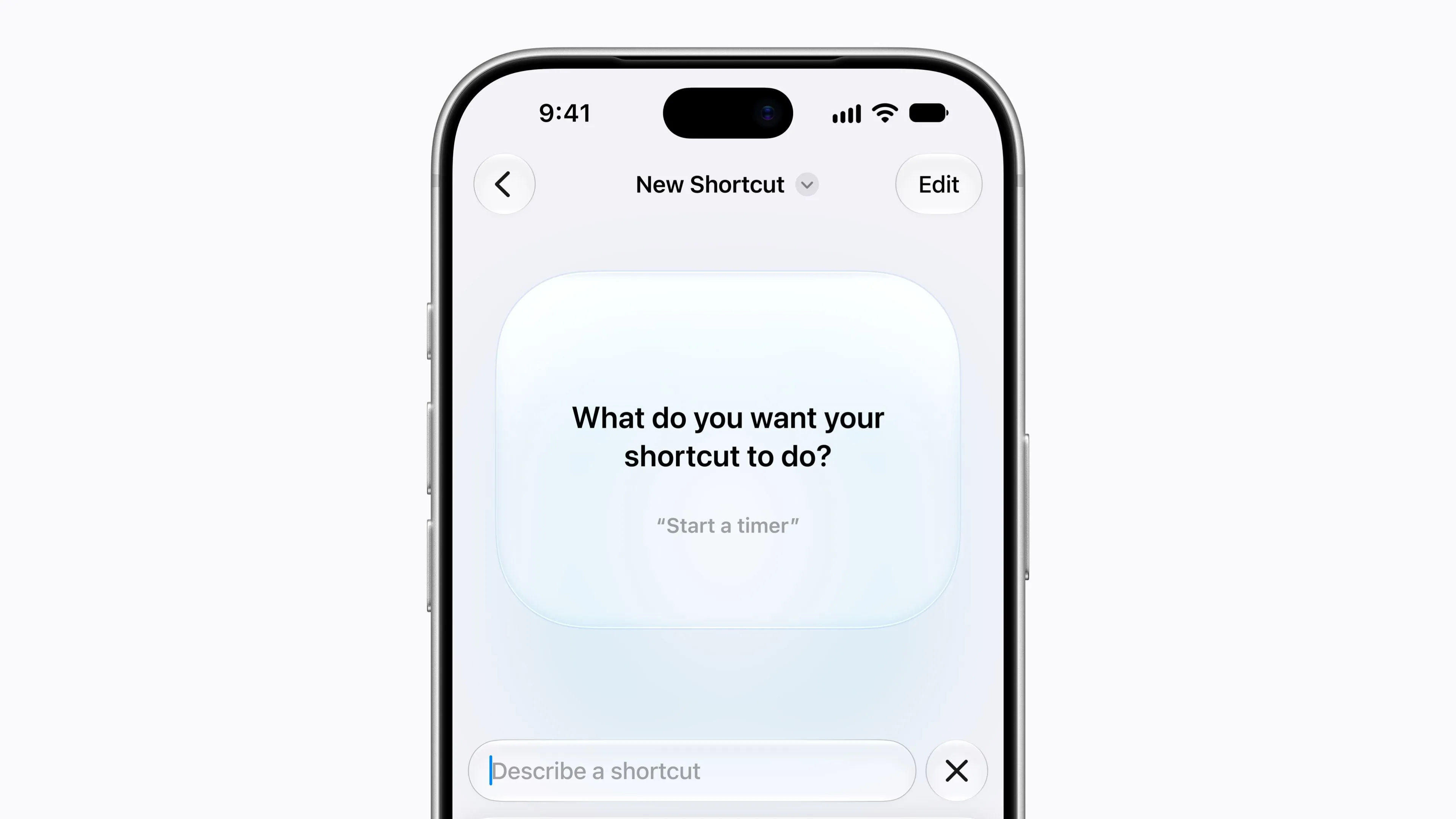
In Calendar, you add or change events from a description. It reduces the effort of entering date, time and place into separate fields. Even when Safari extensions or shortcuts are generated, check that the target and actions are what you intended. The easier it becomes to start creating, the more useful it is to understand what information is sent and when it runs.
Suggestions in Mail, and information shown during calls
Mail suggests actions depending on the content of a conversation, such as opening directions to a restaurant you booked, making it easier to move from a message you have read to the next step. Smart replies in Mail and Messages also improve at reflecting your own style.
However, suggested actions in Mail are supported in English, and suggested actions based on Messages conversations are planned for a later software update. Take care not to confuse the feature that writes replies with the one that suggests actions from conversations.
In Phone, "Call Context" shows related information, such as a reservation number in your email, when you call a business such as an airline. It aims to spare you from searching other apps during the call. Apple's Japanese overview says "available in English," while the language availability list by feature includes Japanese, so as of September 15 the descriptions do not match. Immediate use in Japanese cannot be assured.
A feature in which the Passwords app changes weak or leaked passwords on the user's behalf has also been announced. It is clearly labeled "planned for a future software update," so it cannot be counted among the features available with this release.
Wallet moves from pass creation to payment management
Wallet adds a way to add membership cards and tickets with barcodes as passes yourself. The change lets you present cards you used to carry, or codes that arrived by email, quickly on iPhone or Apple Watch.
Pointing the camera in Siri mode at a card, or turning a digital card into a screenshot, can lead to a save action. You can also create passes directly inside Wallet. In 9to5Mac's hands-on check, manual creation offers three types: "Standard," "Membership" and "Event." Reading with AI and entering manually are separate methods.
What is saved is a pass for presentation. Creating one manually does not generate a new admission right or electronic money balance. It is easiest to think of it as gathering codes recognized by the issuer in a place that is easy to retrieve.
Bill splitting, hotel keys and Apple Pay
Apple Cash's bill-splitting feature reads a receipt from the camera or an image, and once you select the items you ordered, calculates your payment including your share of tax and tip. From there you can proceed to send money or request payment. Apple states this is U.S. only and requires an eligible model with Siri AI enabled. The same money transfer feature has not been added to Wallet in Japan.
Hotel keys expand at supported hotels and resorts. In addition to unlocking your room, Wallet gathers trip details, updates on booked activities, and services during your stay. The range available depends on each property's support.
The Apple Pay payment screen for online and in-app purchases is also updated. You can swipe to switch cards and more easily check eligible card benefits, debit account balances and buy-now-pay-later options. A feature for adding funds to eligible debit cards with Apple Pay is described as coming later this year. Card and financial institution requirements still apply.
Payment overviews still differ by region
9to5Mac reports that Apple Card gains "Recurring," which shows recurring charges in a list or monthly calendar. It helps you see upcoming payments such as subscriptions. However, Apple Card is for the U.S.
The outlet says "Insights," which totals spending across multiple cards, is for some regions, and existed in the beta in the U.S. but is not available in the final release. Availability in Japan has also not been confirmed. Applying all of Wallet's new features to Japan as a bundle would overestimate what you can use.
Set in detail which apps and how much time a child can use
During initial setup of a child's iPhone, parents can choose which system apps to allow. It becomes easier to start with only the essential apps and add more as the child grows and their usage changes.
With the new "Ask to Browse," parents can review and approve websites a child accesses for the first time. It covers Safari and other WebKit browsers and requires updating to the new Screen Time. Together with the feature in which parents approve communication with new contacts, it manages what can be viewed and with whom a child can interact.
Screen Time itself is also revised. You can set a daily allowed time for categories such as entertainment, games and social media, and refer to age-based guidance informed by experts. Schedules that change which apps are usable by day of week or time of day are also provided. In the settings screen, it is easier to see average usage and frequently used apps and adjust access.
Communication Safety now intervenes on graphic or violent content in shared photos and videos, in addition to its existing handling of nude images. It attempts to protect a child before they see something it detects, and is not a guarantee of completely blocking all inappropriate content.
What the 30%, 70% and 80% speedups actually measure
Apple says app launches are up to 30% faster, loading of newly taken photos up to 70% faster, and AirDrop transfers up to 80% faster. Each figure comes with different test conditions.
| Improvement Apple cites | iPhone tested | Timing and conditions |
|---|---|---|
| App launch up to 30% faster | iPhone 11 Pro Max | August 2026. Launch performance after many device usage cycles |
| Loading of photos after capture up to 70% faster | iPhone 15 | July 2026. Photos added individually with the camera to a 50,000-asset photo library |
| AirDrop transfer up to 80% faster | iPhone 16 Plus | July 2026. Transferring multiple photos totaling 30MB to a nearby contact without a Wi-Fi network connection |
All are Apple's comparisons between iOS 26.6 and pre-release iOS 27. Because the models and tasks differ, you cannot add the three figures together or assume the whole device becomes faster by the same proportion. "80% faster" should also not be read directly as "takes 80% less time."
Still, the fact that app launch was measured on an iPhone 11 Pro Max is a useful data point for owners of older models. Apple itself treats everyday launching and sharing as areas for improvement even on devices that cannot use the new AI features. This is, however, Apple's test result, not a guarantee that the same difference appears in every usage environment.
Search, connectivity and appearance are also tweaked
Search in Spotlight, Photos and Mail is improved so it can find relevant results more reliably. Mail gets a new ranking that places highly relevant results first, and system foundations such as the CPU scheduler have been optimized.
In connectivity, switching between Wi-Fi and cellular becomes smoother. Even while sending large photos or videos over a narrow connection, a text you send afterward is no longer made to wait. The reduction in waiting time extends beyond how fast apps open.
Liquid Glass adjusts refraction and contrast to improve legibility, and icons are made sharper. A slider in Settings lets you choose transparency and color intensity, so you can tune appearance preferences and visibility yourself. The Home Screen also gains extra-large widgets that show more information.
A small Clock improvement is practical too. You can turn off the setting that ties "Alarms and Timers" volume to ringer volume and adjust it independently. It lets you keep the ringtone subdued while making the alarm loud enough.
iPhone Handoff, Find My and Maps in everyday use
iPhone Handoff lets you switch the same phone number between two iPhones. When you unlock the one you want to use, calls, messages and Find My location information switch to that device. It is intended for uses such as carrying different devices for work and for days off.
However, the phone number is active on only one device at a time. Both must be updated to iOS 27 or later and use the same Apple Account, and iCloud Messages sync and a supported eSIM are required. As of September 15, Apple's compatibility list covers T-Mobile in the U.S. and Telekom in Germany, and no Japanese carriers are listed.
The Apple Watch's paired iPhone does not switch automatically. Syncing of third-party apps follows each app's own mechanism, and some transit passes and IDs may be usable on only one device at a time. Being able to move a phone number is different from every aspect of the device's state moving at once.
In Find My, you can specify how long to share your location in minutes, hours or days, or set an end date and time. You can also pause sharing with a particular person for just the day. This reduces the burden of remembering to stop sharing later, such as when you want to share until the end of a trip.
Maps' Flyover combines aerial imagery and AI to depict buildings and trees in more detail in supported cities. In the U.S., Local Lists is also added, grouping popular shops and places suited to a purpose by area. New map features also differ by region, and users in Japan cannot assume they will have the same place lists.
Updates spreading to Home, Health, Music and Accessibility
The Home app groups related notifications into a single sequence of events, describes HomeKit Secure Video footage in text, and lets you find footage by describing what happened. Supported cameras can also stream and record in 4K.
Use requires an Apple Intelligence-capable iPhone with AI enabled on the Home side, a home hub on the latest software, an eligible iCloud+ plan, and more. Hubs such as HomePod mini, HomePod (2nd generation) and Apple TV 4K are used. For 4K video, you also need to check camera support.
According to an Apple support document dated September 9, cameras that can use some AI features such as video summaries are limited to one with the iCloud+ 2TB plan, two with 6TB, and five with 12TB. This is an allowance for AI features, not the number of cameras supported for general recording.
Expanded cycle tracking, and the Health overhaul coming later
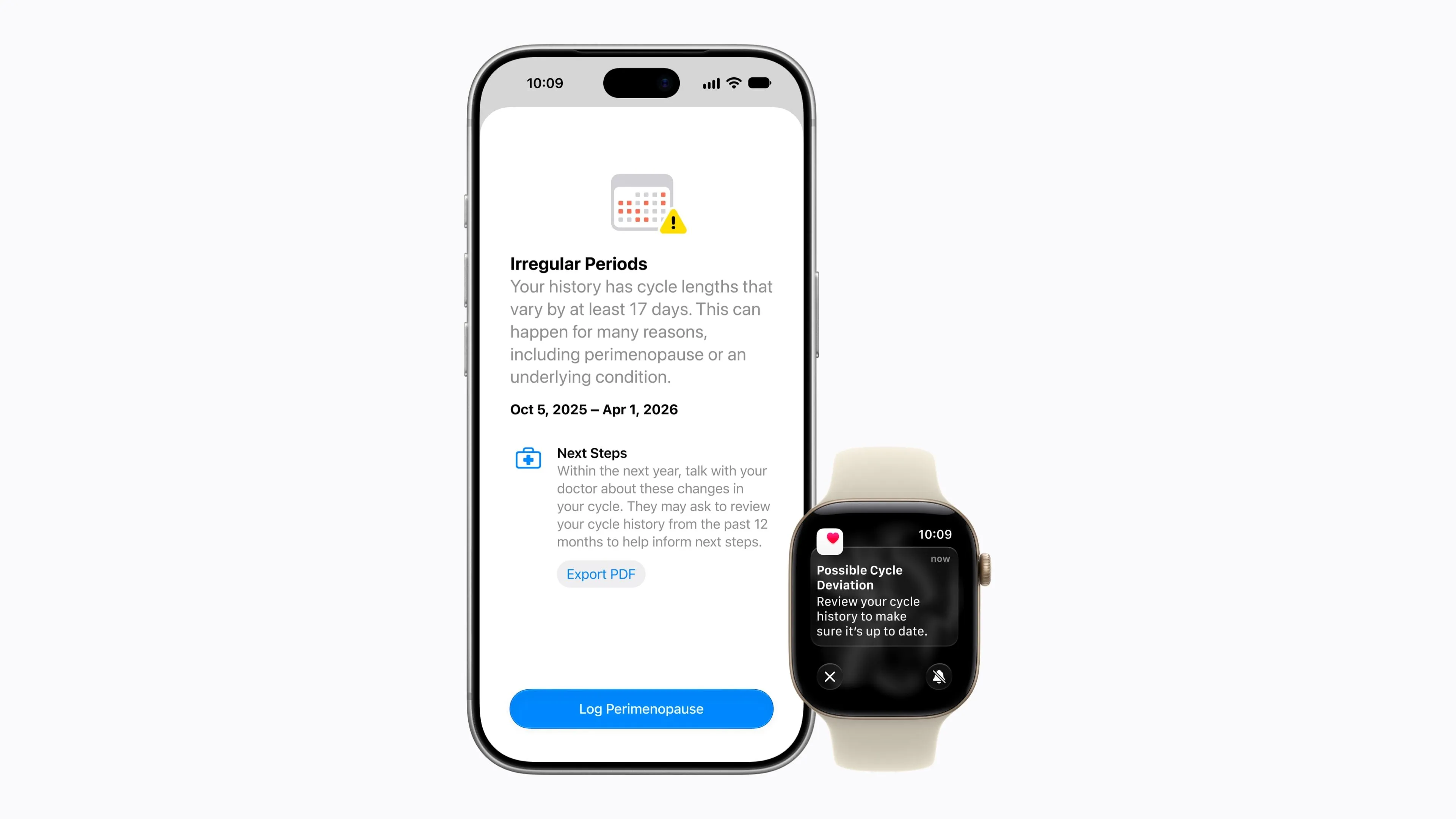
Cycle tracking in Health lets you log symptoms of perimenopause and menopause and refer to related information. A notification is also added for when logged cycle patterns suggest perimenopause. The notification is for users 40 and older and is based on logged cycle history. It is not a substitute for diagnosis, treatment or contraception.
Meanwhile, the full overhaul of the Health app, including Insights, which summarizes health information with AI, Longevity, which handles long-term health indicators, and Health Age, which uses Apple Watch data, will come later this year. The starting language is U.S. English. Physical assessments using the iPhone camera and other tools are also planned, though the equipment required differs by feature. Keep the cycle tracking update available now separate from the AI features still to come.
AirPods, GymKit and Apple Music
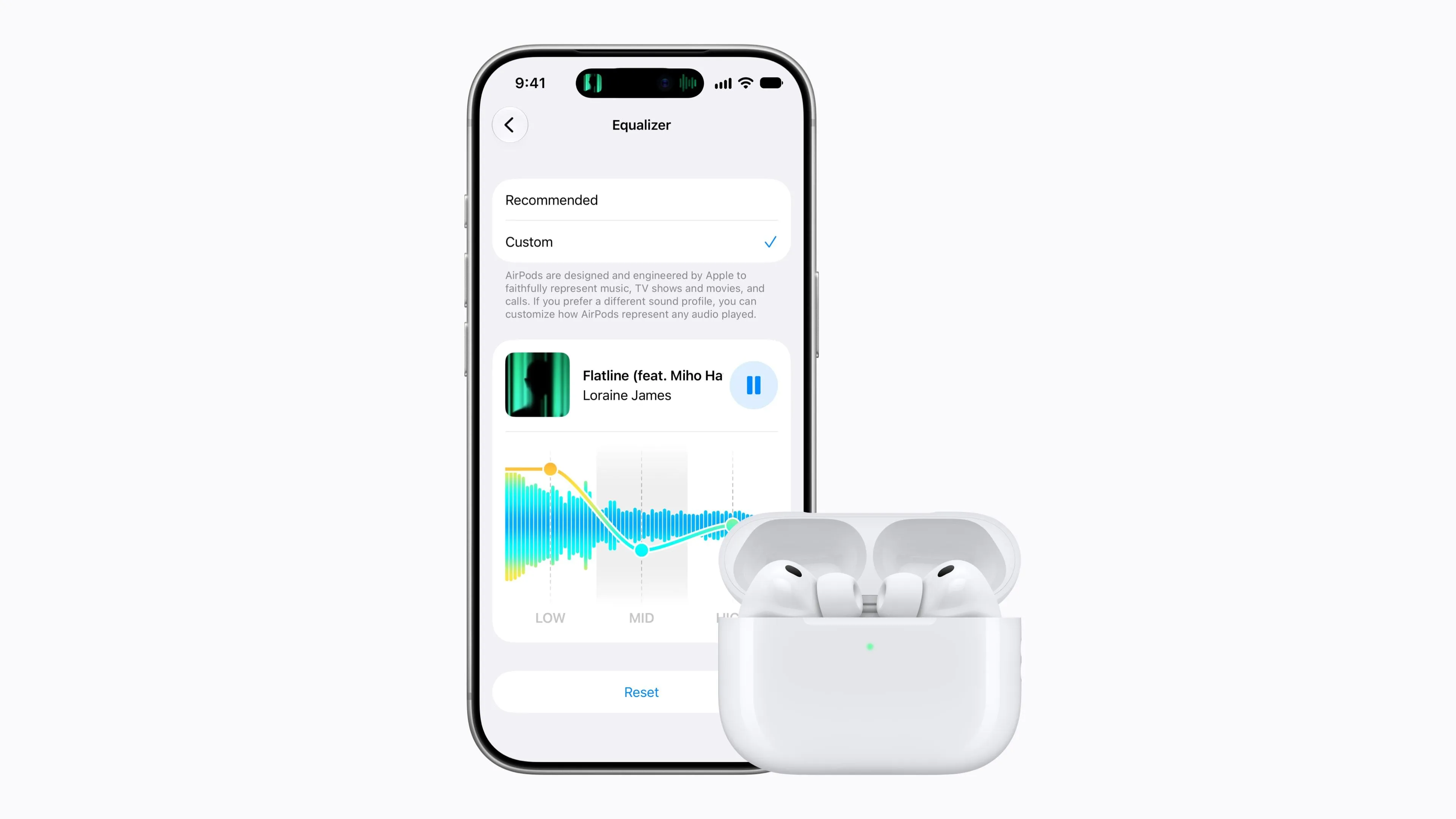
AirPods gain a custom EQ that adjusts bass, mids and treble, letting listeners tune sound quality to their taste. iPhone support for GymKit also expands, allowing you to connect to compatible exercise machines such as treadmills and check measurements. With AirPods Pro 3, a way of sharing heart rate during workouts via iPhone is also described.
In Apple Music, switching of AutoMix, which blends songs together, is improved. Lyrics translation adds seven language pairs, such as Japanese to English, and lyrics pronunciation display adds five pairs, such as showing English or Simplified Chinese in katakana. These follow Apple Music's supported songs and service-side conditions, and updating the OS does not mean they work with every song or accessory.
FaceTime, and video in CarPlay when parked
In FaceTime's dual capture, you can overlay a small view of your own face on the video from the rear camera. It lets the other person see both the scene in front of you and your expression, though in Apple's guide it is for iPhone 17 and later.
In CarPlay, you can play video from your iPhone on the car's display when you are not driving. You use AirPlay or a compatible video app, and the vehicle must support in-car video. If the vehicle determines it cannot show video, only audio plays. When using Siri AI in CarPlay, Siri's model and language conditions also apply.
Support for seeing, reading and operating
VoiceOver describes photos, screens and surroundings in more detail and can answer questions. On supported models it can also work with the Action button. Magnifier gains conversational visual assistance, and Accessibility Reader formats text for easier reading and helps with summaries and translation. The languages supported for this detailed image understanding and for the Reader include Japanese.
Automatically generated synchronized captions for video, and translation of existing captions into another language, are also provided. Voice Control makes it easier to specify on-screen elements with natural names such as "the button at upper right." However, this flexible naming is English only at launch. Within the same accessibility category, image description and voice control have different conditions of use.
Compatible models, and what to check before updating
iOS 27 supports the iPhone 11 series and the iPhone SE (2nd generation) and later. Organizing Apple's list by generation gives the following.
| Series | Supported models | Apple Intelligence |
|---|---|---|
| iPhone 11 | 11, 11 Pro, 11 Pro Max | Not supported |
| iPhone SE | 2nd and 3rd generation | Not supported |
| iPhone 12 | 12, 12 mini, 12 Pro, 12 Pro Max | Not supported |
| iPhone 13 | 13, 13 mini, 13 Pro, 13 Pro Max | Not supported |
| iPhone 14 | 14, 14 Plus, 14 Pro, 14 Pro Max | Not supported |
| iPhone 15 | 15, 15 Plus, 15 Pro, 15 Pro Max | Pro/Pro Max only |
| iPhone 16 | 16, 16 Plus, 16 Pro, 16 Pro Max, 16e | Supported |
| iPhone 17 | 17, 17 Pro, 17 Pro Max, 17e | Supported |
| iPhone Air | iPhone Air | Supported |
| New products | iPhone 18 Pro, 18 Pro Max, iPhone Duo | Supported. Follows each product's release timing |
Even on the same iOS 27, AI features are present or absent between the iPhone 15 and 15 Pro. All of the 16 generation, including the 16e, supports Apple Intelligence, but the conditions for the natural Siri voice and advanced dictation mentioned earlier are narrower still. Not judging a feature's availability by the OS generation name alone will reduce confusion after updating.
To update, back up your device, connect to power and Wi-Fi, and go to Settings → General → Software Update.
The OS itself is a free update, but for AI features that use models on servers, usage limits and possible future paid expansion have been indicated. Apple names Siri AI, advanced photo editing and Image Playground among the affected features, but gives neither fixed usage counts nor prices for a paid plan. Because the explanation of usage limits also differs between the rollout announcement and earlier support documents in how it describes the timing of introduction, these cannot be counted on as a free service with guaranteed usage.
When Japanese Siri AI arrives in October, it will be tested not only on conversational fluency but also on whether it correctly finds your own email and appointments and carries out requested actions in the apps you use every day. If it passes those tests, iOS 27's AI can be judged as a feature you can trust with everything from research to daily errands.