


On October 1, Amazon refreshed its Kindle e-reader lineup and began sales and pre-orders in Japan.
The changes common to the new models are a flat front with no step between the screen and the surrounding bezel, and a thinner body. The Kindle lineup also gains a new 32GB model with an aluminum back. In Japan, the 16GB model costs ¥29,980 and the 32GB model costs ¥33,980.
However, the screen size, storage capacity, and maximum battery life of the Kindle (16GB) are unchanged from the previous model, and its launch price is ¥10,000 higher.
When weighing an upgrade, consider how much a thinner, lighter body is worth to you. Also consider the option of simply adding the new page-turning method to the Kindle you already own.
A flat front with no screen-to-bezel step, and attention to one-handed use
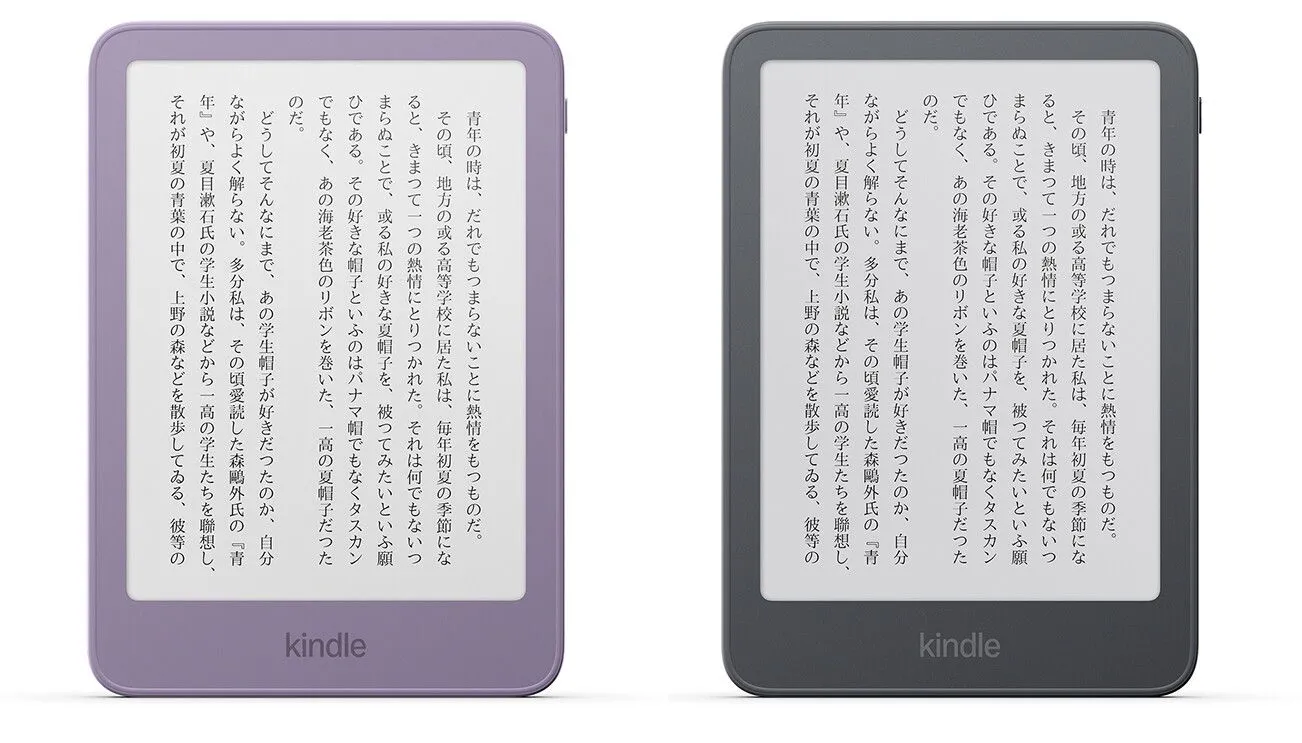
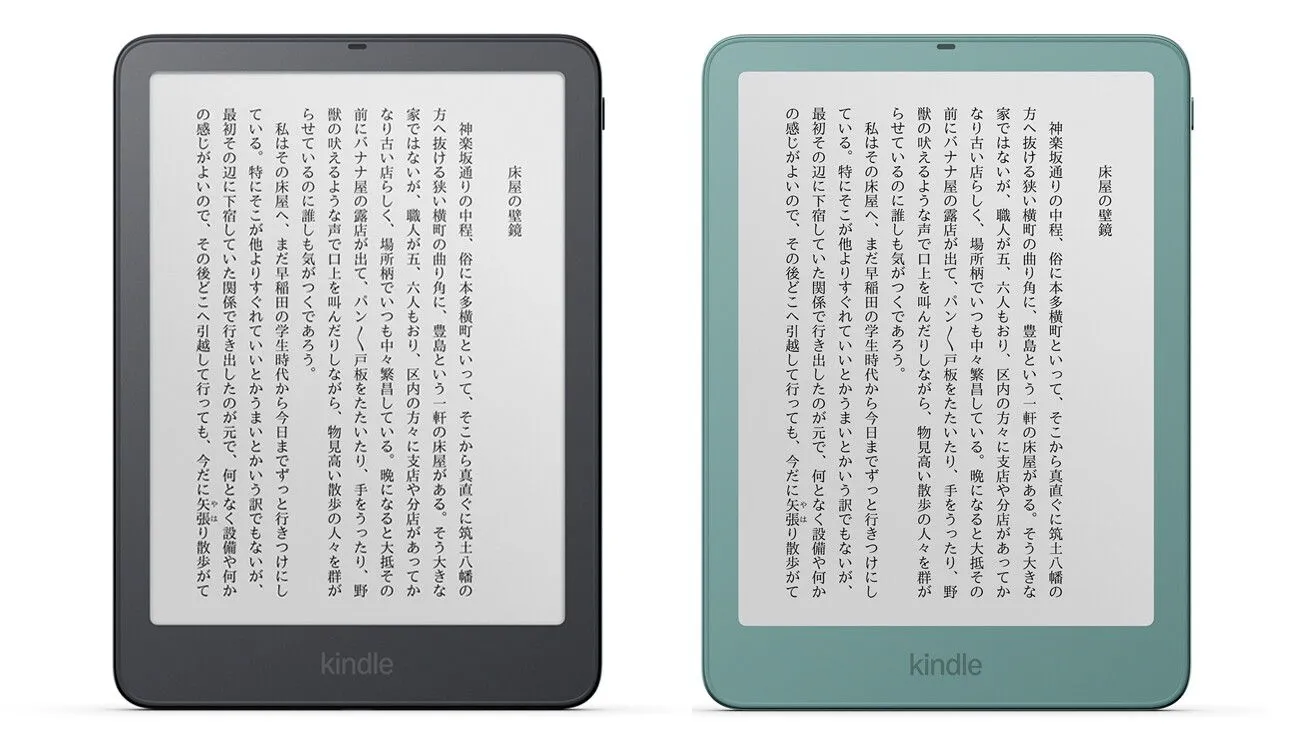
In the new Kindle lineup, the step between the display and the bezel is gone, making the front flat.
The bezel is the frame around the screen. This change does not mean the display area itself extends to the edge of the device; rather, the surfaces of the screen and the frame now sit at the same height.
Amazon says it redesigned the layered structure of the display to achieve this design. It reworked how the e-paper display layer, the front light, the layer that detects touch input, and other components are assembled, achieving both a flat front and a thinner body.
However, Amazon has not disclosed the specific arrangement of the layers or by how many millimeters each component was thinned. The change in front design should be considered separate from any improvement in the image quality of the e-paper itself.
Removing the step between screen and frame also changes how touch input interacts with the fingers gripping the device.
Amazon told TechCrunch that it has introduced a mechanism that detects where the thumb sits when the device is held and excludes that area from touch input. This is meant to reduce accidental inputs when a finger touches the screen while the device is held in one hand.
How accurately it recognizes different ways of holding the device is something worth checking on actual hardware.
The power button has also moved to the upper right of the body. Amazon says the change is intended to reduce accidental presses when holding the device in one hand and to make operation feel natural.
The simultaneous changes to the screen step and the power button position suggest that this model prioritizes usability while reading with one hand.
The body color is also now consistent from front to back.
The Kindle (16GB) comes in Ube Purple and Graphite, while the 32GB model with the aluminum back comes in Alpine Sky Blue and Sea Glass Green.
These are color options for the device body itself; the Kindle (16GB/32GB) display has not gained color support. Models that display color content remain the Kindle Colorsoft.
18g lighter, but about 50% more expensive
The easiest way to see what has changed in the Kindle (16GB) is to compare it with the 16GB model released in 2024.
Both the old and new models share a 6-inch screen and 16GB of storage.
| Item | Kindle 16GB (2024) | Kindle 16GB (2026) |
|---|---|---|
| Screen size | 6 inches | 6 inches |
| Storage | 16GB | 16GB |
| Weight | 158g | 140g (as reported by TechCrunch) |
| Thickness | 8.0mm | 6.8mm (as reported by TechCrunch) |
| Rated battery life | Up to 6 weeks | Up to 6 weeks |
| Launch price in Japan | ¥19,980 | ¥29,980 |
The specifications and price of the 2024 model are from Amazon's announcement for Japan, and the price of the 2026 model is from the October 1 announcement for Japan.
The weight and thickness of the new model are figures reported by TechCrunch and are not a measured comparison under identical conditions. In addition, "up to 6 weeks" of battery life is a rated figure based on specified usage conditions and does not mean you can read continuously for 6 weeks.
Comparing the launch prices of the 16GB models in Japan, the price rose ¥10,000, from ¥19,980 to ¥29,980. That is an increase of about 50%.
This compares published launch prices only; it is not a comparison with the 2024 model's current selling price or its sale prices.
The new model keeps the same screen size and storage while being 18g lighter and 1.2mm thinner.
Therefore, the roughly 50% price increase cannot be directly matched to an improvement in display performance. For people who carry their Kindle every day or hold it with one hand for long reading sessions, the thinner and lighter body could be a reason to upgrade.
On the other hand, if you mainly use your current Kindle on a desk or stand, you can change how it handles by adding the new page-turn remote described below, without replacing the device.
The roughly 30% speedup Amazon describes also needs a closer look at what exactly got faster.
Amazon's US announcement says the speed of "opening a book" is 30% faster than the 2024 model. The Japanese announcement words it as "book display speed improved by about 30%."
It is therefore best not to interpret this as every page turn during reading being uniformly 30% faster. The books used for measurement and how many seconds the wait was actually reduced from and to have also not been published.
The improvement in opening a book should be evaluated separately from responsiveness when moving through pages.
The 32GB model is ¥4,000 more than the 16GB model, at ¥33,980.
It doubles the storage and adopts an aluminum back. According to Amazon, the casing uses 80% recycled aluminum. The screen size is the same 6 inches as the 16GB model.
The reported 140g weight of the 16GB model cannot simply be applied to the 32GB aluminum model, so you will need to choose with the differences in capacity and casing material in mind.
Kindle Click: usable without replacing your device
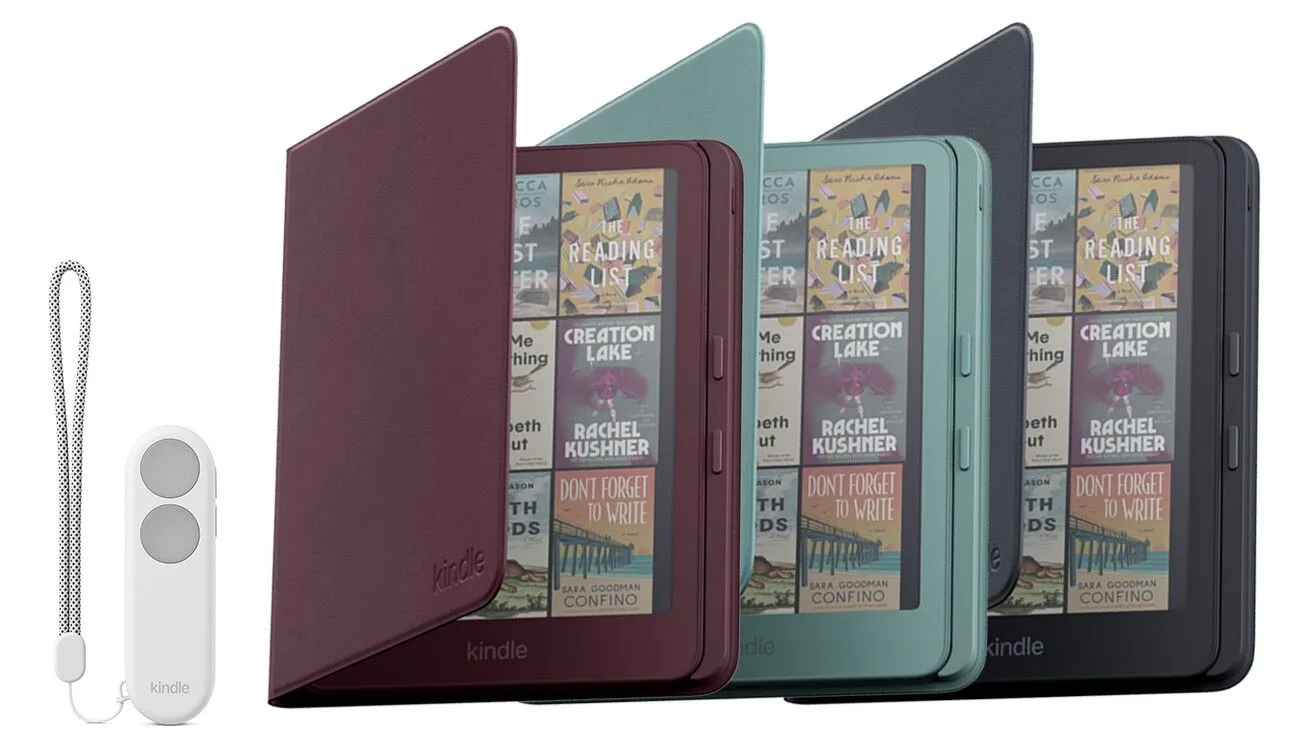
Amazon also announced a new accessory, the "Kindle Click."
This Bluetooth remote costs ¥5,180 (tax included) and lets you go forward and back through pages without reaching for the Kindle itself.
It is compatible with Kindle devices released in 2024 and later, so if you only want to change how you turn pages, you can add it without replacing your device.
If you read with your Kindle on a stand, or want to take your hands off the device while reading in bed, you no longer need to touch the screen each time.
If you are satisfied with the screen and battery of your current compatible Kindle, it is worth considering whether Kindle Click alone meets your needs before upgrading to a new model.
For those who want to turn pages with physical buttons while holding the device, a "Magnetic Vegan Leather Cover with Page Turn Buttons" will be available.
It costs ¥11,980 (tax included) and is exclusively for the 2026 Kindle Paperwhite Signature Edition and Kindle Colorsoft Signature Edition. It cannot be used with the standard Kindle or older models.
According to the US announcement, the cover with buttons connects to the Kindle body through contacts.
It differs from Kindle Click, which operates remotely over Bluetooth, not only in how it connects but also in how it is used.
The cost differs significantly as well.
The Kindle Paperwhite Signature Edition costs ¥44,980, and adding the ¥11,980 cover with buttons brings the total to ¥56,960.
That is ¥16,980 more than the standard Kindle Paperwhite at ¥39,980. Physical page-turn buttons are not built into the device; you need both a compatible Signature Edition and the separately sold cover.
Pre-orders for Kindle Click and the cover with buttons opened on October 1, and shipping in Japan is scheduled to begin in mid-November.
Which accessory to choose depends on whether you want to operate a device from a distance, including older models, or use physical buttons while holding a compatible new Kindle.
Kindle starts at ¥29,980; Paperwhite and Colorsoft to ship November 11
The main models sold in Japan, with prices and shipping schedules, are as follows.
Prices are the Japan prices announced by Amazon on October 1. Sales and shipping of the 16GB and 32GB Kindle models began the same day.
| Model | Storage | Price in Japan | Shipping in Japan |
|---|---|---|---|
| Kindle | 16GB | ¥29,980 | Starts October 1 |
| Kindle (aluminum back) | 32GB | ¥33,980 | Starts October 1 |
| Kindle Paperwhite | 16GB | ¥39,980 | November 11 (planned) |
| Kindle Paperwhite Signature Edition | 32GB | ¥44,980 | November 11 (planned) |
| Kindle Colorsoft | 16GB | ¥51,980 | November 11 (planned) |
| Kindle Colorsoft Signature Edition | 32GB | ¥56,980 | November 11 (planned) |
The Kindle Paperwhite has a 7-inch black-and-white display and supports IPX8 water resistance, color temperature adjustment, and up to 12 weeks of battery life.
However, water resistance and up to 12 weeks of battery life were features of earlier models as well. They are not new functions added because the front of the Kindle lineup became flat.
The Kindle Colorsoft also has a 7-inch display and can show color covers, illustrations, manga, and more. Its rated battery life is up to 8 weeks.
Color is displayed for compatible content; it is not a feature that automatically colorizes black-and-white manga or books. How much you would use color for what you usually read is a key point in choosing.
For children, Amazon also announced the Amazon Kids Kindle at ¥31,980 and the Amazon Kids Kindle Colorsoft at ¥53,980.
They include a dedicated cover and one year of Amazon Kids+, which automatically renews as a paid subscription after the free period ends.
The higher-end models, including the Kindle Colorsoft, are scheduled to begin shipping on November 11, though Amazon says release and shipping dates may change.
Things to check on actual hardware are how well accidental touches are prevented when holding the device in one hand, how much page-turn responsiveness has really changed, and how comfortable it is to hold with a cover attached.
For the basic Kindle, which keeps the 6-inch, 16GB specifications, how much you value the thinner, lighter body and improved usability against a price ¥10,000 higher than the 2024 model will be the deciding factor in whether to upgrade.
If you already own a 2024 or later Kindle and are happy with the reading itself, adding Kindle Click to change only how you turn pages is another option.