


It's not widely known, but the first Thursday of May is designated as World Password Day. This initiative began from the idea that raising people's security awareness and managing passwords are essential for protecting personal information. Today, as part of its efforts toward a passwordless future, Microsoft announced that it will begin supporting passkeys for its consumer accounts.
What is a passkey?
A passkey allows you to replace traditional passwords with your device's own authentication method. Simply enable Face ID on your iPhone, the fingerprint sensor on your Android smartphone, or Windows Hello on your PC to sign in to Gmail, PayPal, iCloud, and more. For more details, see this page.
Microsoft account holders will now be able to generate passkeys on Windows, Android, and iOS, making it easy to sign in to their Microsoft account without having to enter a password each time.
You can generate a passkey for your Microsoft account via this link.
Once you access the link and log in to your Microsoft account, you'll be presented with new sign-in options, including the ability to add a passkey, as shown below. You can create a passkey by selecting the top item.
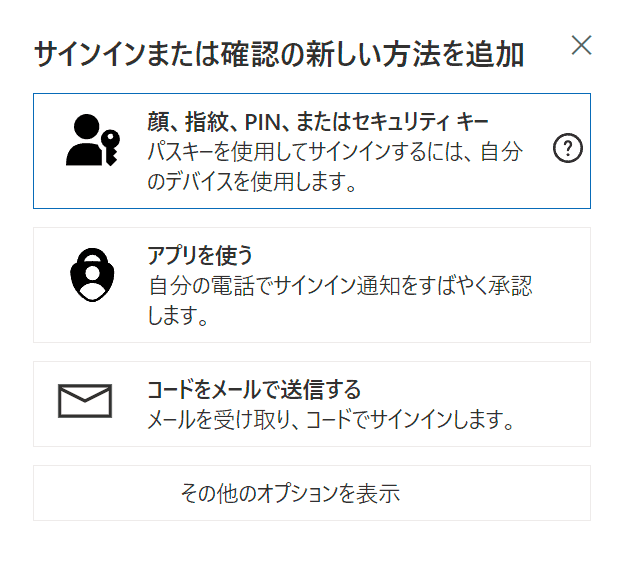
After that, you can choose a security key to sign in with your passkey using your face, fingerprint, PIN, or device.
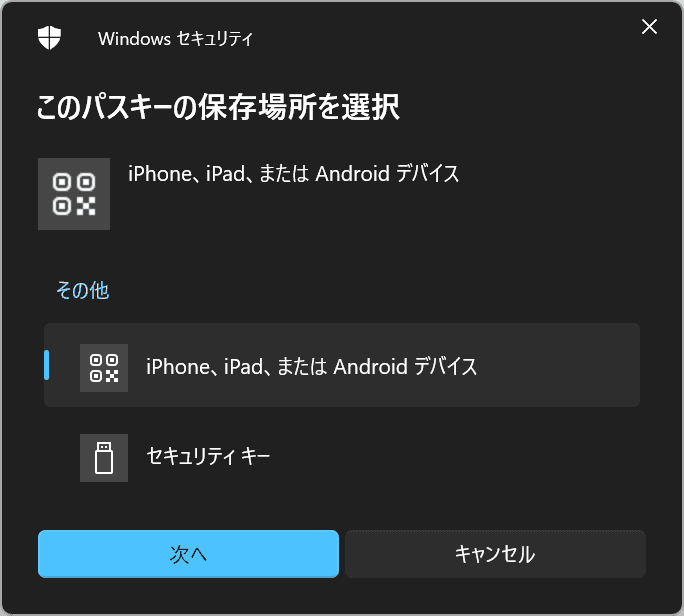
If you're creating a passkey on a smartphone such as an iPhone, simply scan the QR code that appears next with your smartphone to complete the process.
The passkey you create can be used to sign in to Microsoft apps and websites—including Microsoft 365 and Copilot—on both desktop and mobile browsers. Passkey support in mobile apps is also expected to roll out within the coming weeks.
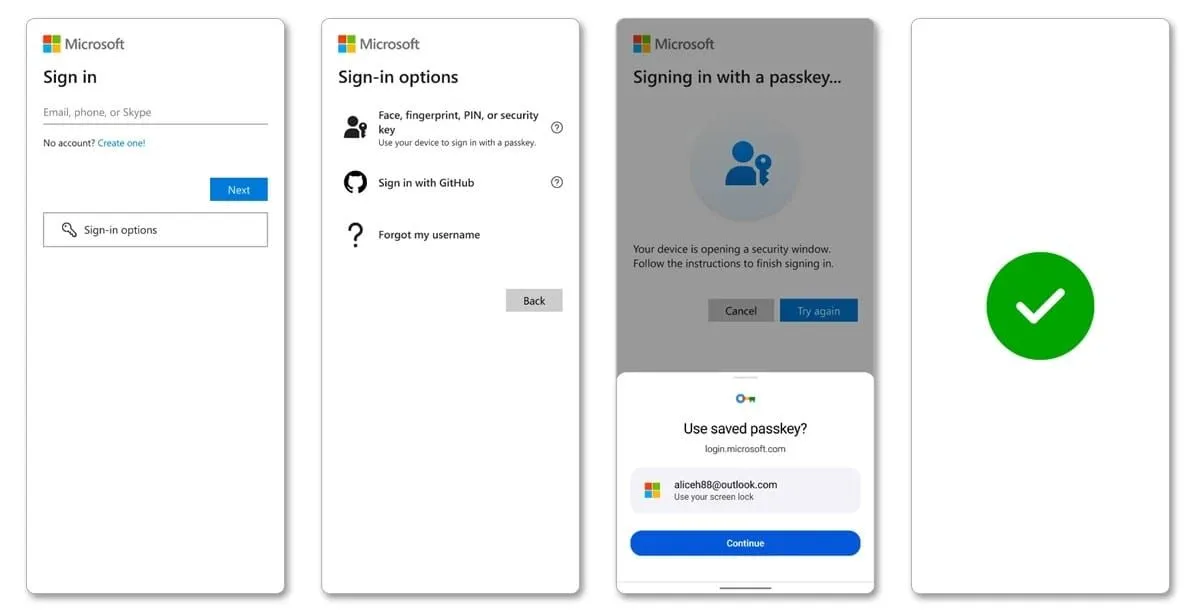
Ahead of this move by Microsoft, companies such as Apple, Google, and PayPal have already supported passkeys for over a year.
Source