

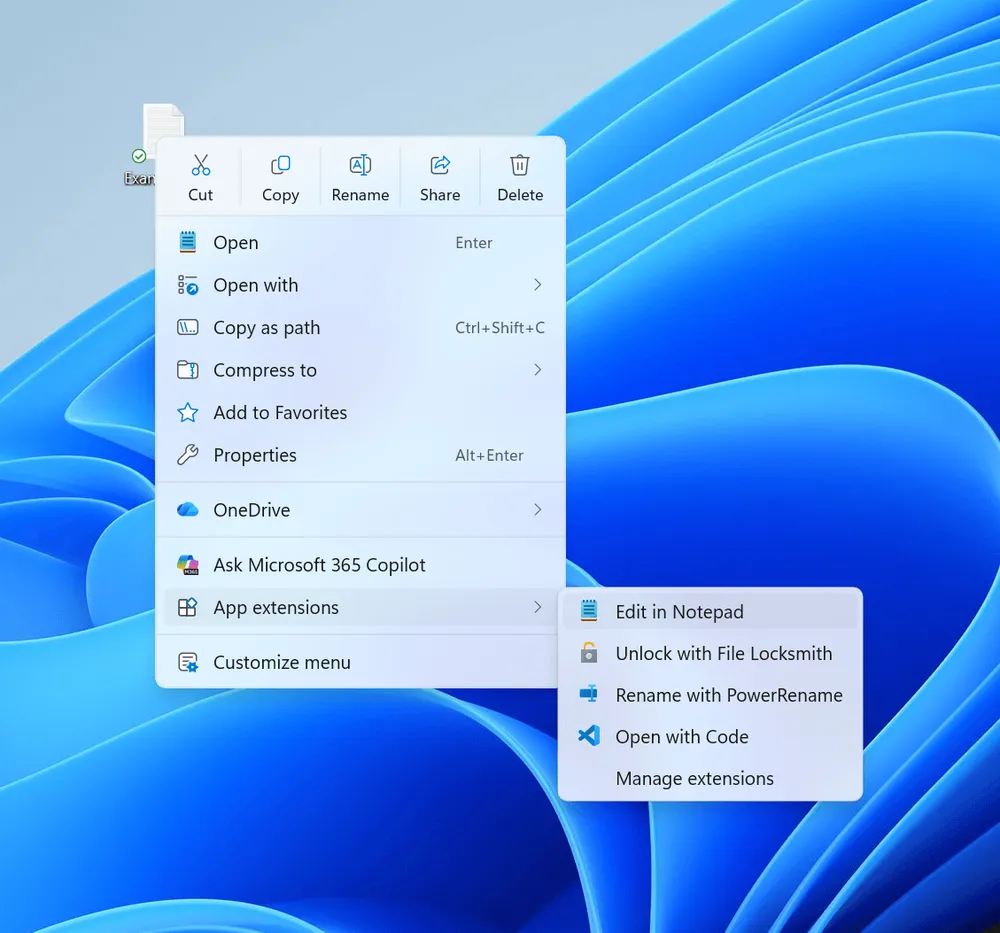
On August 17, 2026, Microsoft began the staged rollout of changes to the context menu that opens when right-clicking in File Explorer on Windows 11. The changes target Windows 11 Insider Experimental Preview Build 26340.9212, and allow users to change how built-in commands and app extensions are displayed via the Settings app. The starting point was Microsoft's own admission that the new menu introduced with Windows 11 had become "cluttered and slow" over time.
The new Windows 11 menu was designed to clean up the items and processing that had accumulated over the Windows 10 era. However, five years later, the problem hasn't gone away—it has returned in the form of the menu-opening process growing heavier as more apps add their own extensions. In the 2026 version, users can now adjust in settings what remains in the top-level menu.
A Problem Solved in 2021 Comes Back
When Microsoft introduced the new Windows 11 context menu in 2021, the situation in mind was the Windows 10 menu having grown chaotically over 20 years. The company explained at the time that with the legacy IContextMenu extension model, many commands ran inside the Explorer process itself, which could compromise performance and reliability. The new top-level menu placed common operations near the pointer, consolidated Open and Open with, and grouped multiple actions from the same app into a flyout labeled with the app's name.
This didn't mean abandoning compatibility. Legacy extensions using IContextMenu and less-frequently-used commands were kept under "Show more options," and Shift+F10 still opened the Windows 10-style menu. This two-tier structure was a deliberate design intended to keep the top-level menu light while still preserving legacy extensions.
However, in its 2026 announcement, Microsoft acknowledged that this new menu had also become cluttered and slow over time. The company stated that the time between right-clicking and being able to act needs to be drastically reduced. Whereas the 2021 version was a design in which the OS itself organized the items, the current change differs in that it lets users reduce the visibility of unwanted built-in items and app extensions themselves.
This is not a change that revives the Windows 10 menu as-is. No official setting to revert to the old legacy menu has been shown; what the 2026 version changes is the display and default values of the new Windows 11 menu.
The Scope of Display Changes Available in Settings
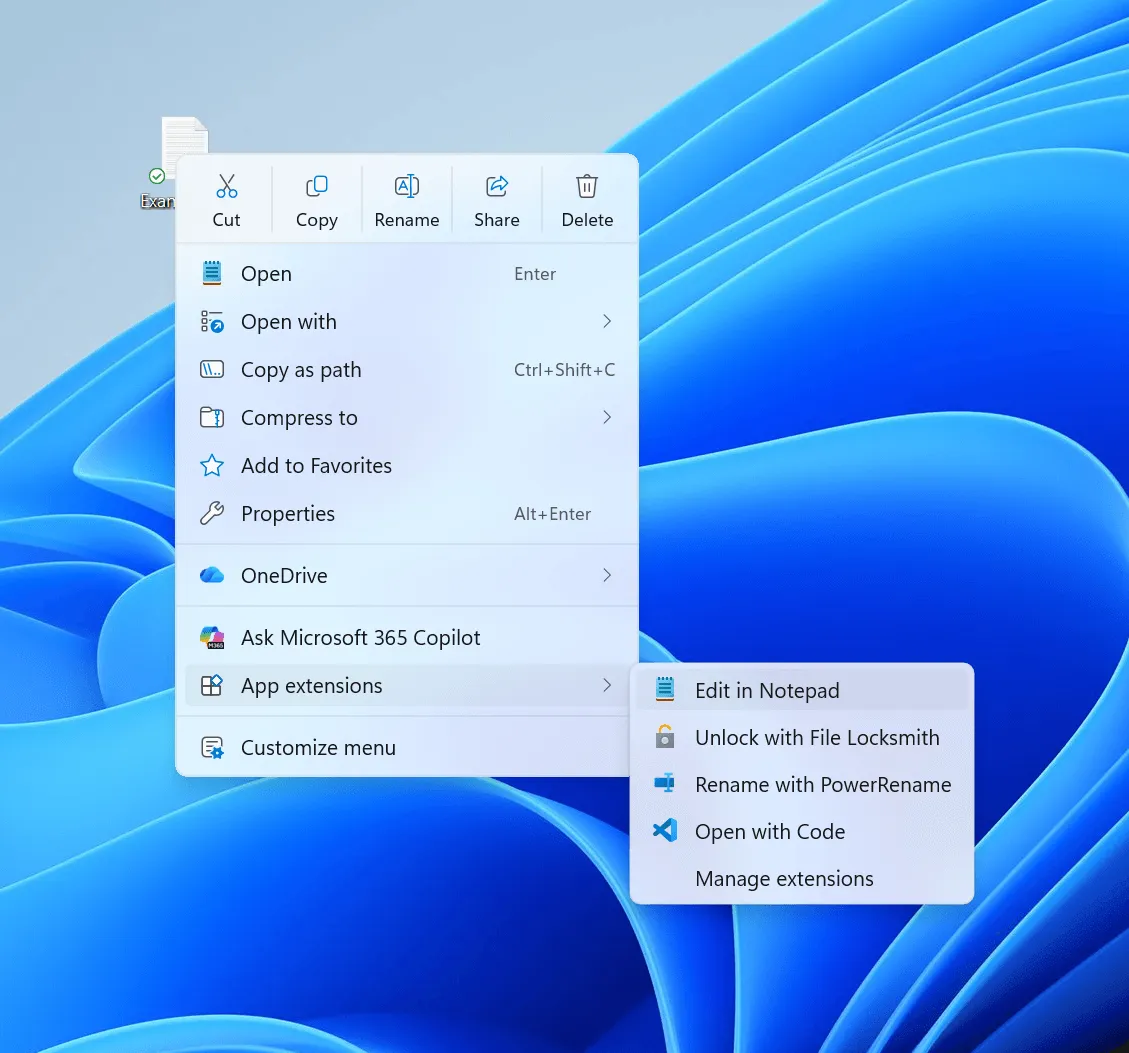
In Build 26340.9212, selecting "Customize menu" at the bottom of the context menu opens a settings page located under Personalization in Settings. Users can toggle built-in commands such as Send to, Create shortcut, and Print on or off. This allows operations that don't need to always be visible on right-click to be individually removed.
For extensions added by apps, users can choose whether to place them in the main menu or group them into a submenu. There is also a setting to hide the submenu entirely. This gives users more options to remove from view items that previously tended to appear prominently in the top-level menu depending on how the app registered them.
Cut, Copy, and Paste can also be displayed as vertical list items rather than as the row of icons at the top of the menu. Rename, Delete, and Share can use the same display method. Properties can be moved to the bottom. While this includes options that lean toward a Windows 10-like feel, it does not restore the old menu's structure or implementation as the default display.
It remains unclear whether these settings apply universally across all files or vary by file extension, folder, or background type. Final specifications for setting synchronization/backup, enterprise policy and MDM support, and accessibility have also not been disclosed. The announcement about being able to choose the display and the extent to which this can be controlled in managed environments should be viewed as separate matters.
The Mechanism Behind Right-Click Slowdowns
App extensions displayed in the Windows 11 top-level menu use IExplorerCommand and an app ID. When File Explorer builds the menu, it activates the IExplorerCommand COM class and calls methods such as GetTitle, GetIcon, and GetState. Microsoft has asked developers to keep these fast and to avoid running heavy processing on the UI path.
The reason is clear: IExplorerCommand methods are called from the UI thread, and communication with network resources can cause the UI to hang. If initialization and state checks for multiple app extensions overlap at the moment the menu opens, the time users wait increases accordingly. This is the pathway Microsoft was referring to when it explained that "each time an app adds its own item, the menu may perform extra processing."
The company attributes the source of the speed improvements to both internal engineering improvements and lightening the default menu. It also stated that it has eliminated dozens of potential stall/interruption causes across File Explorer as a whole. However, this is not a count of improvements specific to the right-click menu alone.
The core of this change is not a new SDK or extension API. It changes how the OS displays items, which defaults it adopts, and what users can hide. In 2021, Microsoft asked developers to implement lightweight code. In the 2026 version, display control is also handed to users. However, how much this display control actually affects right-click wait times has not yet been verified at this point.
Insufficient Material to Measure Performance Gains—For Now
Microsoft has not published old-versus-new benchmarks or improvement percentages specific to the context menu alone. Test devices, number of extensions, cold/warm conditions, and memory consumption also remain undisclosed. The explanation of "dozens" of stall/interruption causes eliminated across File Explorer as a whole cannot be directly translated into right-click response time either. At this point, all that can be confirmed is the policy of lightening the display and an explanation of internal improvements.
In particular, technical documentation does not clarify whether hiding an extension via settings actually skips the COM activation of that extension, or merely hides the item from view. If it's the former, it could potentially reduce extension initialization and calls; if it's the latter, visibility improvements and CPU/I/O reduction are not the same thing. Microsoft has not clarified this distinction.
The scope of distribution is also limited. Build 26340.9212 is an Experimental Preview based on Windows 11 version 26H2, and is being rolled out gradually to some users via Controlled Feature Rollout. Even users who install the same build won't all get access at the same time, and the feature may be changed, removed, or never reach general availability.
The date of general availability and the official target versions remain undetermined, and it's also unknown whether this will be extended to Insider channels other than Experimental, or to 24H2 or 25H2. Real improvements can only be compared once menu-specific timing is measured across different extension counts and cold/warm conditions, and once it's shown how the hide setting actually affects activation. For now, only some Insiders selected for the Controlled Feature Rollout can try the setting, and the extent to which wait times will actually shrink remains a matter awaiting that verification.